For years, people who pair a Windows laptop with an Android phone have watched Apple users glide between iPhone, iPad and Mac as if they were a single device. On Windows, that same vision has always felt like a patchwork of apps, cables and cloud links. With the latest Windows 11 Insider update, Microsoft is finally getting serious about fixing that and turning the classic PC plus Android combo into a much more seamless, joined up experience.
From simple music controls to true app continuity
The first sign that something bigger was coming appeared when Windows 11 quietly learned how to resume Spotify playback from an Android phone. 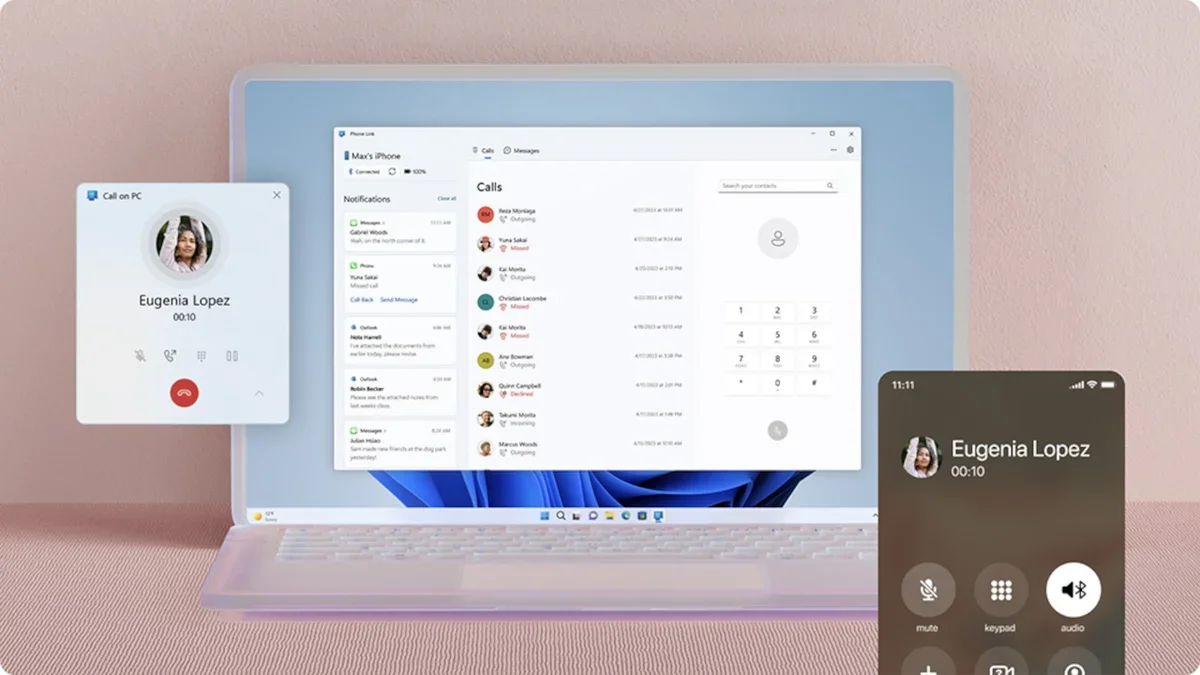
You could stop a song on your handset, sit down at your computer and pick up the same track without hunting for it again. It was a small feature, but it hinted at a future where activities follow you from screen to screen instead of staying locked to one device.
Now Microsoft is widening that idea beyond a single music app. In the Windows 11 Insider Preview build 26220.7271, delivered as update KB5070307, the company is testing a broader kind of handoff that lets your phone tell your PC what you were doing last. Rather than just opening a generic browser window or a fresh document, Windows can jump straight into the exact app or file you were using on your Android phone, turning your computer into an instant continuation of whatever you were doing on the go.
Supported apps, phones and how it actually works
The most obvious example is vivo Browser. If you are scrolling through an article on a compatible vivo Android phone and later wake your Windows 11 machine, you can resume that same page directly in a desktop browser with just a click. You avoid the usual dance of emailing links to yourself, searching your history or trying to remember which tab contained that one interesting article.
It gets more interesting for productivity. Owners of selected Samsung, Oppo, Huawei, Honor and vivo phones can now open files from the M365 Copilot apps, including Word, Excel and PowerPoint, straight on their PC. If the corresponding Office app is installed on Windows, it launches locally. If not, the file opens in your default web browser via the online version, so you can still edit and share it from a full keyboard and larger screen. The only real limitation for now is that offline files stored solely on the phone are not yet supported, which makes sense while Microsoft is still tuning performance and reliability.
Closing the long standing Android and Windows gap
Under the hood, this is basically Windows and Android learning how to speak a shared language about your recent activity. Your phone can advertise what you were last using, and Windows can respond by matching that context with an app or service on the PC side. In the Spotify case, that context is a specific track and playlist. For browsers and Copilot documents, it is a particular page or file you were interacting with. To the user, it simply feels like one continuous session that happens to move from pocket to desk.
This smooth continuity has been the norm in Apple land for years. Start drafting a note on an iPhone, and a small icon pops up on the Mac so you can finish it there. Begin reading an article in Safari on an iPad, then later tap it in the Mac dock. Apple can do this relatively easily because it controls both the hardware and the operating systems. Microsoft faces a tougher challenge, dealing with hundreds of Android models across many manufacturers, each with its own software skin, background limitations and integration quirks.
Why this took so long
That fragmentation is a big reason Windows and Android have historically struggled to offer the same level of polish that people expect from Apple devices. Features like Phone Link and basic notification mirroring were important first steps, but they still felt like add ons sitting on top of two separate worlds. What Microsoft is testing now in Windows 11 is closer to genuine unity, where the PC understands that your phone is not just a source of messages and photos but an active workspace whose state can be recreated on a bigger screen.
Because of that complexity, Microsoft is understandably rolling things out slowly. By limiting early access to specific apps and a handful of manufacturers, the company can gather feedback, iron out bugs and ensure that performance and privacy are handled properly before widening the doors. Assuming testers respond positively and the experience remains stable, these capabilities are very likely to expand to more devices and eventually arrive for all Windows 11 users through regular system updates.
What it means for everyday users
In daily life, the impact of this kind of cross device continuity is bigger than it looks on paper. Imagine you start reviewing a Word report on your phone during a commute, marking a few comments while on mobile data. When you get to your desk, Windows can present that same document as a top suggestion, already open and ready for deeper editing with a full keyboard and mouse. Or picture skimming through holiday research in vivo Browser on the sofa, then resuming the same tabs on your PC when it is time to compare prices in multiple windows.
These small time savers add up. Modern work and entertainment already hop constantly between screens. Phones are the place where quick ideas begin, notes are captured and media is discovered, while laptops and desktops are where long form writing, analysis and serious multitasking happen. When the operating system helps bridge that jump instead of forcing you to reconstruct your task manually every time, your devices stop feeling like separate islands and start behaving like different views of the same digital life.
Room for further evolution
The current implementation is only a foundation. It is easy to imagine Microsoft deepening this bridge in future Windows 11 and Android updates. Richer clipboard sharing across devices, more robust file handoff beyond Copilot apps, smarter notification syncing and even better support for messaging and calling are all natural extensions of what is being tested now. Some of these pieces already exist in limited form, but tying them together with a consistent sense of recent activity would make the whole ecosystem feel more coherent.
For now, the important point is that Windows 11 is no longer treating Android phones as generic accessories. It is beginning to treat them as first class companions, capable of handing over real work and entertainment sessions without friction. If Microsoft can maintain that momentum, the combination of a familiar Windows PC and an Android handset could finally offer the kind of fluid, multi device experience that used to be exclusive to tightly controlled, single brand ecosystems.
In short, this long overdue push toward continuity is not just a convenience tweak. It is a strategic move that acknowledges how people actually use technology today, constantly switching between devices while expecting their digital world to stay in sync. For millions of Windows and Android users, that shift will make everyday computing feel far more modern, natural and connected.
3 comments
Imagine this on all apps, like opening your mobile game on PC in the same spot, that would be wild
Finally, Microsoft doing something right for once, this is the feature I actually needed lol
Nice idea but I am a bit scared about privacy, feels like everything is watching what I am doing