Why iPhone photos feel more alive than the competition
I was scrolling through my camera roll the other day when a tiny loop of motion stopped me cold. It was a Live Photo from a weekend trip: I’m fumbling to frame a selfie while my girlfriend leans in, tries to playfully bite my shoulder, then breaks into laughter as I react a heartbeat too late. In three seconds, that little clip carried sound, motion, context, and the exact mood of that afternoon. It didn’t feel like looking at a still; it felt like stepping back into the scene. And it reminded me of an uncomfortable truth for every other great camera phone I’ve tested: lots of phones take technically sharp images, but very few make memories feel alive the way the iPhone does.
That feeling isn’t magic. It’s the cumulative effect of dozens of choices Apple has made about capture, file handling, UI design, and even weight balance. Android flagships like the Samsung Galaxy S24 Ultra, Vivo X100 Pro, and OnePlus 12 pack astonishing hardware: oversized sensors, periscope zooms, and gobs of AI. Yet, despite the spec sheets, they often miss the soft factors that turn a picture into a memory trigger you’ll actually revisit.
The quiet power of micro-motion
Live Photos are the obvious headline, but the key is how elegantly they’re executed. By default, the iPhone captures a sliver of time before and after the shutter, stitches it with audio, and keeps it attached to your still frame without demanding extra taps or storage micromanagement. Take several shots in quick succession and iOS quietly bundles them into a single, scrubbable moment. The result is a compact little memory capsule: a breeze rustling hair, a shared laugh, the clink of cups, a dog jumping into frame. It’s not video bloat; it’s context, and context is what sparks recall.
Crucially, none of this asks you to think like a camera operator. There’s no special mode to toggle, no buried setting to remember, and no pressure to plan. The iPhone treats the living layer as a default and gets out of the way. That design decision matters more than any sensor spec because it preserves the spontaneity that makes personal photography personal.
Specs vs. experience
Much of the non-Apple playbook still worships the datasheet. You’ll see banners trumpeting sensor codes and aperture fractions while ignoring the ergonomics of actually capturing a moment. Some phones ship with top-heavy camera stacks that feel like they might tip out of your hand when you reach for the shutter one-handed. The iPhone isn’t the lightest device, but its mass distribution, button placement, and rounded edges make framing in portrait or landscape feel stable and natural. That ergonomic calm lowers the friction to shooting when the moment is fleeting.
There’s also the matter of continuity. On many Android phones, zooming from ultra-wide to main to telephoto can produce jarring shifts in color, exposure, and focus behavior. You feel the gears changing. Apple spends enormous effort matching lenses so the transition feels fluid. Plenty of users will never articulate that difference, but they notice it subconsciously: the iPhone feels predictable, so you zoom more, experiment more, and capture more.
A camera app you don’t have to learn
Interface simplicity is another compounding advantage. Over the last few iOS releases, Apple streamlined the camera UI to favor large, legible controls, persistent muscle-memory gestures, and context-aware options that don’t overwhelm. Compare this with apps that bury you in novelty modes on the main screen: fireworks, supermoon, long exposure, and a lab’s worth of dials. Those can be fun, but when placed front-and-center they add friction at the worst possible moment. Photography is about now; the best UI treats the shutter as sacred and everything else as optional.
Even small details matter. Focus peaking and exposure compensation behave consistently. Lens buttons are where your thumb expects them. The haptic nudge on the shutter confirms the capture without demanding a glance. These are tiny things that add up to fewer missed shots and, more importantly, to a sense of trust.
Smart defaults that respect your time
Apple’s shift to higher-detail 24MP images by default (while keeping file sizes reasonable) is a prime example of a smart, invisible default. You get richer crops and prints without babysitting ProRAW or toggling resolutions. Another deceptively powerful touch is post-capture depth: recent iPhones can recognize people, pets, or objects and allow you to convert a regular photo into a portrait with adjustable bokeh later. That means you don’t have to remember to switch to portrait mode in the heat of the moment; you can decide during edit, when your brain isn’t juggling a dozen variables.
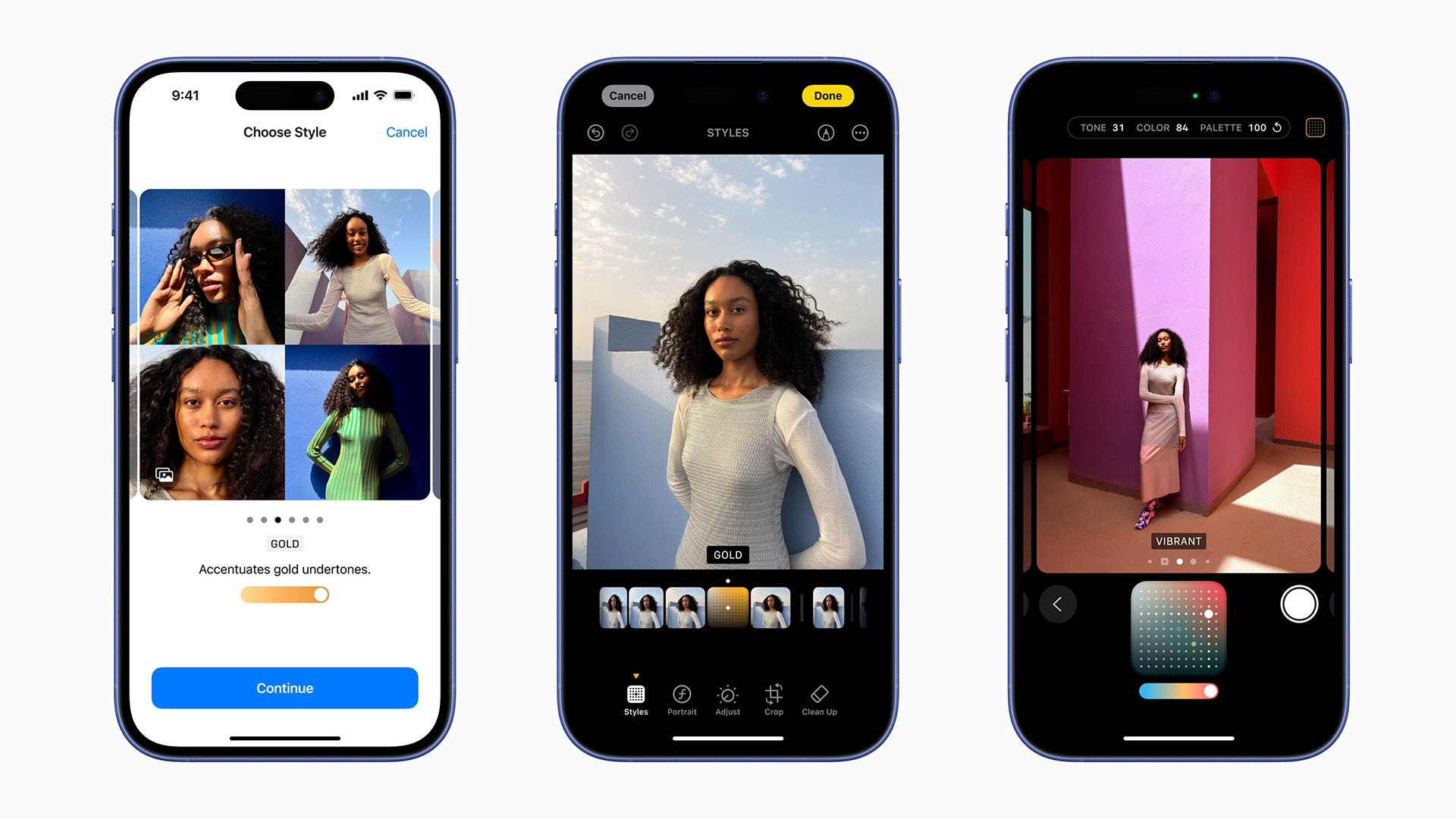
Then there are Photographic Styles and the built-in editor. Styles are not one-size-fits-all filters; they’re tuned profiles that preserve skin tone and balance contrast without turning every scene into the same Instagram preset. The editor itself is fast, tactile, and integrated across the system. Cropping, straightening, and color tweaks feel immediate, so you actually do them. The barrier to a finished, share-worthy image is low.
Where Android phones push ahead
This isn’t a puff piece. Android makers out-innovate Apple in several areas. Samsung’s object removal is often cleaner than Apple’s cleanup tool. Vivo and Xiaomi use telephoto lenses for macro, producing gorgeous close-ups with minimal distortion, while the iPhone defaults to ultra-wide for macro and can introduce softness at the edges. Periscope zoom on devices like the Galaxy S24 Ultra can be transformative for wildlife or stage photos. These are real advantages, and if they align with your shooting priorities, you’ll love them.
But the gap I keep coming back to isn’t about any single feature – it’s about the orchestration. The iPhone’s camera system feels composed like a great soundtrack: every instrument is mixed to serve the story. Many rivals have powerhouse solos, but the ensemble sometimes steps on itself.
Why the iPhone is a better memory machine
Most of our photos aren’t technical exercises. They are people, pets, plates of food, messy sunsets, quick laughs. What matters is how those images age – how rewatchable, findable, and emotionally legible they remain months later. Live Photos capture atmosphere. Smooth lens transitions reduce friction so you shoot more variations. Post-capture portrait conversion rescues depth when you forgot to switch modes. A simple editor gets you from capture to completed memory without exporting into a maze of third-party apps. All of that adds up to photos you return to – and that return the favor by returning you to the moment.
What competitors could copy tomorrow
- Make micro-motion the default. Ship a lightweight, battery-sane living layer with audio that attaches to stills by default and gracefully bundles bursts into one moment.
- Clean the main UI. Keep the shutter sacred; demote novelty modes. Prioritize large toggles, consistent gestures, and quick access to exposure and lens switching.
- Match lenses for continuity. Color science and exposure behavior should stay stable as users zoom. It’s invisible work that pays huge dividends.
- Choose the right defaults. Higher-detail photos by default, fast on-device edits, and post-capture depth tools remove the need to plan every shot.
- Balance the hardware. Big sensors are great, but not if the phone feels like it might tumble during one-handed capture.
The bottom line
There are phones that win lab charts and there are phones that win hearts. The iPhone happens to do both often, not because of any singular spec but because the entire pipeline – capture, handling, editing, and playback – serves the human on the other side of the lens. Android flagships like the Vivo X100 Pro and Samsung Galaxy S24 Ultra are thrilling in their own right and absolutely the right tool for some jobs. But when I want pictures that feel like memories – images that breathe, that carry sound and motion and the awkward laughter between frames – I reach for the iPhone. Not because it’s perfect, but because it consistently turns moments into something alive.
2 comments
Bro it’s just marketing, chill. Then I opened my old Live Photos… ok you win
Great take. Memory machine is the right phrase tbh