WhatsApp rolls out passkey-encrypted backups: what changes and how it keeps your chats safer
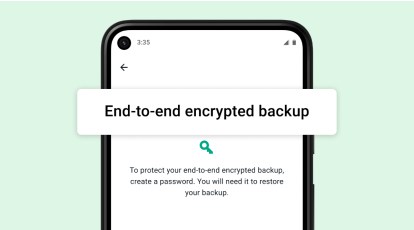
WhatsApp is introducing passkey-encrypted backups, letting you protect the key to your chat history with your fingerprint, face, or screen lock instead of memorizing a password or guarding a cumbersome 64-digit code. In practice, your device unlock becomes the gatekeeper for the backup encryption key, stored in the operating system’s secure hardware, so only you can decrypt your cloud backup.
Think of a passkey as a modern key pair: a private key lives on your device, a public key sits with the service. When you confirm with Face ID, fingerprint, or your PIN, the device releases the private key to wrap or unwrap the backup key. This avoids weak memorable passwords and makes phishing vastly harder because there is nothing reusable to steal.
Enabling it is straightforward once the update reaches you. Open Settings > Chats > Chat backup > End-to-end encrypted backup and choose the passkey option. WhatsApp says the rollout is gradual over the coming weeks and months, so the toggle may appear at different times for different regions and devices.
Common questions and concerns
What if the phone is lost or dies? Passkeys are device-bound, but on most modern platforms the secure credential can be restored to a new device through the platform’s cloud keychain as long as you still control that platform account and have a screen lock set. If you avoid cloud restores entirely, consider keeping an alternative recovery method enabled. The key point: losing the phone does not automatically mean losing your chats, but you should keep your device backups and platform account recovery up to date.
Is this the same as TOTP 2FA? Not quite. Time-based one-time passwords protect account sign-in. Passkeys here protect the backup encryption key. They complement each other: TOTP helps keep attackers out of your account; passkeys keep chat content encrypted even if someone gets access to your cloud storage.
Third-party cloud choices? Nothing changes on that front. WhatsApp backups remain tied to the platform clouds (Google on Android and Apple on iOS). Passkeys improve how the backup is encrypted; they do not add new storage providers.
Can WhatsApp or Meta read messages for ads? End-to-end encryption means message content is encrypted on your device and decrypted on recipients’ devices. That design prevents the provider from reading the backup or live chat content. Ad systems may still rely on non-message data such as account activity or settings, but the message bodies remain protected by end-to-end encryption.
What about scary claims like homomorphic backdoors? Fully homomorphic processing would mean computing on encrypted data, which is not how WhatsApp’s end-to-end backup works. The passkey feature specifically strengthens user-controlled encryption of backups; it does not create a silent backdoor.
Why it matters
Passkey-encrypted backups lower the chance of weak passwords, reduce the pain of managing long recovery codes, and align backup security with the same biometric or PIN you already use daily. As the feature rolls out, it gives users a clearer, simpler path to keeping WhatsApp chats safe, accessible, and private without adding new hoops to jump through.
4 comments
Homomorphic backdoor this, homomorphic that… sounds like tinfoil but also makes me nervous ngl
Encrypted chats are great, but do they still target ads based on convo vibes? Not buying it
I want both: passkey for backups AND TOTP for account. Belt and suspenders 😅
If I swap phones, will the passkey follow via iCloud/Google? Article says yes if I keep recovery updated, good to know