Samsung’s Unexpected Edge in Late 2025: Why Software, Not Specs, Sets Galaxy Apart
Look around the Android landscape in late 2025 and it’s hard to miss a pattern: Chinese flagships are crushing spec sheets. From Xiaomi 15 Ultra to Vivo X200 Pro and Oppo’s sprawling Find X line, the numbers are dazzling – larger batteries, brighter displays, outrageous charging speeds, and serious camera hardware – often for hundreds less than a Galaxy. On pure silicon and sensors, even the Galaxy S25 Ultra can look conservative. If you chase raw power-per-dollar, China’s elite is a siren song.
And yet, after months of daily-driving many of these devices – the Xiaomi 15 Ultra, Vivo X3 Fold Pro, Vivo X200 Pro, Oppo Find X8 Pro, Find X8 Ultra, Find X9 Pro, and the short-lived Pixel 10 Pro Fold – the device I actually want to use turns out to be a Galaxy. Not because the hardware is miraculous, but because the software feels like home without being boring. Samsung’s One UI has matured into something rare in consumer tech: a skin that is confident, cohesive, and deeply customizable, all while staying recognizably Android. That’s a harder trick than it sounds.
Hardware is loud; software is lived
Spec sheets are billboards. They grab attention with big fonts: 1,000-nit-this, f/1.x-that, 100W-and-done. But software is the everyday commute – quiet, repetitive, and vital to your sanity. This is where many Chinese Android skins stumble. They are packed with features, yes, but they often play dress-up as iOS. Control Center layouts are near one-to-one clones. Settings pages and iconography trace familiar Cupertino curves. The “Liquid Glass” aesthetic – a glossy, glassmorphism spin now widely adopted – looks slick in screenshots yet blurs brand identity. These interfaces can feel like a collage: capable, but not particularly theirs.
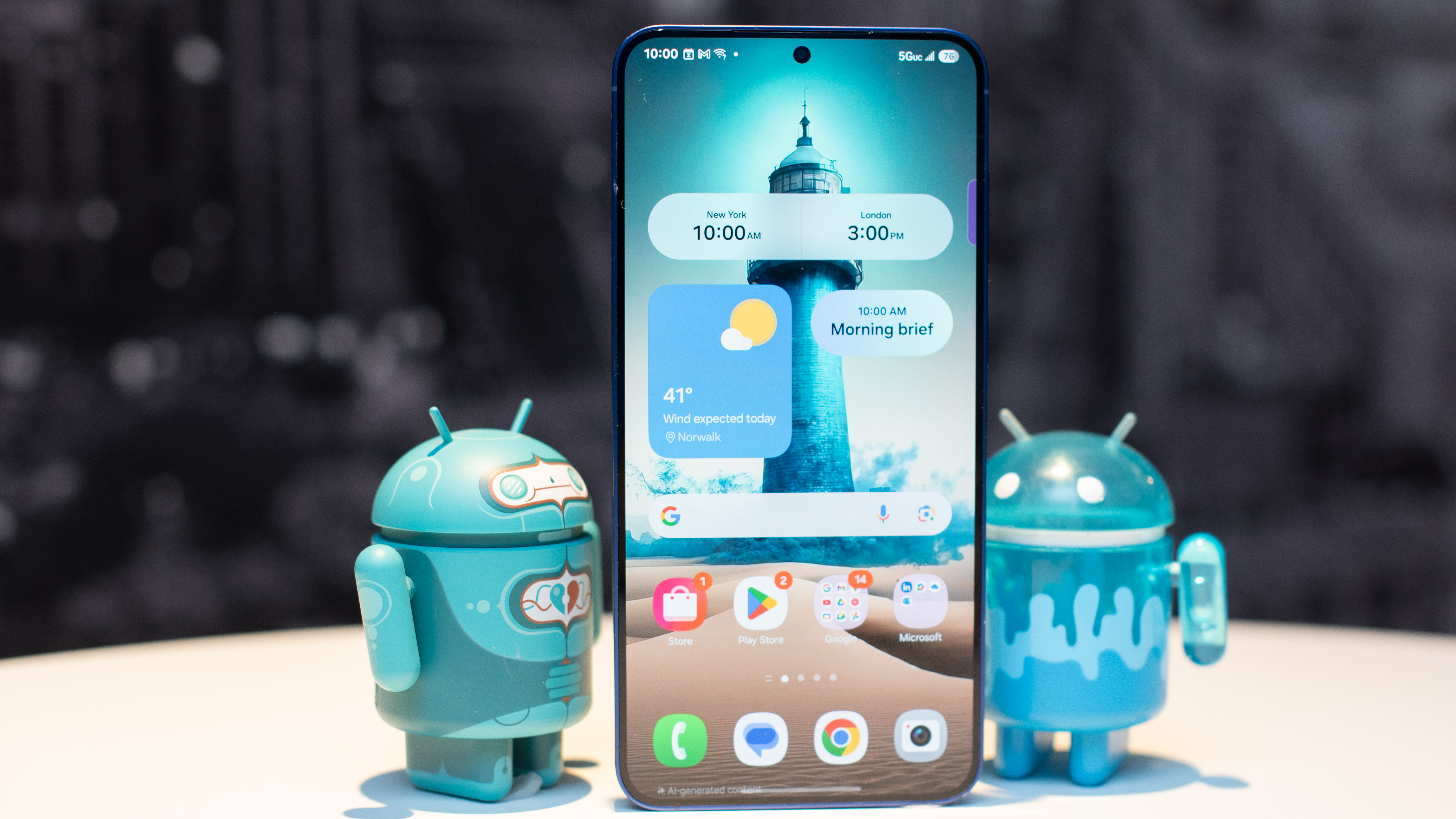
Samsung takes a different path. One UI has a point of view. It’s not stock Android, and it doesn’t apologize for that. With One UI 8.5 atop Android 16, Samsung blends big-target ergonomics (reachable controls, smart spacing) with a language that’s unmistakably Galaxy: rounded geometry without cartoonish excess, clear hierarchy without sterile minimalism, and animations that get out of the way. It’s polished in the literal sense – less friction, fewer visual dead ends.
Yes, AI is everywhere – Samsung’s is at least useful
Every device now ships with AI features, from wallpaper generators to rewrite tools embedded in the share sheet. Much of it is marketing prose with a download button. Samsung’s Galaxy AI isn’t magical, but it is more coherent than most – and, crucially, it sits sensibly inside One UI’s flows. Transcription, translation, summarization, image tweaks, and context-aware suggestions appear where you’d expect, natively styled and governed by consistent privacy prompts. Pairing with Google’s Gemini support rounds out a toolkit that’s practical more often than performative.
The secret sauce: Good Lock, the best “power user” suite on mobile
Samsung’s trump card is the thing enthusiasts never shut up about because it keeps earning the hype: Good Lock. Rather than forcing users into root-level hacks or third-party launchers with fragile workarounds, Samsung publishes a suite of official modules that let you tune the phone like a mechanical keyboard. Theme Park lets you design full visual palettes; Home Up reorganizes the launcher, folders, and share sheet; LockStar reshapes the lock screen’s layout and shortcuts; QuickStar edits the quick settings grid and status bar behaviors; ClockFace gives you, well, clock faces – with unapologetic depth.
The result is a paradox: a phone that feels yours without breaking. No adb rituals, no weird compatibility roulette after updates. You can go wild or stay subtle, but either way, you walk away with a device that matches your taste and your workflow. Among mainstream brands, nobody else offers this breadth of safe, first-party customization.
Consistency, continuity, and the stuff you don’t see on a spec sheet
One UI’s advantage isn’t just taste – it’s infrastructure. Samsung’s system services are better integrated than most rivals: clipboard and drag-and-drop behave predictably across apps; device search is fast and sensible; notifications are legible, actionable, and less prone to cosmetic bugs after major updates. Add Samsung’s ecosystem glue – DeX for desktop-style work, seamless handoff with Galaxy tablets and watches, robust Knox security and Secure Folder – and you get continuity that reduces the small paper cuts that make people switch platforms.
Updates matter too. Long-term support on Galaxy flagships is among the best in Android, and while every brand now promises more, Samsung has the muscle memory to deliver across carriers and markets. That translates to less churn, better resale value, and fewer apps that die quietly because a permission model changed without warning.
But about that hardware arms race…
Let’s be honest: if you’re a hardware maximalist, Chinese flagships are a wonderland. Cameras on the Vivo X200 Pro are thrilling; Xiaomi’s tuning can be punchy and fun; Oppo’s ultrawide and periscope stacks routinely land in the top tier. Batteries are bigger, charging is faster, and price pressure is relentless. Pound for pound, a Galaxy can feel like the sensible sedan next to a neon track car.
Yet the bargain sometimes arrives with strings. Software originality is one. Regional inconsistencies are another – ads, preloads, and permission nagging can vary by market. Translation quality and policy dialogs occasionally feel half-baked. It’s not that these phones are bad; far from it. They’re phenomenal. But the day-200 and day-600 experience matters, and that’s where Samsung’s restraint and resources show up in ways spec sheets can’t anticipate.
Pixels and the “stock” question
Google’s stock-adjacent Android remains clean and timely, but “clean” can shade into “spartan.” On Pixels, you often end up installing third-party tools to regain features Samsung bakes in – advanced screenshot capture, richer routines, flexible split-screen behavior, or granular always-on display tweaks. If the Pixel aesthetic delights you, great; if not, One UI offers a middle ground where power doesn’t demand plug-ins.
What it feels like to live in One UI
- Predictability: Menus live where they should. Long-press actions are consistent. System dialogs are readable across light/dark and accent modes.
- Productivity: Edge panels, pop-up views, and split-screen tools are refined, not bolted on.
- Personality: Good Lock lets you dial in shape, motion, and layout without destabilizing the phone.
- Polish over noise: Animations are present but never precious; typography guides your eye rather than showing off.
The verdict
In 2025, Samsung’s real advantage isn’t a headline sensor or a battery statistic – it’s the daily experience of One UI. Chinese manufacturers have made hardware that’s aggressive, ambitious, and in many cases better value. But software is where habits are formed, where friction accumulates, and where brand identity quietly earns loyalty. On that front, Samsung has built the most complete, confident, and customizable vision of Android you can buy off the shelf.
If you’re the kind of user who imports phones and lives for spec charts, the best from Xiaomi, Vivo, and Oppo will thrill you. If you want a phone that feels thoughtfully designed for the long haul – and one you can make truly your own without breaking it – Samsung’s One UI is the reason the Galaxy still makes sense. In a year obsessed with AI and optics, the most important feature may be the one you feel, not the one you can photograph.
1 comment
hot take but true, samsung’s software just *flows* tbh