Samsung’s One UI 8.0 has officially reached the Galaxy S24+ and, while the update is stable and performs reliably, it doesn’t feel like a revolutionary step forward. For many users, this release may come across as more of an iterative refinement rather than a dramatic overhaul. 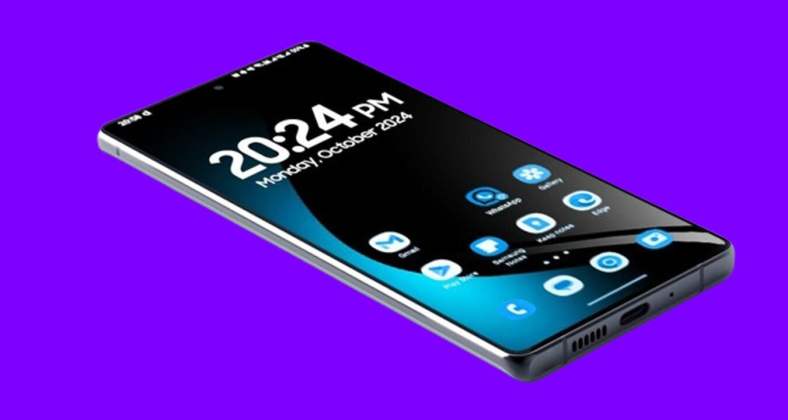
Yet buried among the long list of security improvements, editing tools, and device optimizations, there are two standout features that truly elevate the everyday Galaxy experience: a redesigned split-screen mode and refreshed animations in the Weather app.
Performance remains consistent, but the highlights steal the show
When a phone already performs smoothly, any new upgrade has to bring more than raw speed to feel meaningful. One UI 8.0 does exactly that. The overall stability of the Galaxy S24+ has not been compromised – apps open fast, multitasking remains fluid, and battery efficiency is consistent. But what makes this update worth talking about isn’t just its steady performance; it’s the way it reimagines how people interact with features they may have taken for granted.
Split-screen mode gets a practical overhaul
For power users and productivity enthusiasts, split-screen functionality is a defining hallmark of Samsung’s custom interface. Until now, the split between two apps was functional but rigid, often locking users into unbalanced or awkward layouts. One UI 8 finally tackles this limitation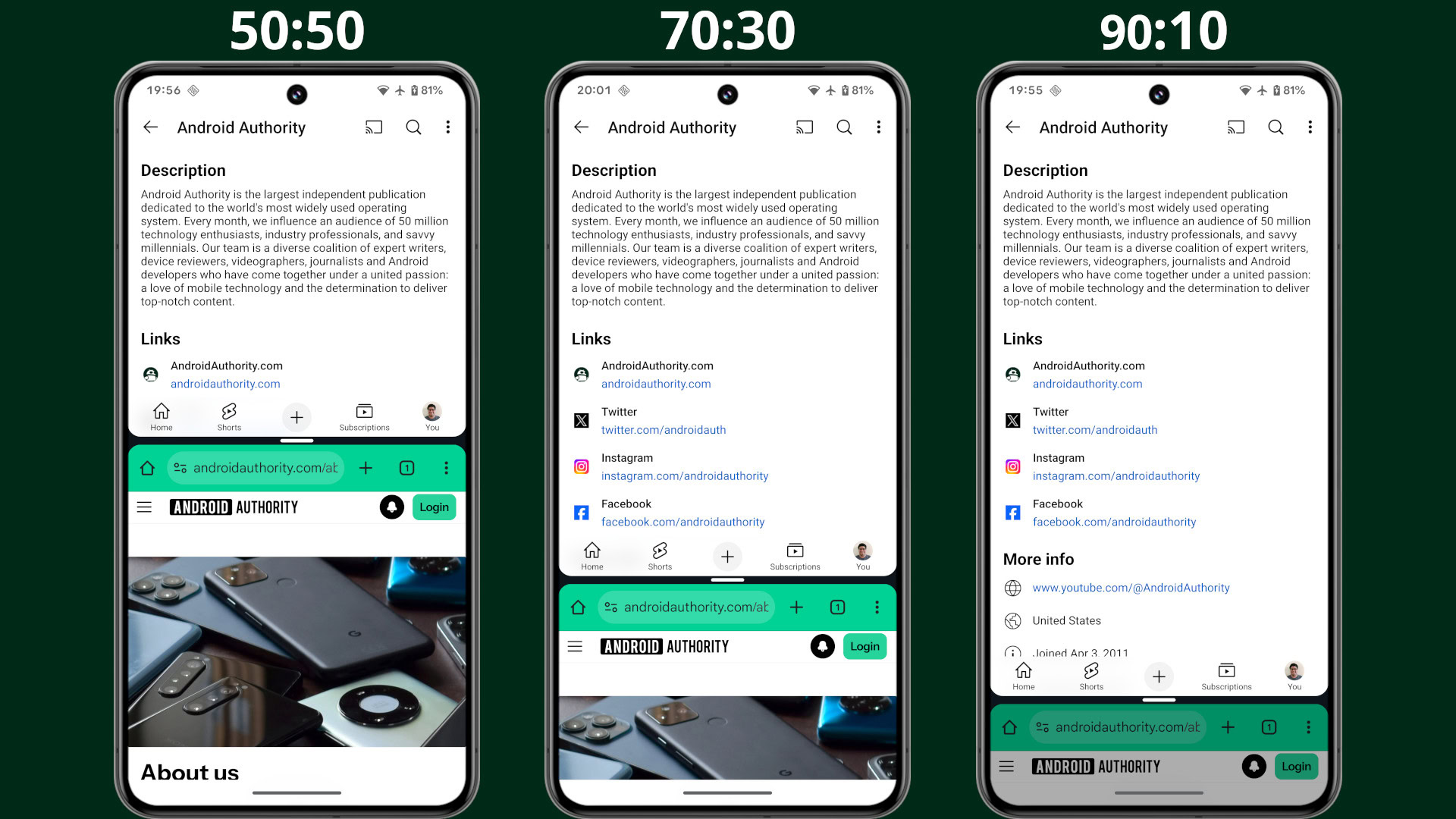
. Users can now resize apps with far greater precision, even shrinking one window down to around 10% of the display while giving the other up to 90% of the space. With a simple tap, the two windows can instantly swap positions, giving you the freedom to prioritize whichever task requires your attention.
This small tweak dramatically changes how multitasking feels. Watching a YouTube tutorial while jotting notes, following navigation while keeping a chat open, or quickly referencing an email while editing a document suddenly feels more seamless. The resizing and swapping interactions are so natural that many will wonder why this wasn’t available years ago. For those who live inside multitasking workflows, this change is arguably one of the most valuable One UI refinements in recent memory.
The Weather app finally looks alive
Design language has long been a sore spot for Samsung enthusiasts who dislike the so-called Corporate Memphis aesthetic. Those static, expressionless caricatures lacked personality and failed to inspire. 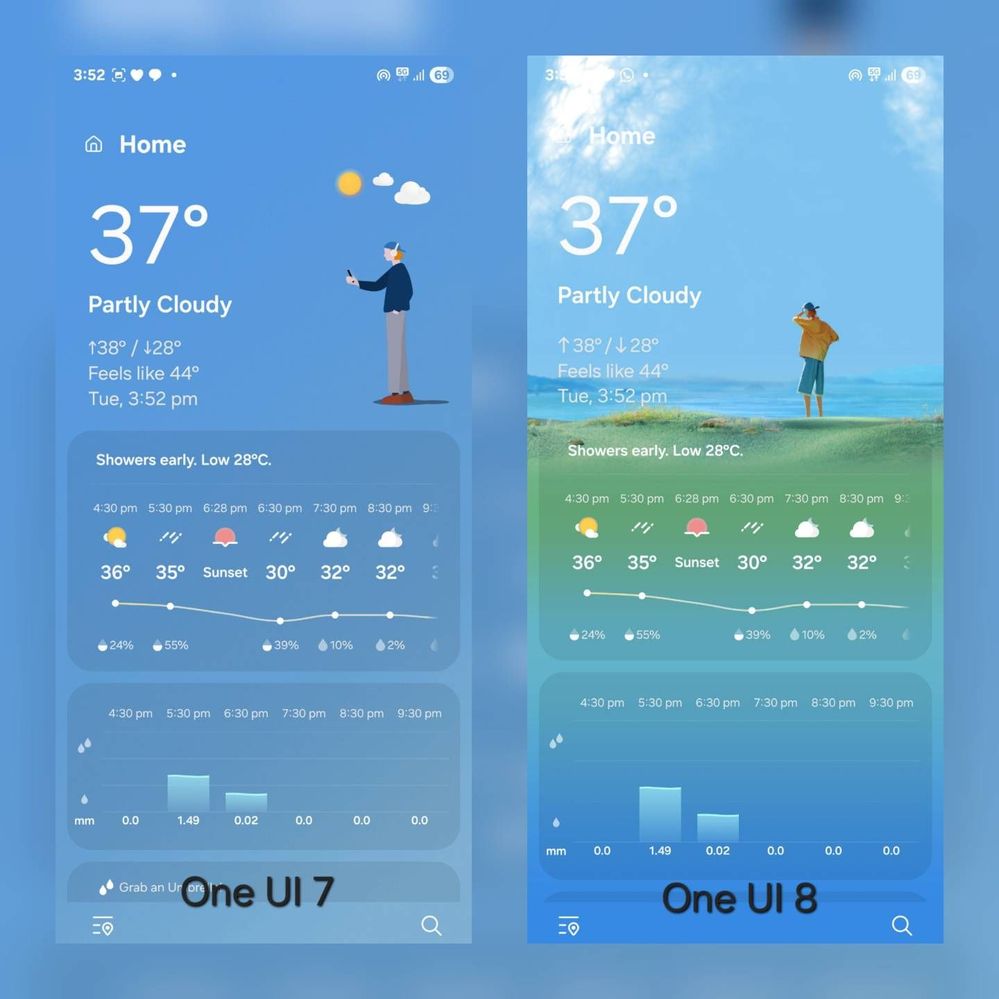
One UI 8 doesn’t eradicate them completely, but it does take a notable step forward by revamping the Weather app with vivid, dynamic animations. Instead of staring at sterile icons, users are greeted by playful visuals that change with the forecast – raindrops sliding down the screen, moving clouds, or gentle sunlight effects. It’s a small but meaningful shift that makes checking the weather less of a chore and more of a visual treat.
The attention to aesthetic detail signals that Samsung is moving away from generic corporate artwork and toward a more immersive visual identity. It’s not only refreshing but also enhances daily usability, since the new animations communicate the forecast more intuitively than static icons ever could.
Features that promised more but fell flat
Not every addition in One UI 8 hits the mark. Take the adaptive lock screen clock, for instance. On paper, it sounds clever – adjusting itself to complement the background image. In reality, it works primarily with portrait photos and feels restrictive when used with abstract or landscape wallpapers. Limited customization options also dampen the excitement. It’s a reminder that flashy ideas don’t always translate into practical features, and sometimes the most valuable upgrades are the subtle ones you didn’t expect to love.
A lesson in tempered expectations
One UI 8 is an update that rewards open-minded exploration. If you go in expecting groundbreaking reinvention, you might walk away disappointed. But if you look closer, you’ll find refinements that quietly make the user experience more pleasant, efficient, and visually engaging. For some, the split-screen improvements will redefine productivity on their Galaxy device. For others, the refreshed Weather animations will add daily charm. And for those who rely on consistent performance above all else, this release ensures stability without compromise.
In short, One UI 8 might not dazzle with headline-grabbing innovation, but it proves that even incremental updates can meaningfully enhance the quality of everyday interactions. Sometimes, the little details – the way two apps share a screen, or the way raindrops ripple across your forecast – make all the difference in how we perceive an upgrade.
2 comments
finally samsung doing something nice with split screen 👏
phone still smooth but not really exciting update