If you’re rocking an older Pixel model, you probably know that Google has a way of surprising its users by bringing some of the coolest features from newer models to older devices. One of these surprises is the introduction of the new “Take a Message” feature, which was initially launched with the recently released Pixel 10 series. While this feature might seem like something exclusively reserved for the latest and greatest device, it’s actually available on Pixel 4 and newer models, showing just how much Google values its users across various Pixel generations.
The “Take a Message” feature is an upgrade to the visual voicemail experience, taking it to new heights by transcribing voicemail messages in real-time as they are left. 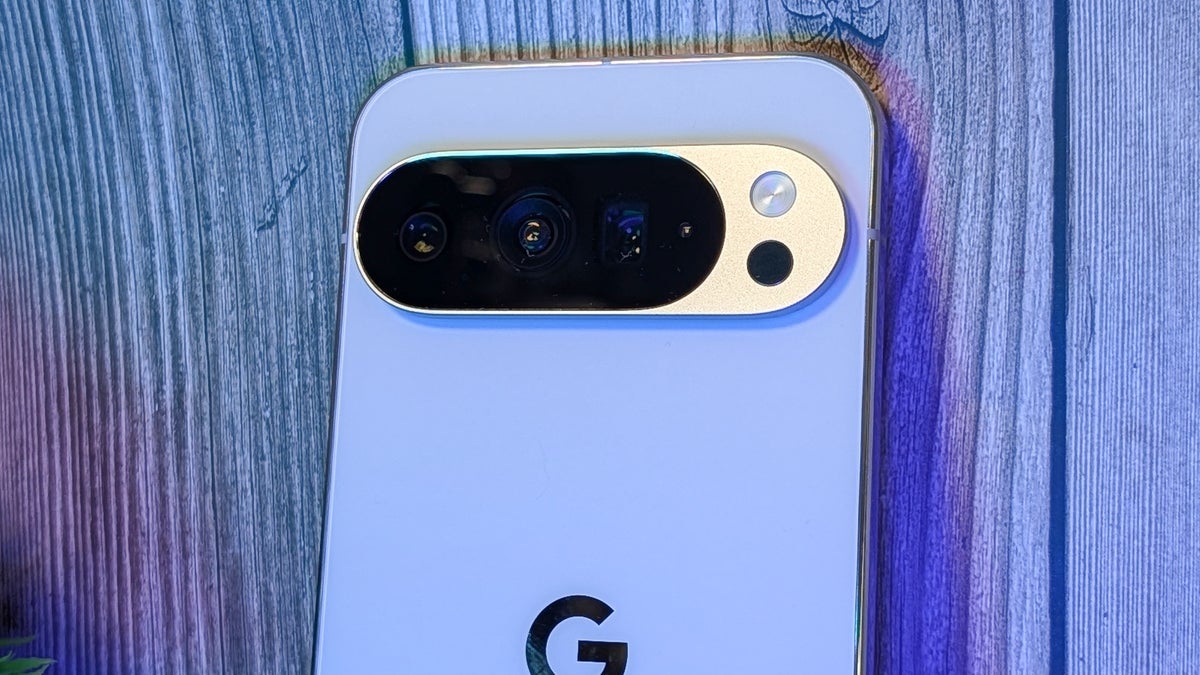
What does that mean? Well, if you miss a call or decline one, and the caller leaves a voicemail, you don’t have to listen to the message to find out what they said. Instead, you’ll see a live transcription of the voicemail on your screen. If the message contains something urgent or important, you can immediately respond by calling back the person or answering the call before they hang up. This can save time and make your communication more efficient.
In a bit of a twist, though, this feature isn’t something entirely new to Google. It’s actually borrowing an idea from Apple’s iPhone. Apple’s “Live Voicemail” feature works similarly by transcribing voicemails in real time on the screen. While Google has often led the charge with innovative features, Apple has been adopting similar functionalities, and now we see this feature being replicated across both platforms. Interestingly, though, the most recent move sees Apple borrowing from Google’s ideas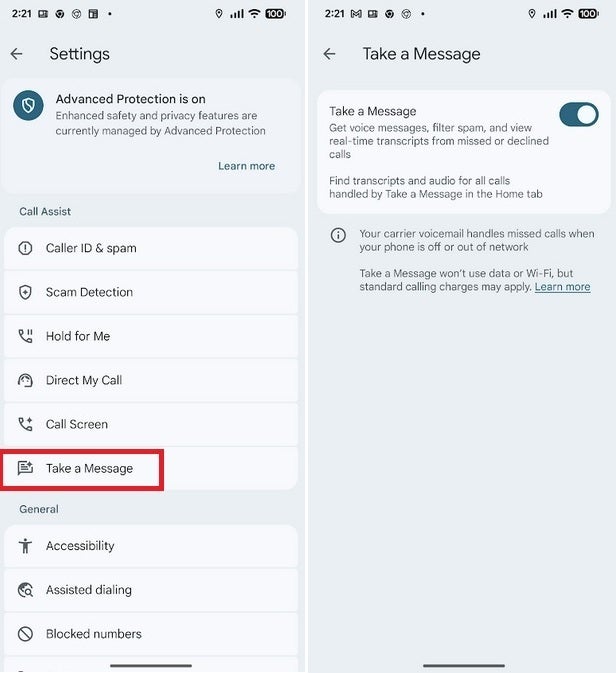
. For instance, Apple’s upcoming iOS 16 update will introduce a feature called “Hold Assist,” which closely mirrors Google’s “Hold for Me” feature that first appeared on the Pixel 6 series. Both features aim to streamline user experience by making long phone waits more bearable.
For those who are new to this, Google’s “Hold for Me” feature is designed to make waiting on hold a less frustrating task. When you’re put on hold, you don’t need to keep the phone glued to your ear, listening to hold music or silence. Instead, Google’s Duplex AI takes over and waits for the other party to return to the call. Once they’re back, you’ll get an alert telling you to pick up the call. The upcoming iOS 16, with its “Hold Assist,” will do something remarkably similar, notifying iPhone users when the other side picks up, so they don’t have to wait around.
So, what about “Take a Message” on older Pixel models? If you’re using a Pixel 4, Pixel 5, Pixel 6, or Pixel 7, you can enjoy this new voicemail feature too. It’s not limited to just the Pixel 10 series, which many users initially thought would be the only ones to get this new functionality. To enable it on your Pixel phone, just open the Phone app, tap on the three-line hamburger icon in the search bar, and go into the Settings menu. From there, find the “Take a Message” option, and toggle it on. Once activated, when you decline or miss a call, you’ll still see the voicemail transcription in your Call history, and a play button will allow you to listen to the full message later. The transcript will be available for you to read, giving you the ability to respond quickly if the message warrants immediate action.
This feature is particularly useful for those who lead busy lives and don’t have the time to listen to lengthy voicemails. Instead of waiting for the caller to finish speaking, you can quickly glance at the transcript to see if it’s worth calling back right away or if it can wait. If you’re curious about how it works, you’ll hear the typical voicemail message, saying, “The person you have called is not available. Please leave a message.” Once the message is left, you can view the transcript and click the play button to hear the full recording. This smooth integration of visual voicemail and real-time transcription is something that is rapidly improving the mobile phone experience.
The introduction of “Take a Message” on older Pixel phones shows just how committed Google is to improving the functionality of its devices even after new models are released. With this feature, users on Pixel 4 and later can enjoy some of the newest advancements in mobile technology without needing to upgrade to the latest model. This move, alongside features like “Hold for Me,” highlights Google’s focus on bringing innovative tools to users and improving everyday tasks like managing phone calls and voicemails. For now, it seems that Google’s and Apple’s competition will continue to bring exciting new features to both iOS and Android, pushing the boundaries of what smartphones can do for us.
2 comments
I love how this feature is available on my Pixel 4 too. I’m all about that hands-off voicemail experience 😎
Does this work with voicemail messages that are in other languages?