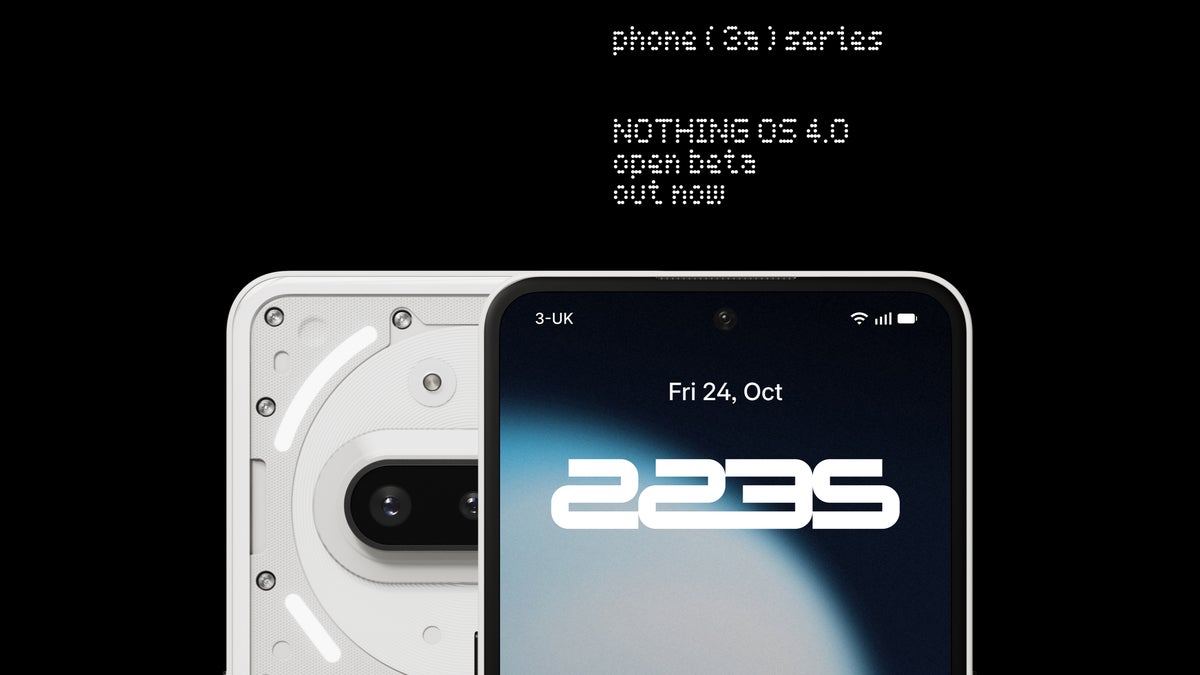
Nothing OS 4.0 Beta Brings Android 16 Features and a Polished Identity to the Phone (3a)
Nothing has officially opened the doors to its Android 16-based Nothing OS 4.0 Open Beta for Phone (3a) and Phone (3a) Pro users. What began as a visually distinctive but lightweight software layer is now evolving into a more sophisticated and mature operating system. The new beta doesn’t just polish the surface – it hints that Nothing is ready to stand shoulder to shoulder with major Android manufacturers.
The Nothing OS 4.0 Beta continues the company’s tradition of minimalism but injects fresh utility and artistic flair. Based on Android 16, the update brings a redesigned icon set, a creative camera preset developed with fashion photographer Jordan Hemingway, and an innovative feature called Lock Glimpse, which dynamically refreshes your lock screen with contextual information and curated wallpapers.
Refining the Aesthetic: A New Icon Language
Nothing calls its new icon design a “lighter, more refined visual language.” It retains the brand’s hallmark dot-matrix minimalism while improving clarity and balance across the UI. It feels like a brand coming into its own – modern, distinctive, and easier on the eyes than before. Every symbol and interface element now seems to breathe a little more, giving the user interface an effortless, confident personality.
‘Stretch’ Camera Preset: Art Meets Everyday Photography
One of the most talked-about additions in Nothing OS 4.0 is the ‘Stretch’ camera preset. Created in collaboration with Jordan Hemingway, this preset enhances contrast, deepens shadows, and brightens highlights to create a cinematic, filmic tone straight from the viewfinder. It’s not just another color filter – it’s a full creative mode designed to evoke the kind of visual storytelling found in fashion editorials and short films. For content creators or anyone tired of flat smartphone photography, this is a statement feature.
Lock Glimpse: A Smarter, More Elegant Lock Screen
Another highlight of the update is Lock Glimpse, a feature that transforms the lock screen into something functional and aesthetically rich. Similar in concept to Google’s At a Glance widget, it can surface contextual updates such as weather, calendar events, or reminders, while rotating through a gallery of carefully curated wallpapers. It’s a step toward a more intelligent, ambient user experience – one that informs you without overwhelming you. The best part: it’s optional, giving users control over how much visual and contextual information they want at a glance.
How to Join the Open Beta
Nothing has made joining the beta relatively simple, though it still carries the usual cautions that come with testing pre-release software. Here’s the process:
- Ensure your Nothing Phone (3a) or (3a) Pro is updated to the latest stable build (V3.2-251013-1406).
- Download the Beta APK from Nothing’s official community page.
- Install the APK from your downloads folder and open Settings > System > Nothing Beta Hub.
- Tap “Join Beta,” then “Go to Update” to begin the upgrade.
As with any beta, it’s essential to back up your data first. While this version is stable enough for enthusiasts, minor bugs and quirks are to be expected.
From Style to Substance: Nothing’s Maturing Software Vision
When Nothing OS launched, it was praised for its striking visuals but critiqued for being “stock Android in a different outfit.” Over time, however, Nothing has been steadily introducing its own innovations – subtle but meaningful ones that put user experience first rather than pushing proprietary apps or intrusive ecosystem lock-ins. This new release feels like a culmination of that philosophy. It’s lean, intentional, and thoughtfully built.
The Android landscape is crowded with manufacturers eager to add gimmicks and pre-installed bloatware. Nothing’s restraint is refreshing. With OS 4.0, the company proves that individuality doesn’t have to come at the cost of simplicity. It’s a design-first philosophy that respects users’ choices instead of dictating them.
The Bigger Picture: Nothing’s Growing Confidence
Nothing OS 4.0 Beta signals a clear evolution from an experimental indie brand to a legitimate software contender. The company’s ability to balance design minimalism with real functionality is now evident in every detail – from icons to camera presets. It’s a measured yet ambitious move that might even sway some Pixel enthusiasts who value clean Android but crave something fresh. The beta phase may just be the preview of a new era where Nothing’s software finally becomes as iconic as its hardware.
4 comments
honestly love how Nothing keeps the UI minimal but useful
that stretch preset sounds dope, need to try it asap
lock glimpse looks cool but pls no more battery drain
backed up my phone and installing rn, fingers crossed!