Samsung’s Good Lock suite has long been one of the brand’s best-kept secrets for enthusiasts who love to customize every detail of their devices. 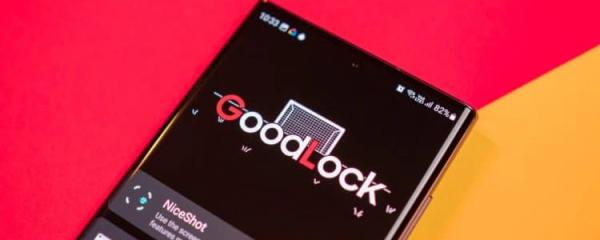
Among its many modules, MultiStar stands out as one of the most powerful and versatile, taking the already excellent multi-window experience on Galaxy devices and pushing it to new heights. If you own a Galaxy phone or foldable, this is a module that deserves serious attention.
The Power of MultiStar in Good Lock
MultiStar is more than just a settings tweak – it’s a toolkit for power users. While Samsung’s One UI already offers multitasking features such as split-screen and pop-up windows, MultiStar extends those capabilities by adding fine-grained controls and experimental options that you won’t find elsewhere. In many cases, features that first appear in MultiStar are later integrated into One UI itself, making the module something of a testing lab for future Samsung updates.
Transforming Multi-Window Efficiency
The highlight of MultiStar is its ability to supercharge the multi-window system. With it, you can create quick launch shortcuts that open two apps side by side instantly – perfect for workflows like browsing the web while taking notes, or messaging while streaming a video. Instead of repeatedly setting up split screens, MultiStar lets you set up combinations once and access them whenever you need them.
Another standout feature is multi-window zoom. This option intelligently scales down the content of apps when used in split view, allowing more information to fit on the screen without sacrificing usability. On devices with expansive displays like the Galaxy Z Fold series, this tweak can be transformative, making the most of every inch of screen real estate.
A Playground for Customization
Beyond efficiency, MultiStar also empowers users to make their Galaxy feel more personal. Whether it’s controlling how apps behave in multi-window, forcing apps that don’t officially support split-screen to run side by side, or fine-tuning transitions, the module is full of hidden gems. For productivity-driven users, these options help reduce friction and turn the device into a true multitasking powerhouse.
Samsung enthusiasts often describe MultiStar as one of the top three must-have Good Lock modules, and it’s easy to see why. It doesn’t just add novelty – it reshapes the way you use your phone every day. If you’ve ever wished your device could multitask more intelligently, MultiStar delivers the solution.
To dive deeper into what MultiStar can offer, tech communities like SamMobile have showcased extensive walkthroughs and video guides. These resources highlight not only the features available today but also how Samsung continues to refine and expand the module over time. For anyone serious about maximizing their Galaxy device, MultiStar is not just a nice extra – it’s essential.
2 comments
honestly split screen is kinda clunky without this module
ngl multistar feels like cheating, makes multitasking too easy lol