In the ever-evolving world of high-end gaming displays, MSI has once again upped the ante. Enter the MSI MPG 271QR X50 QD-OLED, a 27-inch flat-panel powerhouse that merges bleeding-edge specifications with intelligent design. While it may look modest in the sea of curved monitors, its internal muscle and feature set make it one of the most compelling 1440p OLED gaming monitors available today.
Overview & Positioning
MSI’s monitor lineup is thoughtfully tiered: the flagship MEG series aims at enthusiasts, while the MPG, MAG, and G-Series each target specific market segments from serious gaming to entry-level users. 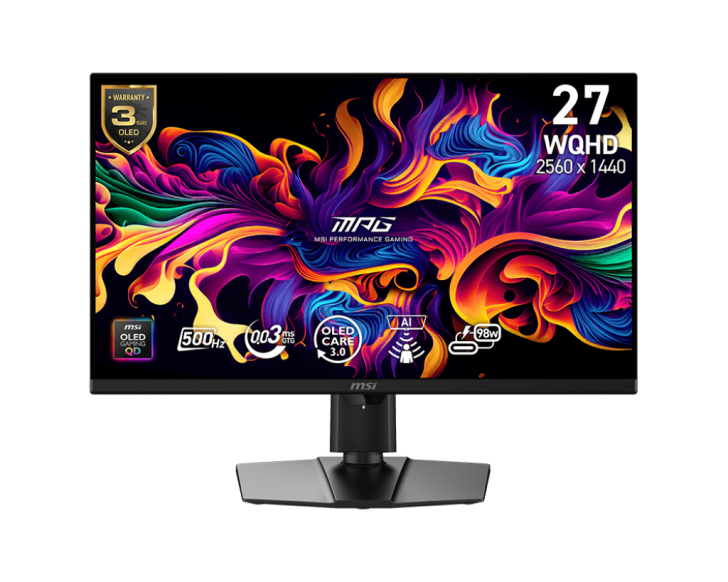
Over the past two years, MSI has aggressively expanded its OLED offerings – across 24″, 25″, 27″, 32″, 34″, and 49″ models – and refreshed its portfolio with new QD-OLED displays in both curved and flat formats. With the MPG X50 line, the company pivots toward flatter panels, acknowledging that many users prefer the more traditional, distortion-neutral experience of a flat screen.
The 271QR X50 is MSI’s fastest refresh-rate monitor to date in the QD-OLED family, and it’s positioned as the bleeding-edge choice for esports and high-frame-rate gaming enthusiasts. At an MSRP of $899 (USD), it sits at a premium but competes justifiably with similarly equipped models from ASUS, LG, and Samsung.
Specs In Depth
The 271QR X50 is built around a 26.5″ QD-OLED panel housed in a 27″ shell, providing a flat viewing surface – a notable contrast to the trend of oversaturated curved designs. The glass is glossy but treated with an anti-glare coating to reduce reflections, an important balance given the light sensitivity of OLEDs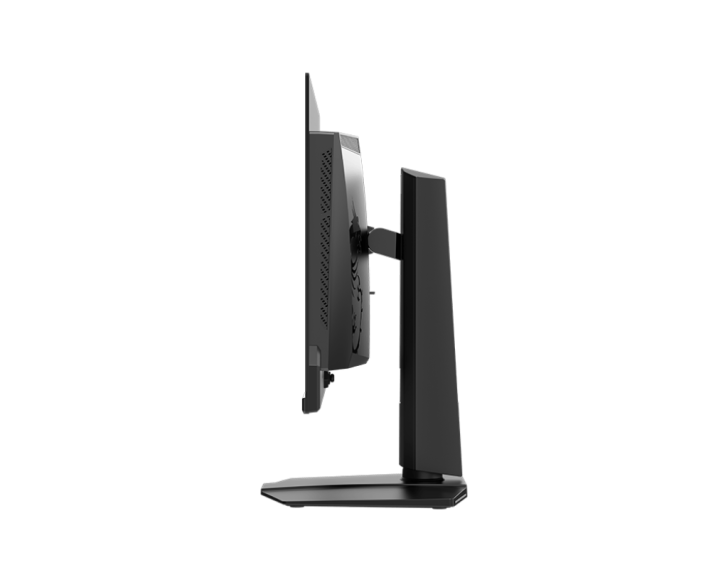
. The visible display area measures roughly 590.4 × 333.7 mm.
In terms of resolution, it supports WQHD (2560 × 1440, or “2K”) with a pixel pitch of 0.2292 × 0.2292 mm. The native contrast is rated at 1.5 million : 1, capitalizing on OLED’s ability to deliver perfect blacks. Brightness spans 300 cd/m² in standard (SDR) mode, and up to 1000 nits peak – though under the “True Black 500” conditions it hits 515 nits (a typical HDR mode). Color depth is listed as 10 bit (1.07 billion colors), and the display is VESA-certified under ClearMR 21000 for motion clarity.
The real headline spec: **500 Hz refresh rate** at full 1440p, enabled through DisplayPort 2.1 (UHBR20) bandwidth (80 Gb/s). The gray-to-gray response time is rated at 0.03 ms, giving it one of the fastest switching speeds ever offered in a consumer OLED monitor. It also supports Adaptive Sync and is G-Sync compatible, ensuring smooth variable-framerate performance.
Mechanically, the panel is adjustable: height from 0 to 110 mm, tilt from –5° to +20°, swivel ±30°, and pivot from –90° to +90°. It accepts 100 × 100 mm VESA mounting as well. In terms of raw footprint, the monitor with stand measures approximately 609.3 × 72.3 × 373.9 mm and weighs in at roughly 9.6 kg.
Connectivity is generous. 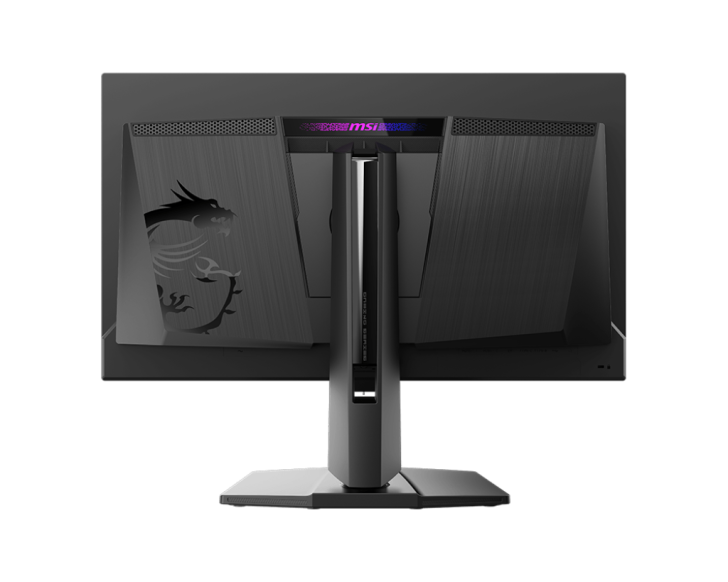
You get:
- 2× HDMI 2.1 (capable of WQHD at 500 Hz)
- 1× DisplayPort 2.1a (UHBR20 / 80 Gb/s)
- 1× USB-C (with DisplayPort Alt mode and 98 W power delivery)
- 2× USB 3.2 Gen 1 Type-A ports
- 1× USB 3.2 Gen 1 Type-B (upstream)
- 1× 3.5 mm headphone-out
Notably, MSI integrated the power supply internally (no brick), simplifying cable management. The monitor also supports MSI’s OLED Care 3.0 system – a key differentiator – leveraging a front-mounted sensor and built-in NPU (neural processing unit) to dynamically adjust behavior based on human presence.
Unboxing & Build Quality
The monitor ships in a large, sturdy box replete with ample foam protection. The packaging includes:
- The monitor and stand
- A detachable stand foot
- Power cord (C13 to local plug)
- USB Type-B to Type-A cable
- An 80 Gb/s DisplayPort 2.1 cable
- HDMI cable(s)
- VESA mount screws (x4)
- A microfiber cleaning cloth
The included DisplayPort 2.1 cable is relatively short, adequate for most desktop setups – but users with longer runs may want to invest in a certified 80 Gb/s cable. The packaging itself is excellent, with dual-layer foam cradling both the panel and stand components to minimize shipping damage.
Assembly is straightforward: slip the stand arm into the mounting bracket, depress the locking lever, and rotate until it locks. A magnetic latching mechanism adds extra safety. Disassembly is equally easy via the same lock. The stand gives off a sleek, modern aesthetic, including a central cable pass-through cutout and a solid base for stability.
Visually, the monitor blends elegance with subtle aggression. The front bezel is minimal and glossy, while the back features a mostly flat central module with vents on either side. The iconic MSI “Dragon” logo and RGB-lit accent bar light up when powered. At the bottom rear sit three physical buttons: the power/reset button (long-press to toggle, short-press to launch OSD) and two directional navigation keys.
Once powered on, the LED bar and logo glow attractively, and the OLED panel springs to life with vivid colors, deep blacks, and high contrast.
User Interface, OSD & Features
On the software and usability side, MSI makes good use of its built-in intelligence engine. The OSD (on-screen display) is organized into three primary categories: Gaming Intelligence, Image, and Config. The top bar indicates which input source you’re on (HDMI1, HDMI2, DP, etc.). Navigation is intuitive, with clearly labeled buttons.
AI & OLED Care 3.0
At the core of the OSD experience is **Gaming Intelligence (G.I.)**, a suite of AI-driven assistive tools. Thanks to the front-mounted sensor and onboard NPU, the monitor dynamically responds to your presence via features such as:
- AI Care Sensor: Detects user presence to trigger behaviors like “Wake-on-Approach,” “Lock-on-Leave,” adaptive dimming, auto-brightness, and color-temperature adjustments. It supports both a “monitor mode” (works across platforms) and a “system mode” (integrated with Windows 11 presence APIs).
- AI Vision: Offers three levels of brightness and color saturation enhancement suited for gaming or video viewing, especially in darker scenes.
- AI Crosshair: Lets you add an on-screen crosshair overlay in various styles and colors – ideal for aiming in shooters (helpful across PC and console titles).
- EOTF Boost: Enhances luminance under the same average picture level (APL) conditions, effectively pushing perceived HDR brightness beyond nominal peak values.
A thoughtful change: the mandatory panel refresh interval is now 24 hours (versus 16 hours in the prior OLED Care versions) and the system prompts the refresh somewhere between 4 and 24 hours, instead of every 4 hours – a small but welcome tweak that reduces interruptions.
Gaming Menu & Modes
The Gaming section of the OSD lets you pick presets geared to different genres (FPS, RTS, RPG, Racing) or configure your own. Default is “Premium Color,” but you can also toggle features like Night Vision (to brighten darker game areas), AI Vision, refresh rate control, alarms, and Adaptive-Sync settings. DSC (Display Stream Compression) options are also accessible here.
Professional & Image Settings
Under the Professional menu, users can access Pro Modes (Eco, User, Anti-Blue, Movie, Office, sRGB, AdobeRGB) and Image Enhancement (sharpness from Weak to Strongest). The Image tab allows finer control over brightness, contrast, color temperature, HDR mode selection, and aspect-ratio scaling (including 24″ or 21.5″ “crop” options). The Input Source menu lets you toggle among HDMI1, HDMI2, DP, etc., with an Auto Scan feature enabled by default.
A neat touch: a “Console Mode” toggles full HDMI 2.1 bandwidth (48 Gb/s) to support 4K at 120 Hz on modern consoles. Finally, the Navi (navigation) key itself is customizable, and the main menu also allows adjustments to language, transparency, OSD timeout, RGB LED behavior, and power button settings. The OLED Care menu lets you tweak Pixel Shift, Panel Protect, Static Screen Detection, multi-logo detection, boundary alerts, and more – complete with a usage timer display (factory units show 0 minutes).
Display & Performance in Use
The real-world performance of the MPG 271QR X50 doesn’t disappoint. In everyday tasks – web browsing, videos, office work – the panel delivers crisp text, smooth motion, and exceptional fidelity. OLED’s native characteristics – perfect black levels, infinite contrast, and wide viewing angles – make the experience pleasant across mediums.
Gaming is where this monitor shines. Paired with a capable GPU (in our case an RTX 5090), it easily drives competitive titles to well above 300 fps at 1440p using NVIDIA’s DLSS 4 (especially in “MFG Mode”). In esports games like Apex Legends or Marvel Rivals, we achieved stable 500 Hz operation with nearly zero input lag or tearing – thanks to the monitor’s aggressive timing and Adaptive-Sync support.
Even in AAA blockbusters like Forza Horizon 5, Borderlands 4, or Battlefield 6, the 271QR delivers. We consistently saw frame rates in the 100–300 fps range depending on settings. While those don’t approach 500 Hz, the display’s responsiveness, color accuracy, and smooth motion still elevate the experience.
If you’re building a system around a display like this, let the monitor inform your GPU choice – not the other way around. It’s better to fully exploit the screen’s capabilities than to compromise and underutilize a premium panel.
Pros & Cons
What I loved:
- Spectacular QD-OLED image quality and color precision
- Unmatched 500 Hz refresh rate at 1440p
- Extremely low input lag and near-instant response time
- Robust and versatile build quality and ergonomics
- Strong connectivity – including full 80 Gb/s DP 2.1 support
- OLED Care 3.0 with NPU and front sensor
- No external power brick
- Three-year OLED warranty (with Care program)
Areas to improve:
- Firmware updates remain a bit convoluted for less technical users
- The included DP 2.1 cable is short – ideal for most desks, but limiting in larger setups
- At $899, it faces stiff competition in its class
Comparisons & Alternatives
At this price point, direct rivals include the Samsung Odyssey G60SF, ASUS ROG Swift PG27AQDP, and LG UltraGear 27GX790A-B. While all offer high refresh rates and premium panels, MSI’s advantages lie in its full 80 Gb/s DP 2.1 support, integrated OLED Care 3.0 system, comprehensive OSD features, and bundled warranty. In short: MSI aims to deliver a more holistic and polished user experience.
For cost-conscious buyers, the prior-generation MSI MAG 272QP remains a viable alternative. It offers many of the same display characteristics (500 Hz, 1440p, OLED) but omits the OLED Care 3.0 and some of the intelligent features – available at a lower price (around $750 US). It’s arguably the most affordable entry point to high-refresh OLED gaming.
Final Verdict
The MSI MPG 271QR X50 QD-OLED is more than just a spec sheet dazzler. It embodies a cohesive approach to performance, design, and usability – making it one of the most compelling 1440p OLED monitors for gamers in 2025. Its 500 Hz capability, advanced AI-driven features, and premium build quality place it among elite-tier displays.
Of course, the full experience depends on a GPU that can drive it. If paired with capable hardware, this monitor can unlock new levels of fluidity and immersion in both competitive and story-driven games. Even for everyday use, it feels like a luxury display.
If you’re seeking the top-tier 1440p OLED gaming monitor and are willing to invest, the MPG 271QR X50 is a strong contender – especially considering its bundle of features and MSI’s long-term support. If your budget is tighter, the older MAG 272QP remains a worthy contender (minus the advanced AI features). But if I were picking one right now, the 271QR X50 would be my pick for serious competitive and premium gaming.
3 comments
That AI crosshair feature seems gimmicky, but could actually help in FPS
They really pushed OLED refresh interval to 24h. That was a smart move
Wow, just built my rig around this – love that no power brick needed!