Apple’s latest macOS release, known as macOS Tahoe, is quietly transforming how MacBooks connect to the internet when Wi-Fi is unavailable. 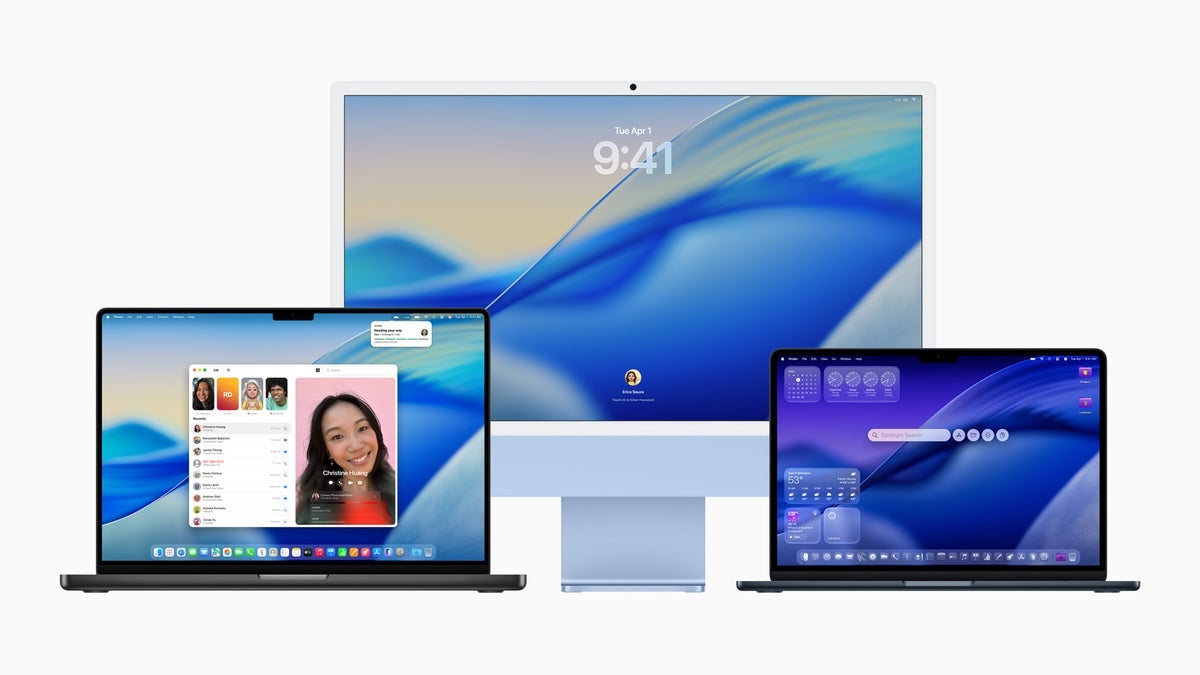
While Apple still hasn’t introduced a MacBook model with built-in cellular support – something many users have been asking about for years – this update pushes the laptops one step closer by enabling a more seamless tethering experience with the iPhone.
The headline addition is automatic iPhone hotspot connection. Previously, whenever a Mac detected no available Wi-Fi networks, users were greeted with a helpful prompt in the corner of the screen asking whether they wanted to join their iPhone’s hotspot. Handy, yes, but still one step too many in situations where instant connectivity matters. With Tahoe, that process can now happen automatically without the user needing to click or confirm.
Inside the System Settings app – or by opening Wi-Fi settings directly from the menu bar – users will discover a new option under “Ask to join hotspots.” Alongside the familiar “Off” and “Ask” choices, there’s now an “Automatic” setting. When enabled, your Mac will simply connect to your iPhone’s hotspot the moment it needs an internet connection, skipping any confirmation dialogs.
Apple has taken a cautious approach here: the feature is not enabled by default. That decision makes sense, since many users rely on limited mobile data plans and might not want their Mac siphoning off data in the background. But for those with unlimited mobile data plans or anyone who values constant connectivity – such as remote workers, frequent travelers, or students on the go – turning on “Automatic” effectively gives their MacBook something very close to native cellular access.
This enhancement does come with a trade-off: your iPhone battery. A MacBook leaning on an iPhone hotspot all day will naturally eat through the iPhone’s charge more quickly, especially if you’re using an iPhone with a smaller battery. However, for owners of the Pro Max models or those who keep a power bank close by, this is a small price to pay for uninterrupted internet access. The convenience of opening your MacBook anywhere and instantly having connectivity without fiddling with settings or prompts is a productivity win.
Beyond the technical feature itself, macOS Tahoe also continues Apple’s aesthetic alignment across platforms with its refreshed Liquid Glass design, matching the style already present in iOS. It’s another subtle reminder that Apple wants its ecosystem to feel unified – not only in looks, but also in functionality.
In practice, this update doesn’t just save time; it changes the way people think about their devices. For years, the lack of cellular on MacBooks has been a sticking point compared to certain Windows laptops and tablets that include built-in SIM card support. Tahoe’s automatic hotspot connection won’t fully replace cellular hardware, but it blurs the line, making the absence of cellular less noticeable for everyday users.
As someone who occasionally loses Wi-Fi at home or while traveling, I can already imagine the relief of having my MacBook quietly connect to my iPhone without interruption. It’s the kind of feature you may not notice every day, but when you need it, it feels transformative. For now, it’s the closest MacBooks have come to offering true always-on connectivity, and it could hint at Apple’s longer-term direction for its laptops.