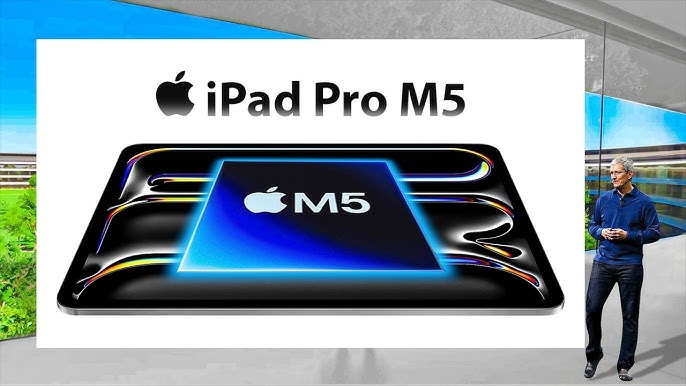
iPad Pro M5 review: ridiculous speed, restrained software
I finished testing Apple’s latest iPad Pro with the brand-new M5 chip and found myself typing the same word over and over: overkill. Not because performance gains are imaginary – they’re obvious the moment you touch the glass – but because the rest of the experience still refuses to rise to the level the silicon enables. Apple keeps pouring desktop-class muscle into a tablet that is, at its core, still governed by tablet-first software. The result is a machine that sprints like a cheetah and then politely waits at a red light labeled “iPadOS.”
What the M5 actually changes
The M5 inside the iPad Pro delivers big jumps in both CPU and GPU throughput compared with the already excellent M4 generation. Apps open instantly, complex photo edits preview without stutter, and 3D workloads that used to make fans roar on laptops… simply don’t exist here because there are no fans to spin. Battery life remains solid, and thermals are well controlled even when you’re layering effects on large ProRAW files. This is a technical showpiece: thin, light, silent, and absurdly fast.
And yet, most people won’t touch the ceiling of that performance in everyday use. Email, web, note-taking, video calls, light editing – these felt fast on last year’s model and the one before that. The M5 turns instant into more instant, which is fun, but speed alone doesn’t transform what you can actually do with the device.
The iPad Pro paradox
Apple has gradually improved iPadOS with better multitasking, windowing, and external display support. Stage Manager, floating windows, and more desktop-like Safari behaviors make the iPad feel less like a giant phone. Still, the platform remains fundamentally sandboxed and opinionated about how you should work. Connect a Magic Keyboard and a mouse and you get tantalizingly close to a MacBook workflow, but only close. File management is still more constrained than on macOS, background tasks pause more often than you’d expect, and professional utilities – from developer tools to niche media encoders – either don’t exist or arrive as simplified siblings of their desktop counterparts.
This is where the paradox sharpens. Pair the iPad Pro with Apple’s elegant Magic Keyboard and it looks like a futuristic 2-in-1. But try to replicate a Mac-level workflow – multiple apps deep, elaborate window layouts, heavy automation, batch operations across folders – and you’ll run into the platform’s guardrails. For a device marketed to pros, those guardrails feel more like speed bumps.
Value math that hurts
Let’s talk numbers. The entry 13-inch iPad Pro (M5) with 256GB of storage starts at $1,300. Add the Magic Keyboard at $349 and you’re at $1,649, still without Apple Pencil. Meanwhile a 14-inch MacBook Pro with the same M5 class of chip (with one extra efficiency core), double the storage at 512GB, and a superb keyboard included sits at $1,599. The cheaper bundle – astonishingly – gives you more storage and the more capable operating system. If your goal is laptop productivity, the Pro tablet package is the pricier, less flexible route.
“But you can’t draw on a MacBook,” comes the immediate, fair rebuttal. True. If you live in Apple Pencil, a touch-first canvas matters. Yet you don’t need the iPad Pro to get that experience. The iPad Air – and even the base iPad – support the Pencil and deliver excellent latency and color accuracy for sketching, mark-up, and note-taking. In other words, the unique value of the Pro narrows to a smaller group than its price suggests.
Who actually benefits from the Pro?
There are users who can absolutely justify this machine. Concept artists who want the thinnest, brightest, most color-stable canvas; photographers who travel ultralight and do the bulk of culling and adjustments in Lightroom or Pixelmator; musicians tapping low-latency instruments; field reporters cutting quick clips on deadline with tablet-optimized editors. If your workflow already fits inside iPadOS and you felt compute-bound on the M4, the M5 iPad Pro unlocks headroom that will last years.
For everyone else – students, most office workers, developers, spreadsheet gladiators, video pros with long plug-in chains – the MacBook Pro remains the saner buy. It runs the same class of processor, adds a mature desktop OS, drives external monitors without compromise, and supports the sprawling ecosystem of professional utilities that still haven’t fully crossed over to iPadOS. If you prefer Android or want a solid media slate at a friendlier price, Samsung’s Galaxy Tab S11 line is also a strong play with excellent displays and multitasking that, while different, is competitive for classic tablet tasks.
What’s holding the iPad back
None of this is a hardware problem. Apple nailed the chassis, the screen, the speakers, the battery, and – again – the silicon. The gap is strategic. iPadOS continues to prioritize simplicity and guardrails, which is wonderful for approachability and battery life but limiting for professional ambition. Imagine a “Pro Mode” that allowed more than a handful of concurrent windowed apps without throttling background tasks, richer access to external drives and servers, full-fat versions of pro apps, deeper automation hooks, and fewer restrictions around file associations and default apps. The M5 has headroom to spare; the OS just needs to let users spend it.
The buying advice, plainly
- Already all-in on iPad workflows? The M5 iPad Pro is a dream device and an easy upgrade from much older models. You’ll feel the speed and love the display.
- Trying to replace a laptop? Get a MacBook Pro instead; it costs less as a bundle and does more with the same class of chip.
- Want a great tablet for drawing, reading, media, and light edits? Buy the iPad Air and put the savings toward storage or Pencil tips.
- Prefer Android or value pricing? Consider Galaxy Tab S11 models; they handle streaming, browsing, and notes beautifully.
Verdict
The iPad Pro M5 is the quintessential Apple flex: astonishingly thin, impossibly fast, and engineered with obsessive care. It is also, for a broad swath of buyers, still too much tablet for too little additional capability. Apple keeps turning up the horsepower while the software keeps the speed limit in place. If the company ever loosens those limits – whether via a dramatically more capable iPadOS or a sanctioned “macOS-lite” experience – the iPad Pro could finally become the do-everything machine its hardware promises. Until then, it remains the world’s most elegant overachiever, brilliant in short sprints, constrained on long hauls, and best reserved for the niches that can actually let it run.
2 comments
Stage Manager got better but windows still feel cramped tbh
I returned mine and bought a base MacBook. zero regrets