Apple’s brand-new iOS 26 update is more than just another routine software refresh – it is a major step toward making your iPhone feel more alive and interactive. While much of the buzz initially revolved around the striking Liquid Glass design overhaul, one of the standout features that users are discovering is something called Spatial Scenes. 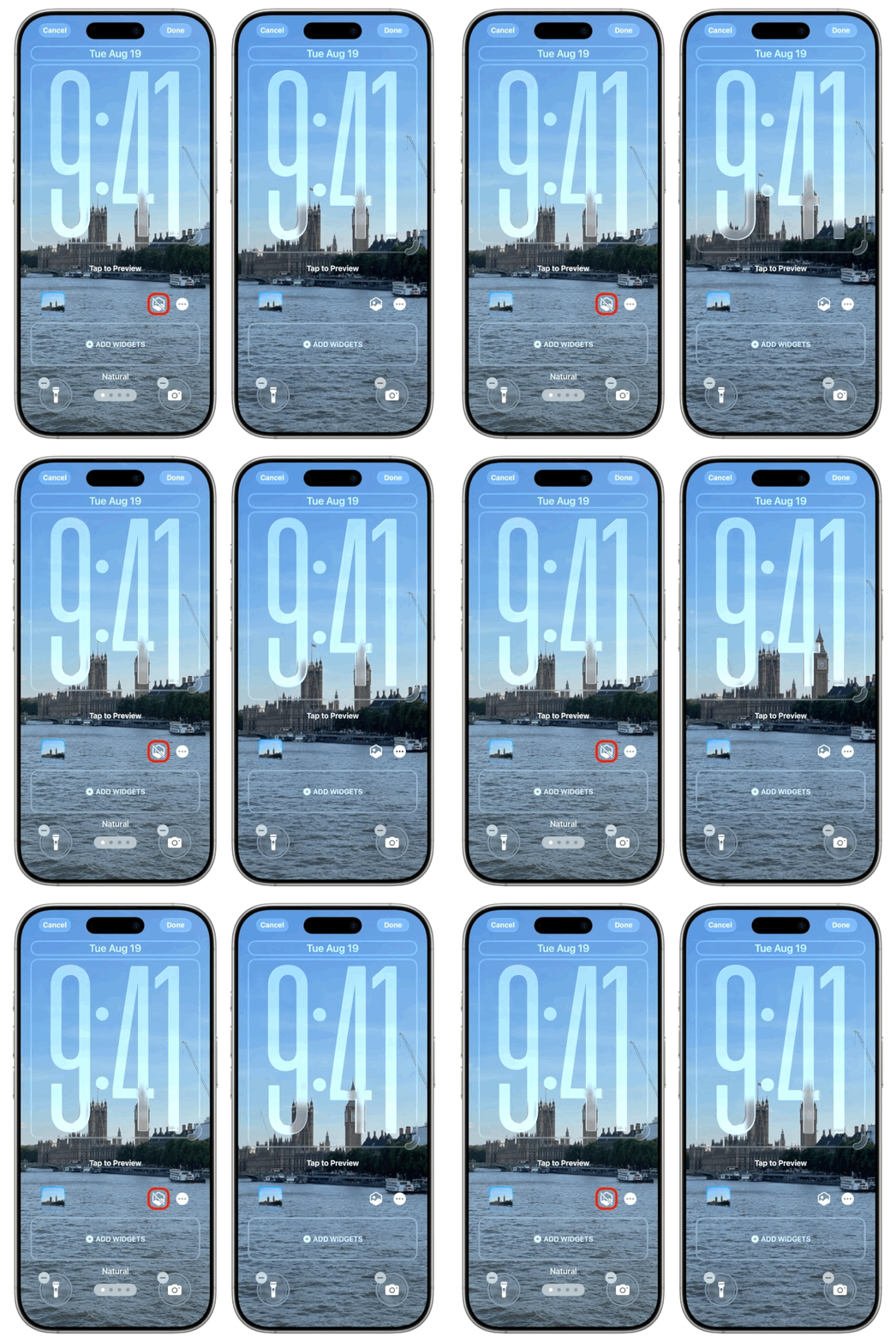
This clever tool can transform your flat, traditional 2D photos into dynamic, depth-filled images that mimic a 3D effect, breathing new life into your photo collection and even your lock screen.
Spatial Scenes works by giving any picture – whether it’s an old family snapshot, a landscape taken years ago, or even a shot imported from a non-Apple camera – a fresh perspective. The technology splits the photo into distinct layers, creating a foreground and background that shift slightly as you tilt your iPhone. The result is a natural, subtle motion effect that makes images appear to pop off the screen. Imagine a mountain shot where the peaks recede as the foreground trees move closer, or a portrait where the subject stands out with extra presence. This is not just a filter; it’s Apple’s Neural Engine flexing its AI muscle in a way that feels practical and fun.
Getting started is straightforward. First, make sure your device is updated to iOS 26, which can be done via Settings > General > Software Update. Although iOS 26 supports models as old as the iPhone 11 and iPhone SE 2, the Spatial Scenes feature itself requires an iPhone 12 or newer. Once updated, head over to the Photos app and pick an image you’d like to experiment with. In the top-right corner, you’ll notice a hexagon-shaped icon with an arrow – that’s the Spatial Scene button. Tap it, wait for the system to process your photo, and then tilt your phone to see the depth effect in action.
What makes this feature particularly appealing is how versatile it is. You’re not limited to simply viewing your 3D-like images in Photos. With just a couple of taps, you can set them as your lock screen or home screen wallpaper. Simply hit the Share button, choose “Use as Wallpaper,” and toggle the Spatial Scene effect on or off in the preview. Once applied, your lock screen responds to every slight movement of your phone, giving it a sense of living depth. The only caveat: resizing is limited when using Spatial Scenes on the lock screen, so certain images – especially ones with subjects near the top – might clash with the clock. Wide shots such as skylines or nature panoramas typically deliver the best results.
For those who like variety, Apple has even made the feature compatible with Photo Shuffle. This lets you cycle through different Spatial Scenes at intervals you set – daily, hourly, every unlock, or every tap – keeping your iPhone background fresh and surprising. It’s essentially a rotating gallery of 3D wallpapers right in your pocket.
The magic behind Spatial Scenes comes down to Apple’s Neural Engine. This dedicated part of Apple’s chip design is optimized for machine learning and artificial intelligence tasks. Traditionally used for things like Face ID, voice recognition, and predictive text, the Neural Engine is now responsible for reconstructing depth information from ordinary photos. Even though Apple is often criticized for moving slower in the AI arms race compared to rivals, Spatial Scenes shows how the company continues to find ways to integrate machine learning into everyday iPhone experiences without making it feel gimmicky.
Ultimately, iOS 26 doesn’t just polish the iPhone experience – it reinvents how users interact with their memories. By letting you transform static images into moving, dimensional pieces of art, Spatial Scenes bridges the gap between nostalgic photography and cutting-edge technology. Whether you’re refreshing your wallpaper or rediscovering an old holiday album, this feature makes your iPhone feel more personal, dynamic, and future-ready.
2 comments
looks nice but messes with the clock placement sometimes
tried on my cat photo and its hilarious 😂