Apple has officially rolled out iOS 26, and while the spotlight last week was on the freshly unveiled iPhone 17 lineup smashing pre-order records, the software release today is quietly transforming one of Apple’s most practical features: CarPlay. 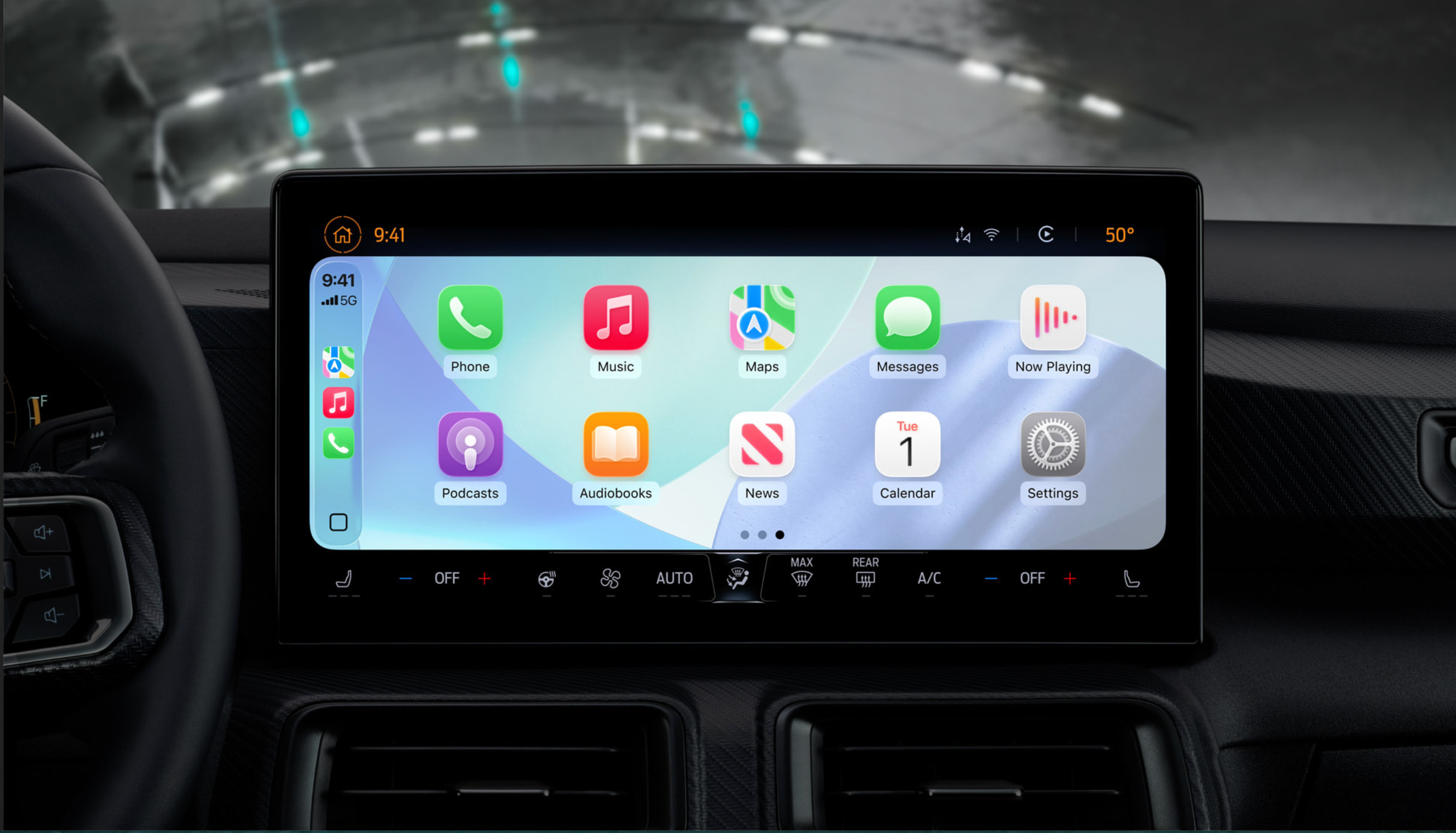
This upgrade isn’t just a small facelift – it’s a sweeping revamp that makes the in-car experience sleeker, smarter, and more connected to the broader Apple ecosystem.
For those new to it, CarPlay essentially turns your car’s infotainment system into an extension of your iPhone. It allows drivers to access navigation, music, calls, and now far more – all through their car’s built-in display. The brilliance of iOS 26 is that you don’t need to mess with your car’s settings to enjoy the update. Once your iPhone is running iOS 26, your CarPlay interface will automatically update the moment you connect, provided your iPhone is on the supported device list.
Liquid Glass design reaches the dashboard
One of the boldest design changes in iOS 26 is the Liquid Glass aesthetic, which finally extends beyond phones and tablets into CarPlay. Transparent layering, glossy accents, and adaptive animations now mirror what you see on your iPhone. The result? A more unified look across Apple devices that feels futuristic yet minimalistic. In practice, this translates to smoother transitions between apps, more intuitive navigation within the system, and a look that doesn’t feel outdated compared to your iPhone or iPad.
Widgets break out of exclusivity
Perhaps the most practical change is the expansion of widgets. Previously locked to CarPlay Ultra (the premium variant), widgets are now available to all CarPlay users. That means drivers can glance at their upcoming calendar appointments, real-time weather forecasts, or even control their HomeKit-enabled smart devices directly from the dashboard. No fumbling through apps – just quick, tap-free information displayed in a widget view optimized for driving.
Live Activities arrive for real-time context
Another headline addition is live activity support. Sports fans, frequent flyers, and anyone waiting on a delivery will appreciate this. Imagine heading to the airport while your flight status updates live on your car’s screen, or checking football scores while stuck in traffic – all without reaching for your phone. This feature is about context, convenience, and keeping your eyes closer to the road.
Video streaming – with safety guardrails
Yes, video streaming is finally here, courtesy of AirPlay integration with supported vehicles. It sounds like a gimmick at first, but Apple has carefully designed it with safety in mind. Videos only play when the car is parked, turning the infotainment display into a makeshift screen for downtime at charging stations or while waiting in the car. This will be particularly appealing to EV drivers who often have to wait while topping up batteries. Of course, not every car will support AirPlay streaming – it depends on whether the automaker has enabled it – but the potential is huge as more brands adopt the feature.
A subtle shift with major implications
The beauty of these upgrades lies in their subtlety. Apple hasn’t reinvented CarPlay from the ground up but has instead layered new functionality that feels natural. The Liquid Glass theme ties the system visually to iPhones and iPads, widgets streamline at-a-glance information, live activities bring context to everyday tasks, and AirPlay streaming hints at the infotainment system’s future role beyond just navigation and audio.
For drivers, it all comes down to convenience and consistency. Apple is betting that if your car feels as seamless as your phone, you’ll be even more locked into the ecosystem. For those already using CarPlay, the upgrade feels less like an optional perk and more like a quiet evolution of how your car fits into your digital life.
iOS 26 overall is shaping up to be one of Apple’s most important software releases in years. Beyond CarPlay, it modernizes the visual experience across devices, adds new privacy and performance tweaks, and doubles down on Apple’s mission to make every interaction – whether on the couch, at work, or behind the wheel – part of a smooth, consistent ecosystem. If you own a compatible iPhone, this is not just an update worth downloading. It’s one that will redefine your daily interactions, both on your device and in your car.
2 comments
apple really knows how to lock ppl into their system
widgets in carplay?? about time apple