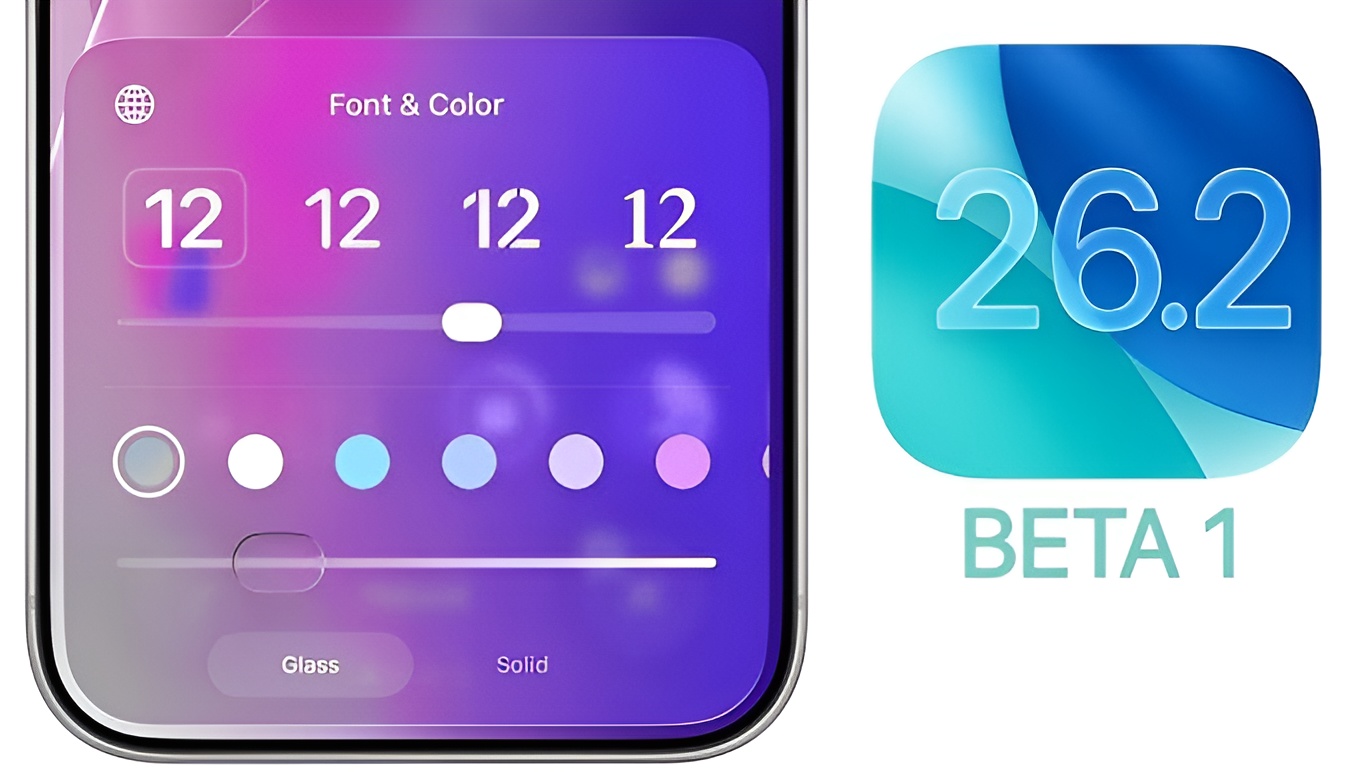
Apple’s December-bound updates are rolling out to testers: iOS 26.2 and iPadOS 26.2 arrive as the first public betas, while macOS Tahoe 26.2 starts with a developer-only build. Here’s everything new, why it matters, and what to expect next.
Apple has opened the gate on its next wave of platform updates, seeding the first public beta for iOS 26.2 and iPadOS 26.2, alongside initial public betas for watchOS 26.2, visionOS 26.2, and tvOS 26.2. On the Mac, macOS Tahoe 26.2 arrives as a developer build first, a familiar staggered approach that lets Apple stabilize desktop changes before wider testing. These point releases are aimed at December, but they carry a surprisingly dense set of quality-of-life upgrades across apps and system features.
iOS 26.2: A deceptively big update for everyday stuff
The headliner this round is a smarter Apple Podcasts experience. Apple is now auto-generating episode chapters, making long shows easier to skim. The player and transcript screens gain a subtle but powerful trick: you can see and follow mentioned podcasts without leaving what you’re listening to, reducing friction for discovery. A new “From This Episode” section gathers links referenced on the show, so show notes finally behave like a real index rather than a scavenger hunt.
Apple News expands with four curated sections – Sports, Puzzles, Politics, and Food. The change is less about a paint job and more about intent: clearer lanes for habitual reading, casual gameplay, and election-season deep dives, all structured for quick in-and-out sessions on a phone.
On the lock screen, a new Liquid Glass slider lets you tune the clock opacity. It’s a small control with outsized design impact: darker photos can keep their drama without burying the time, while lighter wallpapers can lift the clock for legibility. The system also folds alarms deeper into Reminders: you can now create an alarm from Reminders, and when it fires you’ll see snooze and slide to stop controls. If you are a zero-inbox person for tasks, you can swap snooze for “mark as complete”, turning alarms into a finish line rather than a delay button.
Another standout is regional: Live Translation for AirPods expands in the EU. With iOS 26.2, ear-based translation supports the following languages:
- English (U.S.)
- English (U.K.)
- French (France)
- German (Germany)
- Portuguese (Brazil)
- Spanish (Spain)
- Chinese – Simplified (China)
- Chinese – Traditional (China)
- Japanese
- Korean
- Italian
For health-minded users, Apple is retuning Sleep Score. The top tier shifts from Excellent to Very High, and thresholds for each bracket have been adjusted. The practical upshot: scores should better mirror how you actually felt on waking, reducing the “my data says perfect, but I’m exhausted” disconnect that some users reported.
iPadOS 26.2: All of iOS 26.2’s wins, plus tablet-first perks
iPadOS includes everything above and adds two thoughtful extras. In Freeform, you can now use tables, a long-requested way to structure brainstorming boards with quick grids for status, owners, or timelines – ideal for classrooms and remote teams. And in Apple Music, lyrics now work offline, so the bouncing line-by-line view sticks around even without a connection, handy for flights or data-saving sessions.
macOS Tahoe 26.2: Developer build now, public beta likely next
On the Mac, Tahoe 26.2 starts as a developer build. Apple often leads with dev-only seeds on macOS to shake out driver and app compatibility issues before broader distribution. A public beta is expected in due course, keeping the desktop on pace with iPhone and iPad for a coordinated December release window.
watchOS, visionOS, tvOS also move forward
The first public betas for watchOS 26.2, visionOS 26.2, and tvOS 26.2 round out the ecosystem. While these tend to focus on performance and polish between major milestones, they matter: cross-device features like Podcasts enhancements, News sections, and health adjustments feel most cohesive when every screen gets the same tuning at once.
Should you install the public betas?
As always, public betas are pre-release software: features can shift, and bugs do slip through. If you rely on your devices for work, consider waiting for the stable releases. If you love testing, back up first, then enjoy a batch of updates that – while labeled “.2” – push on the small, daily-friction points that affect how you actually use your iPhone and iPad. That is the quiet power of 26.2: less spectacle, more smoothness.