Apple’s latest iOS 26.1 Beta 2 update doesn’t just tweak the look of your iPhone – it revives a nostalgic feeling that long-time Apple fans will instantly recognize. 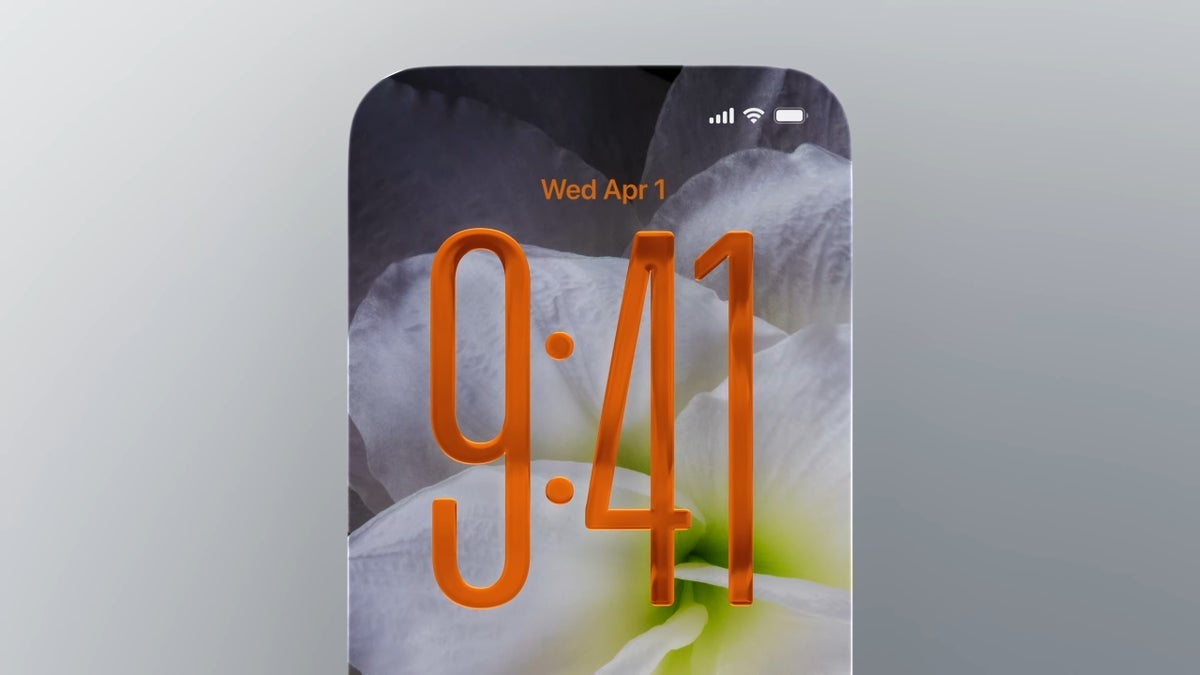
Released this Monday, the new beta brings subtle visual changes, improved usability, and a dash of 2007 charm that might make you smile the next time your alarm goes off.
Let’s start with the visual refinements. Apple has slightly toned down its new Liquid Glass aesthetic that debuted with iOS 26, softening its shimmering blur effect across menus and widgets. Many users found the feature too intense, so in this beta, the home screen looks a bit calmer and more legible. You’ll also spot the effect in new places – the phone keypad and the clock on the customizable Lock Screen now carry that glossy texture. For anyone who found the look distracting, Apple hasn’t forgotten accessibility: head to Settings > Accessibility > Display & Text Size and toggle Reduce Transparency to tone it down further. The result is a cleaner, more practical interface that balances modern design with everyday usability.
But the real headline feature is what greets you in the morning – or whenever your alarm starts blaring. Apple has introduced a brand-new way to stop your alarm: a smooth “slide to stop” gesture right on your Lock Screen. Instead of frantically tapping the Stop button while half-asleep, you can simply swipe across the screen to silence it. The animation is fluid, complete with that Liquid Glass shimmer that catches the light just enough to feel premium but not intrusive. It’s a simple addition, yet it feels oddly familiar. That’s because this gesture is a direct nod to Apple’s most iconic interaction from early iPhones: “Slide to Unlock.” After nearly a decade, it’s back – just in a different form and for a different purpose.
Back in 2016, Apple replaced Slide to Unlock with a tap-and-swipe gesture in iOS 10, signaling a shift toward Face ID and Touch ID convenience. But for many users, the old slider was part of the iPhone’s identity – a small moment of user interaction that felt human and satisfying. The reappearance of a similar motion, even for something as small as stopping an alarm, brings a wave of nostalgia. It’s a clever design move: blending old emotional cues with new utility.
Beyond this feature, iOS 26.1 Beta 2 delivers the usual batch of bug fixes and performance improvements, smoothing out rough edges from the first beta. Insiders expect the stable version of iOS 26.1 to arrive later this month, possibly around October 27th. Once it rolls out, Beta users can switch back to the stable channel without worrying about losing their data – a small but appreciated change for testers.
And if you’re wondering whether to stay on the Beta train, there’s a good reason to continue. The spring release of iOS 26.4 Beta is rumored to include a game-changing feature called “Personal Siri.” This upgraded Siri will scan through your texts, emails, and calendar events to respond more intelligently and proactively. It’s Apple’s next big leap toward a context-aware assistant that understands not just your commands, but your routine. Imagine your iPhone automatically setting your morning alarm because it knows your meeting schedule or suggesting a message draft based on a recent chat – it’s the next step in Apple’s long-term AI evolution.
So yes, Apple’s iOS 26.1 Beta 2 is partly about polish and performance, but it’s also a trip down memory lane. A tiny swipe that echoes the past, reminding users how even the simplest gestures can carry years of design history. Sometimes, the future of technology feels best when it remembers where it came from.
2 comments
it’s like they’re mixing 2007 iphone vibes with 2025 tech, not complaining tho 👀
slide to stop alarm is cool but im still waiting for siri to actually understand me