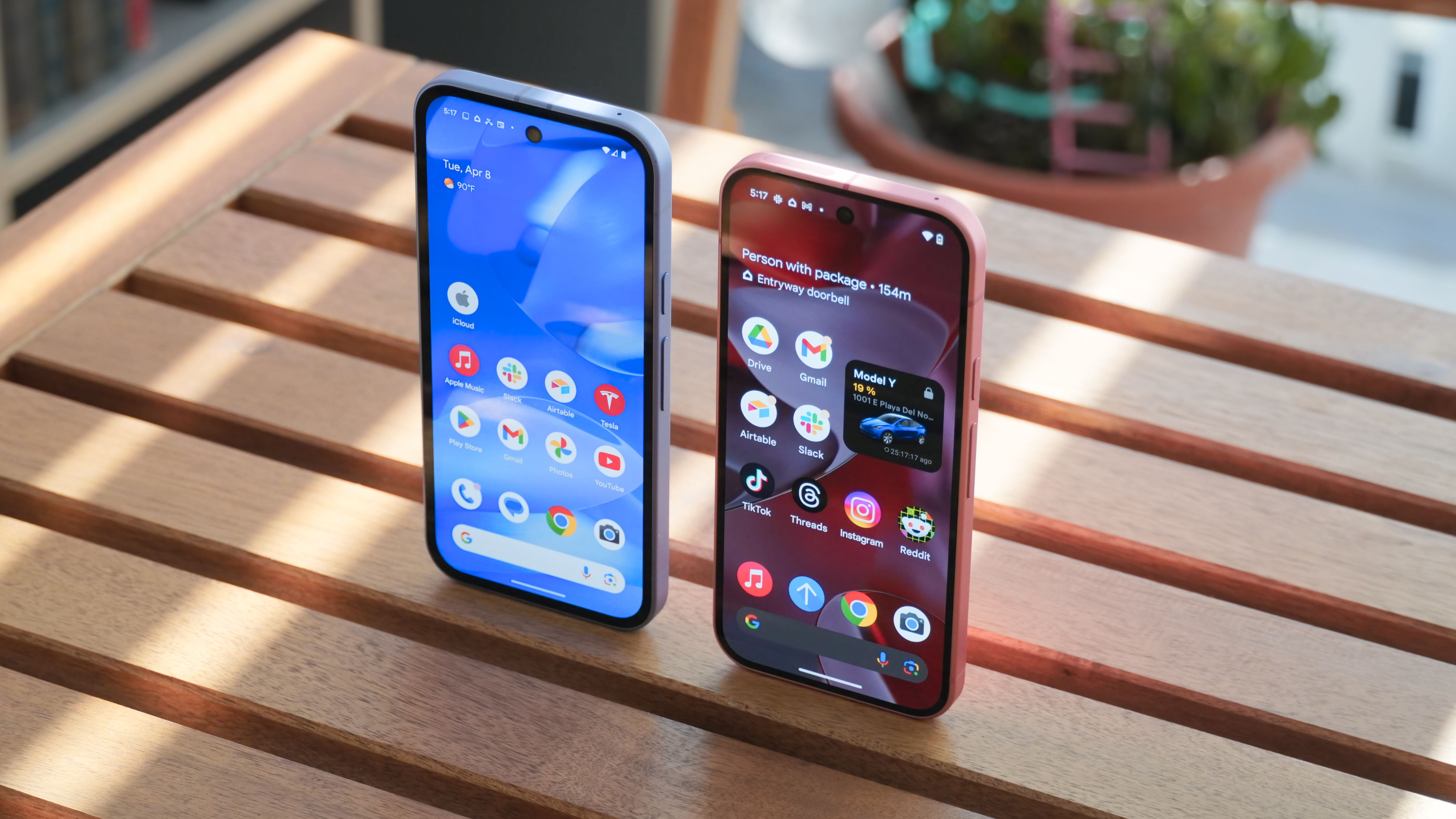
Google’s December Pixel update delivers 33 fixes, better battery behavior, and smoother everyday performance
The final stretch of the year is bringing a big clean-up for Google Pixel owners. Google has published its December Pixel Update Bulletin, and this time the spotlight is on polishing the experience rather than dropping flashy new features. In total, 33 functional fixes are rolling out across the supported Pixel lineup, alongside dozens of critical security patches. Two of those fixes specifically target battery behavior, while others smooth out everything from audio crashes to fingerprint unlock failures and notification shade weirdness.
If you have a recent Pixel, there is a very good chance you are included. The December update is rolling out to the Pixel 6, Pixel 6 Pro, Pixel 6a, Pixel 7, Pixel 7 Pro, Pixel 8, Pixel 8 Pro, Pixel 8a, Pixel Fold, Pixel Tablet, the new Pixel 9, Pixel 9 Pro, Pixel 9 Pro XL, Pixel 9 Pro Fold, Pixel 9a, and the latest Pixel 10, Pixel 10 Pro, and Pixel 10 Pro XL. Foldable owners are not left behind either: the Pixel 10 Pro Fold is getting a few very specific display fixes that will matter if you game on the inner screen.
For many users, this update is less about discovering something new and more about finally fixing the little annoyances that pile up over time. From odd battery icons and dim screens that refuse to brighten, to notifications that misbehave and system UI crashes, Google is trying to sand down a lot of rough edges in one go.
Battery icon bugs and charge limit quirks finally addressed
One of the most visible fixes in the December bulletin concerns the battery icon itself. Some Pixel owners, especially Pixel 10 Pro Fold users earlier this fall, started seeing a blank bar or a lonely question mark in the status bar where the battery percentage should be. Instead of a quick glance giving you confidence that you can make it to the end of the day, you were left guessing whether you were at 15 percent or 85 percent.
Google has now acknowledged that this was not limited to a single model. The December patch notes confirm a fix for a bug that could cause the battery icon to show a blank indicator or a question mark on the status bar in certain conditions for the Pixel 6 line and newer models. Once the update is installed, the battery indicator should once again behave like a trustworthy gauge rather than a random symbol.
The second big battery-related tweak concerns the 80 percent charge limit setting. Many users enable this cap to help preserve long-term battery health, but under some conditions Pixels were ignoring the setting or reporting it incorrectly. If you thought your phone was respecting the 80 percent limit while it silently crept higher on the charger, you were not imagining things. Google is now rolling out a fix that corrects this behavior on the Pixel 6 family and later devices, making the feature more reliable for those trying to be kind to their battery over the long haul.
Audio and Bluetooth: fewer crashes, more reliable connections
Beyond battery quirks, Google is also tightening up media stability. A bug that occasionally caused audio crashes is being patched for the Pixel 9 series, the Pixel 9a, and newer devices. While it might have only surfaced in specific scenarios, anyone who has seen their music player or podcast app suddenly stop for no clear reason will appreciate a little extra robustness.
On the wireless side, Bluetooth gets attention too. There is a fix for an issue that sometimes prevented Pixels from connecting properly to certain Bluetooth devices or accessories. This patch applies to the Pixel 6 line and later, and it should make pairing and reconnecting to your earbuds, car, or speaker less temperamental. If you have ever had that moment where your headphones refuse to show up until you toggle Bluetooth three times, this is the sort of boring but important update that quietly saves you frustration.
Display and graphics: Pixel 10 and Pixel Fold get critical polish
Google is also tackling some of the most disruptive bugs a user can encounter: screen flashes, black screens, and freezes. Owners of the Pixel 10 series in particular should notice improvements once the update lands. The bulletin calls out several fixes for these devices:
- A fix for a bug that could cause the screen to flash or remain black under certain conditions.
- A fix for occasional hangs or freezes, where the display simply stops responding.
- A fix for abnormal dimming behavior that forced users to lock and unlock the phone just to get normal brightness back.
These issues may sound niche, but if you hit one of them while trying to unlock your phone or open a critical app, they are instantly memorable for all the wrong reasons. The December patch should make the Pixel 10 series feel more mature and less experimental.
There are also display tweaks for other models. Pixels from the 6 series onward are getting a fix for sluggish touch response when unlocking from the always-on display. If your phone sometimes ignored your first tap or swipe when waking it up, this should now be much improved.
Foldable fans get a targeted fix as well. On the Pixel 10 Pro Fold, Google has patched an issue where the inner display could flicker or go black when launching certain games in specific conditions. For a device that sells itself on an immersive large screen experience, eliminating that sort of glitch is critical.
Meanwhile, the Pixel 9 series and newer devices receive a fix for screen freezes and display corruption in certain situations. These are the subtle visual bugs that can erode trust in a device over time; resolving them helps keep the phone feeling premium.
Framework and system stability: fewer crashes, smoother picture-in-picture
Digging deeper into the under-the-hood changes, the December update brings a batch of framework fixes for the Pixel 6 line and later. One patch targets problems with the ‘Extra Dim’ quick settings tile, which could misbehave when toggled in certain situations. Another important fix addresses a bug where the system could run out of memory because splash screens were not closing properly. If you have ever wondered why things feel sluggish after opening and closing a bunch of apps, this kind of memory housekeeping is a big part of the answer.
There is also a fix for stability issues when using picture-in-picture mode during display changes. Whether you are shrinking a video to a small floating window while multitasking or rotating the screen, the experience should now be more reliable on Pixels from the 6 series onward. Combined with general system stability and performance improvements, these tweaks make the everyday flow of opening apps, switching tasks, and navigating the interface feel less fragile.
Sensor-related features get some love too. Google is patching stability problems caused by memory allocation failures tied to sensors on the Pixel 6 generation and newer devices. While this is not the kind of thing most users will ever see named in an error message, the result is fewer random hiccups in features that depend on motion, orientation, or other sensor data.
Telephony, emergency calls, and network reliability
Some of the most important fixes in any update are the ones you hope you will never need. That is especially true here: Google is addressing issues that caused instability and intermittent problems with emergency calling on the Pixel 6 series, including the Pixel 6a. The patch notes describe these as occurring under certain conditions, but even rare edge cases can have serious consequences when it comes to emergency services. If you own one of these models, this part of the update alone is a strong reason to install it as soon as it is available.
Beyond emergencies, Google has also implemented general improvements for network connection stability and performance on the Pixel 6 line and newer devices. That means fewer dropped connections, smoother handoffs between network cells, and better behavior when coverage is spotty. For users who rely on Google Voice or other calling apps and sometimes see messages and calls piling up only when they finally unlock their phone, any improvement in network and system handling of connectivity can make a real difference in how responsive the device feels.
Touch and user interface: fingerprint, keyboard, notifications, and quick settings
On the biometric front, the December update fixes issues that caused fingerprint unlock to fail in certain conditions on the Pixel 9 series and later. Google has steadily iterated on fingerprint performance since the first under-display sensors appeared in the Pixel line, and each round of bug fixes helps reduce those mysterious moments when your phone rejects your thumb for no obvious reason.
The user interface itself is also getting a serious tidy-up, especially for devices from the Pixel 6 line onward. Among the fixes listed in the bulletin:
- A bug that caused the keyboard to flicker or fail to appear when searching in the app drawer has been addressed. That means fewer awkward moments where you tap the search bar and nothing happens.
- An issue where Google Home controls could launch as a blank screen is being fixed, so turning off your lights or checking a smart device from the power menu should be more reliable.
- A problem where message notification sounds sometimes did not play is being corrected. For people already annoyed by delayed or batched notifications, missing sounds only add to the frustration; this update should help ensure alerts actually feel like alerts again.
- Multiple layout and animation problems during UI transitions are being cleaned up, leading to smoother and more coherent animations when you open, close, or switch between apps.
- An issue with overlapping UI elements in the notification shade has been fixed, making the pull-down shade easier to read and interact with.
- A visual bug where a semi-transparent background stayed stuck on screen after launching the camera via a double-press of the power button is being resolved.
- Swipe-up gestures that sometimes failed to trigger overview or exit apps in certain conditions are being patched, which is especially important for users relying on gesture navigation.
- Quick Settings shade glitches in certain conditions are being ironed out, and a bug that could crash System UI when interacting with notification onboarding buttons has been addressed.
- Another fix tackles a situation where, after unlocking the phone, the notification shade could incorrectly display the quick settings shelf instead of your actual notifications.
All of these changes add up to a UI that feels more predictable and less janky. For anyone who has unlocked their Pixel only to be greeted by a broken shade, a missing keyboard, or a half-drawn animation, this update is meant to restore a bit of sanity.
Camera, Wi-Fi, and other quiet improvements
The December bulletin also includes general improvements to camera stability for the Pixel 9 line and later. While Google is not detailing every underlying change, it is reasonable to expect fewer sudden camera app crashes or hangs when switching modes or shooting in tricky lighting. Given how central the camera is to the Pixel identity, stability updates are almost as valuable as new shooting features.
Wi-Fi connectivity is getting sharper on the Pixel 8 line, including the Pixel 8a. The update notes call out improvements to Wi-Fi stability and performance under certain conditions. That could mean better roaming on complex networks, fewer drops when moving around the house, or simply more consistent speeds when the signal is marginal.
Audio, telephony, sensors, and the general system all receive their own set of ‘general improvements for stability and performance’. These are the sorts of changes that rarely make headlines but can noticeably reduce crashes over the weeks and months after an update. When combined with the targeted fixes for specific bugs, they set the stage for Pixels to feel more polished in daily use.
Security patches: over 100 vulnerabilities fixed
Underneath the functional fixes, the December update also bundles the latest Android security patches. According to the bulletin, 51 security issues are addressed with the Android 16 December patch dated 2025-12-01, and another 56 are patched with the 2025-12-05 level. These vulnerabilities span severities from High to Critical and cover multiple components of the system.
For most users, the details of each vulnerability are less important than the big picture: keeping your phone current on security updates is one of the simplest ways to protect your personal data. Installing the December update means you are not only fixing bugs you may have noticed, but also closing security gaps that you will hopefully never have to think about.
Rollout timing: a phased release over the coming week
The December Pixel update started rolling out on December 2 and will continue in phases over about a week. That means you might not see it immediately on your device, even if it is on the supported list. As usual, carrier approval and region can influence when the update appears on your phone. If you do not see it yet, you can check manually in Settings > System > System update and tap ‘Check for update’ once or twice a day.
When you eventually get the notification, it is worth setting aside time for the download and reboot. Between the 33 functional fixes and more than 100 security patches, this is one of those updates that is less about shiny features and more about making your Pixel behave the way it always should have. Yes, it is slightly alarming to read that there were 33 distinct bugs to squash, but on a modern smartphone with millions of lines of code, this kind of house-cleaning is both inevitable and welcome.
For Pixel owners who have been dealing with odd battery icons, flaky notifications, unreliable fingerprints, or stubborn UI glitches, the December bulletin is not just another line in a changelog. It is a chance for your phone to feel a little more responsive, a little more trustworthy, and, hopefully, a lot less buggy as you head into the new year.