How to Choose the Best Graphics Card for Gaming: Key Factors and Comparisons
While a basic office PC can function just fine with integrated graphics, the moment you step into gaming or other resource-intensive tasks, a dedicated graphics card becomes essential. The world of GPUs is vast, and though the heart of every card is its video chip, there are countless variations even on the same chip – different cooling systems, overclocking potential, memory sizes, and price ranges. Understanding how to navigate this jungle is key to making the right choice.
AMD, Nvidia, or Intel?
The GPU market has been dominated for decades by Nvidia and AMD, with Intel recently joining as a third contender. Both AMD and Nvidia produce cards across the spectrum – from entry-level models for budget builds to powerhouse GPUs capable of running the latest games at 4K with ray tracing enabled. Market dynamics shift with each new generation of chips, and in 2025, Nvidia has the upper hand thanks to its DLSS 4.0 (Deep Learning Super Sampling) suite, which rolled out with the RTX 5000 series and even supports older RTX 2000 cards. AMD’s counter – FSR 4 – is limited to its RX 9000 series and hasn’t proven as impactful as hoped. Intel’s ARC lineup, enhanced by XeSS (Xe Super Sampling), remains a budget- and mid-range option, not yet a serious threat in AAA gaming performance.
Decoding GPU Names and Brands
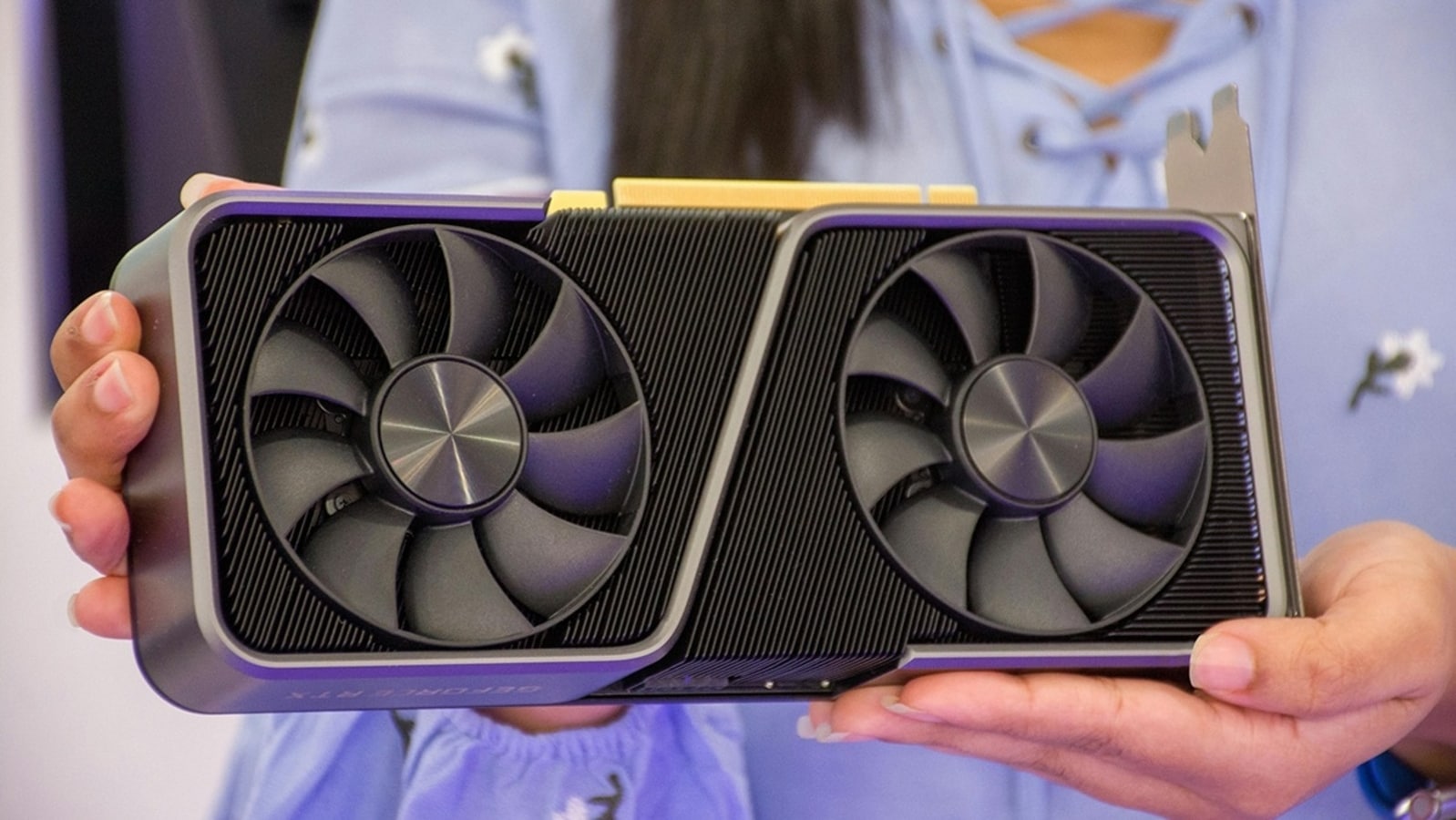
A GPU’s name contains clues about its performance tier and generation. While AMD and Nvidia design the chips, most actual cards are made by partner brands like MSI, Asus, Gigabyte, and Palit. These partners release multiple versions of the same GPU, differing in cooling systems, factory overclocks, or memory size. For instance, a single RTX 4060 Ti chip might come in quiet, triple-fan editions for enthusiasts or more compact dual-fan models for budget users. Always compare models within the same chip family, since price differences don’t always translate into big performance gains.
Budget First, Specs Second
Always begin with your budget. Define how much you are willing to spend, then evaluate GPUs in that price bracket. A pricier card is not always better value – sometimes a mid-tier option delivers nearly the same performance at a significantly lower cost. To avoid mistakes, check performance benchmarks and comparisons from trusted sources like UserBenchmark or TechPowerUp.
Comparing Video Chips
Performance is not determined by raw frequency alone. For example, the GeForce RTX 4060 Ti and Radeon RX 7600XT may clock at similar speeds, but due to architectural differences, performance can differ by up to 20%. Benchmark services provide detailed comparisons across multiple parameters: average test scores, market share, release dates, and more. GPU-Z is another excellent utility to monitor your current card’s specifications, temps, and clock speeds.
Factory Overclock vs Standard Versions
Some cards come factory-overclocked, with slightly higher core or memory frequencies. In most cases, the performance boost is marginal and not worth a higher price unless paired with better cooling. A model with three fans instead of two may justify a small premium, as it runs cooler, quieter, and lasts longer under heavy loads. Otherwise, stick to standard models and manually overclock later if desired.
Video Memory: How Much Do You Need?
Video memory (VRAM) is another critical factor. Current GPUs range from 6 GB to 32 GB of VRAM, with multiple variants on the same chip (e.g., RTX 5060 Ti with 8 GB vs 16 GB). The right amount depends on your resolution and game settings:
- Full HD (1080p): 6–8 GB
- 1440p (2K) high settings: 8–12 GB
- 4K: 12 GB minimum
- 4K Ultra/with ray tracing: 16 GB or more
Paying extra for higher VRAM only makes sense if you plan on playing AAA titles at higher resolutions. Otherwise, the cheaper option may be just as good.
Modern GPU Technologies
Today’s gaming experience is heavily shaped by advanced rendering technologies:
- Ray tracing: Simulates realistic lighting and reflections but can heavily reduce frame rates. Nvidia has had the strongest ray tracing hardware since the RTX 2000 series, while AMD introduced it in RX 6000 cards.
- Anti-aliasing: Smooths jagged edges in-game. Nvidia includes advanced AI-based DLAA in DLSS 4.0, while AMD offers FSAA and other solutions.
- Frame generation: Nvidia’s DLSS 4 allows cards to generate additional frames between rendered ones, effectively tripling FPS on RTX 50-series GPUs. AMD’s Fluid Motion Frames 2.1 promises up to 3.7× FPS in 4K, but is limited to RX 9070-series models.
Game support is still uneven, so always check whether your favorite titles support DLSS, FSR, or XeSS.
Compatibility with Your System
A dream GPU won’t help if it doesn’t fit inside your PC. Measure your case’s maximum supported length and width. Bulky triple-fan GPUs may block extra PCIe slots, preventing you from adding sound or network cards. Also, check your PSU’s wattage and +12V output to ensure it can deliver stable power, plus make sure the GPU’s power connectors match your PSU cables.
PCIe and Motherboard Support
Modern GPUs use PCIe x16 slots, but bandwidth differs across generations. PCIe 4.0 x8 performs roughly like PCIe 3.0 x16, but older boards can bottleneck new GPUs like the RX 7600, which only runs at PCIe 4.0 x8. Ideally, match the GPU’s PCIe version with your motherboard or prepare to upgrade for full performance.
Monitor Matters Too
Your display should match your GPU’s capabilities. For example, the GeForce RTX 4070 Super supports 8K resolution (7680×4320) and comes with HDMI 2.1a and DisplayPort 1.4a ports. To enjoy 1440p at 240 Hz, you’ll need HDMI 2.1 or DisplayPort 1.3+. Always confirm which ports on your monitor support its maximum resolution and refresh rate, as not all ports offer identical performance.
Final Thoughts
Selecting a graphics card is a balance between budget, performance, and future-proofing. Nvidia currently leads with DLSS 4, while AMD remains competitive in raw performance-per-dollar. Intel lags behind but could improve in the coming years. Before buying, check benchmarks, confirm case and PSU compatibility, and match your GPU to your monitor’s resolution and refresh rate. The right choice ensures smooth, beautiful gameplay without wasting money on unnecessary specs.
2 comments
intel arc still feels beta ngl
bro i spent 1k on gpu and my case too small lmao