ARC Raiders lands today on PC alongside PS5 and Xbox Series X/S, and PC players get the big technical headline: out-of-the-box support for NVIDIA DLSS 4 with Multi-Frame Generation, DLSS Super Resolution, and NVIDIA Reflex. In plain terms, Embark Studios ships its sci-fi shooter with the full modern NVIDIA stack, and the payoff is substantial. 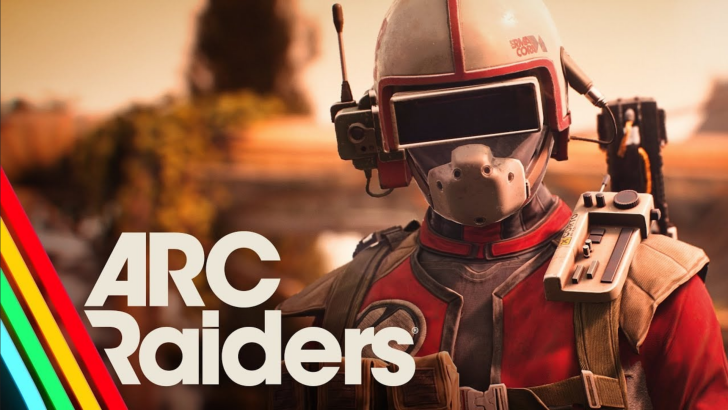
NVIDIA claims that on the new GeForce RTX 50 Series, you can push performance dramatically higher even with the visuals cranked and ray tracing enabled.
According to NVIDIA's own figures, enabling DLSS 4 with Multi-Frame Generation plus DLSS Super Resolution can multiply performance by an average of 3.6× at 4K with max settings and ray tracing on. That multiplier isn't theoretical marketing speak; it is the result of combining temporal upscaling, advanced optical flow, and frame generation that synthesizes intermediate frames to smooth motion. Pair that with Reflex's pipeline optimizations, which reduce end-to-end system latency, and you get not just higher frame counts but snappier input response as well.
4K, 1440p, 1080p: the headline numbers
On the desktop flagship RTX 5090, NVIDIA reports ~420 FPS at 4K with everything maxed. The RTX 5080 follows at 300+ FPS. Drop down to a RTX 5070 Ti or RTX 5070 and you are still looking at roughly 260 FPS and 220 FPS respectively at 4K with ray tracing and the full DLSS 4 pipeline enabled. Lower resolutions naturally stretch those gains: at 1440p, the RTX 5090 is said to clear 500 FPS in ARC Raiders with max settings; even the RTX 5060 is quoted at ~190 FPS at 1440p and up to ~245 FPS at 1080p.
Laptop gamers aren't left behind. NVIDIA cites an RTX 5060 Laptop GPU hitting about 240 FPS at 1080p, while an RTX 5090 Laptop GPU reaches roughly 423 FPS at 1080p and 300+ FPS at 1440p. As always, exact results will vary with CPU, memory, cooling, and in-game scenes, but the direction of travel is clear: DLSS 4 meaningfully raises the performance ceiling across the entire RTX 50 stack.
Why DLSS 4 + Multi-Frame Generation matters
DLSS 4 does two heavy lifts. First, Super Resolution reconstructs a high-resolution image from a lower-resolution render, preserving fine detail and edges while freeing GPU time. Second, Multi-Frame Generation uses neural networks and motion vectors to generate extra frames between the real ones, amplifying perceived smoothness. Reflex then trims the latency fat between mouse, CPU, GPU, and display, so those extra frames don't feel mushy. For a fast-paced shooter like ARC Raiders, that combo is particularly valuable: smoother motion tracking, clearer targets under heavy effects, and less input lag when the action spikes.
Practical takeaways for ARC Raiders on PC
- If you own an RTX 50 card, enable DLSS 4 with Multi-Frame Generation and DLSS Super Resolution first; leave Reflex on. Tweak ray tracing after that based on your monitor refresh rate.
- On high-refresh 4K displays (e.g., 240–480 Hz), RTX 5090 and 5080 owners may actually become CPU-bound in lighter scenes. Consider a frame cap or adaptive sync to reduce power draw and heat.
- Competitive players at 1080p/1440p can target triple-digit minimums with headroom for heavy firefights; Reflex will help keep mouse feel crisp.
More DLSS 4 games on the way
ARC Raiders isn't the only title embracing DLSS 4 with Multi-Frame Generation. NVIDIA lists the new Battlefield REDSEC battle royale mode for the next Battlefield entry, Duet Night Abyss, and Directive 8020 among incoming adopters. Looking further out, AION 2 is slated to arrive in 2026 with DLSS 4 Multi-Frame Generation support as well. The upshot: the tech you toggle on today will keep paying dividends across a growing library.
The bottom line
Embark's ARC Raiders launches with a thoroughly modern PC feature set, and on RTX 50 hardware the gains are eye-opening: up to 3.6× performance at 4K, four-hundred-plus FPS on a 5090, and very healthy numbers down the stack and on laptops. For anyone with a fast display, it turns a visually dense shooter into something that both looks premium and responds like a competitive title. As always, remember these are vendor-provided results with maxed settings and ray tracing; treat them as informed guidance, then tune for your rig and display.
2 comments
ok but 420 fps at 4k is insane lol
5070 doing 220fps at 4k? guess i don’t need to upgrade yet 🤔