Google’s Android 16 QPR2 makes Pixel phones feel new again
Google is rolling out the Android 16 Quarterly Platform Release 2 (QPR2) to supported Pixel phones, and it’s one of those updates that quietly reshapes the day-to-day experience. Alongside the December Android security patch, the build combines new AI tricks, fresh customization tools, and a batch of quality-of-life fixes aimed squarely at how you read notifications, protect your family, and use your screen in bright or dark environments.
Smarter notifications with built-in AI summaries
The headline change is a new AI-powered notification summary system. Instead of wading through long group chats or walls of text from messaging apps, Pixel owners can now see short, context-aware summaries directly in the notification shade. The system also automatically organizes alerts by priority, pushing time-sensitive info and urgent conversations closer to the top while quietly demoting background noise. For anyone drowning in notifications, this is designed to save you from constantly opening apps just to understand what is going on.
More ways to customize how your Pixel looks
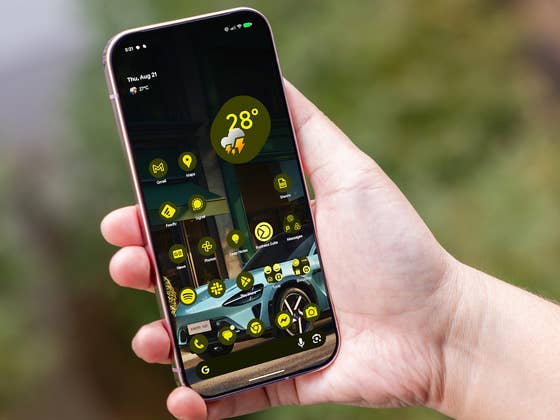
Android 16 QPR2 also leans into personalization. Google is expanding UI customization with new home-screen icon shapes and refinements to themed icons, so app icons better match your chosen wallpaper and system colors. A new Expanded Dark Mode can dim apps that don’t yet ship with their own dark themes, giving the interface a more consistent, eye-friendly look at night or in low light.
Display tweaks for low light and extreme brightness
On the visual side, a new low-light mode in Screen Saver settings can automatically dim clock faces and other information shown on the display when the ambient light drops, reducing glare on the nightstand or desk. There is also an Enhanced HDR Brightness toggle under the Display and Touch section of Settings. If you find HDR videos and games uncomfortably bright, this control lets you tone down highlight intensity without giving up the extra detail HDR provides.
Stronger parental controls built into Settings
For families, Google has reworked parental controls and pulled them directly into the main Settings app. The controls are now locked behind a PIN and allow parents to set daily screen-time limits, schedule downtime windows, and manage access to specific apps with per-app timers. The goal is to make it easier to enforce healthy usage habits on shared tablets or a child’s first Pixel phone without needing a separate app.
Expressive messaging, smarter chats, and Chrome pinned tabs
Communication tools are getting a boost too. A new Expressive Options feature displays real-time captions enriched with ambient sound cues and emotion tags on video messages, live streams, and short social clips, helping people better follow what is happening even with the sound off. Gboard picks up new Emoji Kitchen combinations for more playful sticker mash-ups.
Google is also preparing a Call Reason option in the Phone app that lets callers label a call as urgent so the recipient can quickly see why the phone is ringing and decide whether to answer, reject, or respond with a message. Group chats are easier to manage, with faster shortcuts for leaving and reporting conversations. For safety, users can scan suspicious texts and chats for possible scams using Circle to Search, which checks content without forcing you to copy and paste into a browser.
On the web side, Chrome on Pixel now supports pinned tabs, giving mobile users a way to lock important sites like mail, work dashboards, or messaging apps to the left side of the tab strip so they are harder to close by accident.
Availability for Pixel devices
The Android 16 QPR2 update is rolling out in stages to the Pixel 6 and newer devices, meaning it may take a few days before it appears on every handset. Once it lands, though, this release should make even older Pixels feel fresher, smarter, and better suited to how people actually use their phones in 2025.