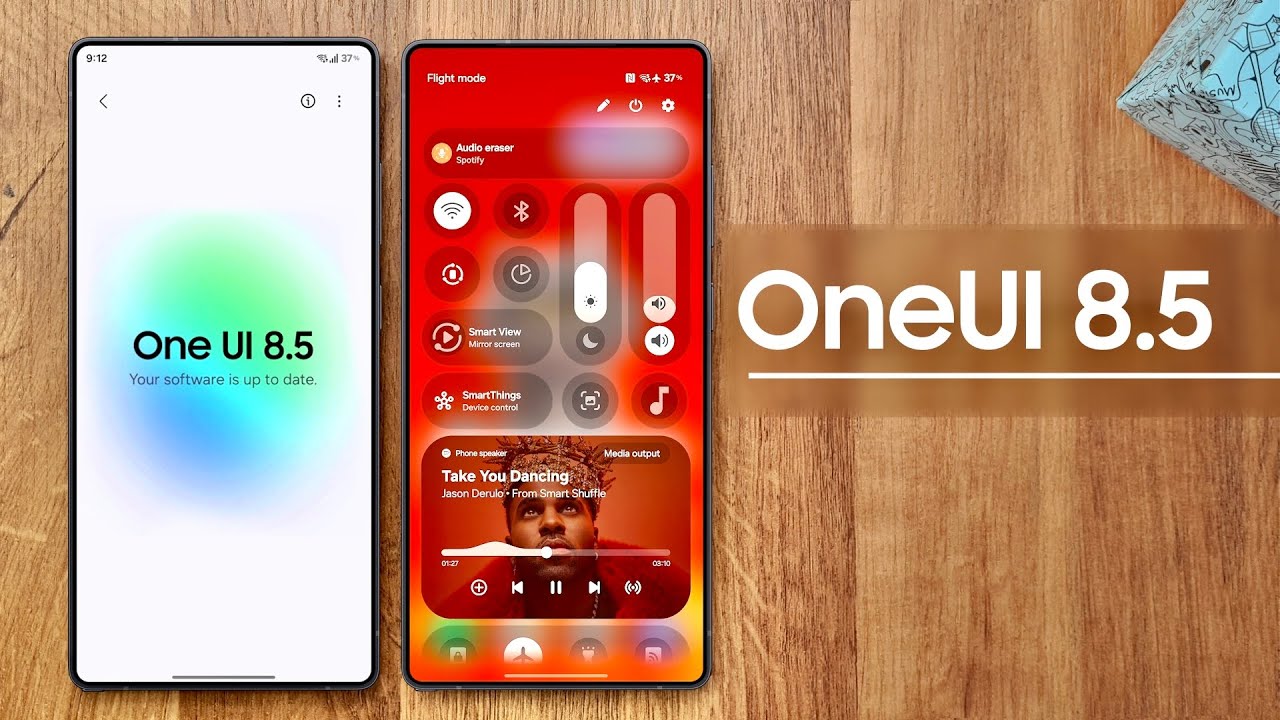
Samsung opens the One UI 8.5 beta floodgates
Samsung’s next big Android refresh is no longer locked away in internal labs. One UI 8.5 is now rolling out as a public beta, giving Galaxy S25, Galaxy S25+ and Galaxy S25 Ultra owners an early look at the software that will ship on Samsung flagships over the coming months. After several weeks of quiet in-house testing, the company has flipped the switch in six regions – the United States, the United Kingdom, South Korea, Poland, Germany and India – with more markets likely to follow once stability feedback looks good.
The beta is distributed through the Samsung Members app, just like previous One UI previews. If you live in one of the supported countries and use an S25-series phone, you can enroll in the beta channel, install the new firmware and start exploring the dozens of tweaks hiding behind the familiar interface. This is not a tiny security patch. Samsung has reworked parts of Galaxy AI, added new multi-device tricks, cleaned up long-standing pain points in settings and sprinkled small quality-of-life upgrades into almost every built-in app.
Galaxy AI Photo Assist grows up
The headline update for many people will be the smarter Galaxy AI Photo Assist. In earlier builds you had to treat every AI edit as a separate export: try an adjustment, save the result, roll back, try again. With One UI 8.5, the assistant now keeps a history of the images it generates. You can spin up several variations of a portrait, landscape or product shot, compare them, and only commit the version that truly works. This makes experimenting with background replacements, touch-ups and stylistic filters far less messy for anyone who edits lots of pictures for social media or work.
Because the feature stores a temporary stack of iterations instead of forcing you to save every attempt to the Gallery, you are less likely to end up with pages of nearly identical photos. It feels closer to the non-destructive workflows people are used to on desktop editors, but with the convenience of Samsung’s on-device and cloud-assisted AI.
Connectivity: a tighter Samsung ecosystem
One UI 8.5 also leans heavily into the idea that your phone is only one piece of a bigger Samsung ecosystem. A new shared storage system lets you browse files stored on your other Samsung phones, tablets, PCs and even smart TVs through the My Files app. Instead of emailing yourself documents or juggling external drives, you can open and move content as if all of your devices share a single, gigantic drive.
Smart View, Samsung’s screen mirroring tool, gets a simple but important improvement: you can now drop a shortcut on your home screen that mirrors your phone to a compatible TV or monitor with a single tap. That makes it much easier to quickly throw up a video, a deck of slides or a game session on a big screen without digging through menus.
Audio sharing is upgraded as well thanks to support for Auracast broadcasting. With compatible earbuds and speakers, your Galaxy S25 can beam audio to multiple nearby listeners at once. It is perfect for casual group workouts, language classes, museum tours or those chaotic living-room silent discos where everyone dances to the same playlist on their own headphones.
Battery, power and everyday usability
Battery settings have been overhauled to show the information people actually check every day. The main screen now highlights your remaining battery percentage, current charging status and recent usage in a clearer, more visual layout. It is easier to spot which apps are quietly eating into your battery, and to understand how your usage patterns have changed over the week.
Power Saving mode is far less rigid than before. Instead of living with a single conservative preset, you can define custom limits that suit your routine – aggressively clamping down background tasks when you need to stretch battery life, or relaxing those limits when performance matters more, for example during long gaming sessions or travel days.
Accessibility upgrades that really help
Accessibility continues to be a serious focus. In One UI 8.5, Bluetooth hearing aids are now reachable directly from the Accessibility shortcut, cutting down the taps it takes to adjust audio for people with hearing loss. Visual accessibility improves too: magnification can be driven using a mouse or keyboard, which is especially useful when the phone is connected to a larger display.
The Dwell action feature, designed for users with limited mobility, has become more flexible as well. You can define what should happen when the pointer stays in one place for a set amount of time, mapping that pause to specific actions or shortcuts and making complex interfaces less demanding to navigate.
Polish across core apps and interface
The Quick Panel – the slide-down shade full of toggles and the brightness slider – is now more customizable, so you can arrange and prioritize the shortcuts that actually matter to you. Reminder alerts can be configured to ping you before something is due instead of at the last second. Screen recording gains the ability to capture just a portion of the display, which is great for creating focused tutorials or hiding sensitive areas.
Even seemingly basic tools are getting smarter. The Calculator app can watch the clipboard and suggest using numbers and formulas you have copied, reducing typing errors when you are working with long figures. Samsung DeX now remembers your preferred app window sizes and positions between sessions, so when you reconnect to a monitor your desktop-style layout snaps back into place. In the Gallery, a new move to private album option makes it easier to hide sensitive photos and videos in a protected space.
Clock, Samsung Health and Galaxy Watch
Samsung’s Clock app is picking up a bit of personality. When an alarm fires, the alarm screen can show live weather conditions as a background, giving you a quick glance at what awaits outside before you even leave bed. The time zone converter has been redesigned with a more intuitive slider-based interface, making it easier to understand the difference between multiple cities at once.
Samsung Health users get more detailed weekly summaries that break down movement, workouts and sleep, highlighting trends instead of just raw numbers. You can share exercise stats alongside workout photos, which is ideal for training groups, online coaches or simply showing off a big run. Meditation sessions can be launched directly from the Galaxy Watch, removing friction for people who use short breathing breaks to manage stress during the day.
On the wearable side, Galaxy Watch 8 and Galaxy Watch Ultra gain the ability to measure antioxidant levels even when they are not tethered to a phone. It is another sign that Samsung wants its watches to feel like independent wellness hubs rather than simple notification companions.
Security, privacy and sharing
There are also important changes under the hood. A failed authentication lock can now shut down access to your phone after a defined number of incorrect unlock attempts, giving you more protection if your device falls into the wrong hands. Identity check now guards a broader set of system settings so that malware or a careless tap cannot silently flip important security options. Auto blocker, Samsung’s extra safety layer for suspicious apps and installs, can automatically switch itself back on thirty minutes after you disable it, so you are not left exposed longer than necessary.
Quick Share becomes more intelligent and more private at the same time. You can restrict incoming files so that only devices signed in with your Samsung or Google account are allowed to send you content, cutting down on spam from strangers. The feature can also recognize familiar faces in your photos and suggest sharing those shots directly with the people it identifies, turning what used to be a multi-step share flow into a couple of taps.
Home screen, lock screen and weather refinements
Visually, One UI 8.5 brings polish where people see it every day: the home and lock screens. When you set a picture of friends, family or pets as your lock screen wallpaper, the system now automatically moves the clock and widgets so that important faces and details are not covered. There are more clock font styles to pick from too, giving you another way to personalize the look of your phone.
The Weather widget has been redesigned with clearer graphics and a dedicated precipitation chart that makes it easy to see at a glance whether rain is heading your way. Inside the Weather app, Samsung has added a pollen index read-out, which will be especially useful for allergy sufferers planning their time outdoors.
Individually, many of these tweaks seem small, but together they add up to a noticeably more capable and considerate version of Samsung’s software. For Galaxy S25 users in supported countries, the One UI 8.5 beta is a chance to live with those improvements early and help shape the final release with real-world feedback.
2 comments
all these ai photo tricks but can it fix my 3am selfie? asking for a friend
shared storage between phone and tv is exactly the kinda nerdy thing i didnt know i needed