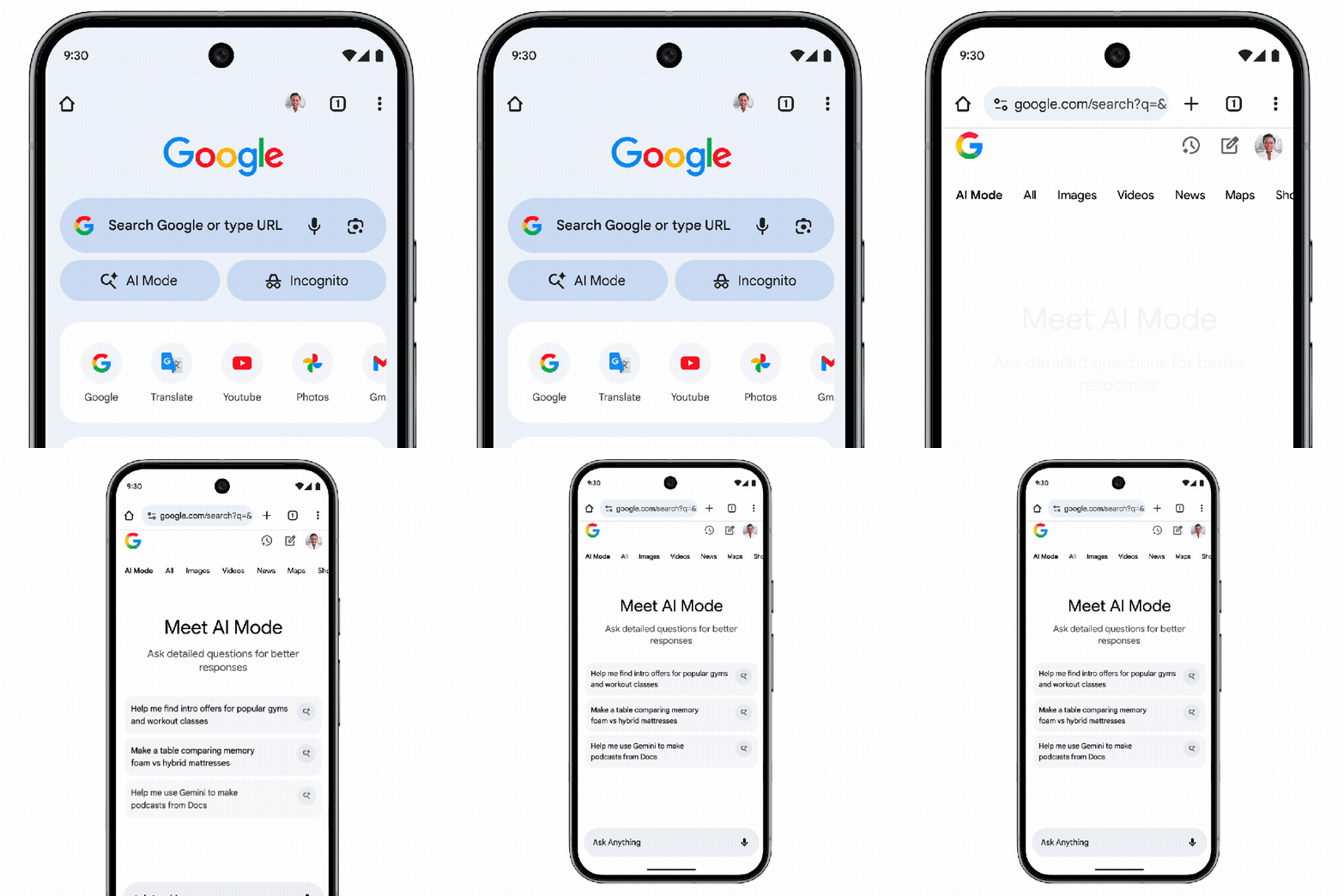
Chrome’s AI Mode gets a prominent shortcut on Android and iOS
Google is giving its mobile browser a louder AI voice. Starting today, Chrome for Android and iOS surfaces a new AI Mode shortcut directly beneath the search box on the New Tab page. That placement matters: every time you open a fresh tab, the option to ask an AI-enhanced question is front and center, not buried in menus or a secondary screen.
Why the push? Google wants to keep everyday curiosity flowing through Chrome and Search rather than drifting to rival apps. AI Mode is pitched as more than a typical query bar. Enter it and you can pose complex, multi-part questions – think comparisons, constraints, and context in a single prompt – then continue the conversation with follow-ups. Answers arrive with links to explore, helping you jump from synthesized summaries into reputable sources when you want depth.
In use, the experience feels like a bridge between a traditional search engine and a conversational assistant. You can start broad (for example, outline a travel plan) and refine step by step (budget, dates, neighborhoods), without rewriting the whole query. Those iterative follow-ups are the point: AI Mode is designed to let you stay inside the same thread, drilling down until you have something actionable.
Availability begins in the United States and is slated to expand to 160 additional countries and territories soon. Language support is widening as well, with Hindi, Indonesian, Japanese, Korean, Portuguese, and others on the roadmap so more people can query in the language they think in.
Practically, the change lowers the friction to try AI inside Chrome. You open a tab, tap the shortcut, ask, and keep iterating – no app-switching, no context lost. For Google, it’s a strategic placement; for users, it’s a small UI tweak with outsized impact on how mobile browsing begins.
If you prefer the classic flow, nothing stops you from using the standard address bar and results page. But for moments when your question has moving parts – or when you want quick next steps with credible links – the new shortcut makes AI Mode the most visible starting line in Chrome’s mobile experience.