Samsung DeX has always been one of the company’s most daring and distinctive ideas – a way to turn your smartphone into a full-fledged desktop computer. Yet with the rollout of Android 16 and One UI 8, Samsung’s once-beloved desktop mode has entered a new era that’s sparking both excitement and frustration among its loyal fans. The reason? A radical redesign meant to unify DeX’s architecture with Google’s upcoming Android Desktop Mode. 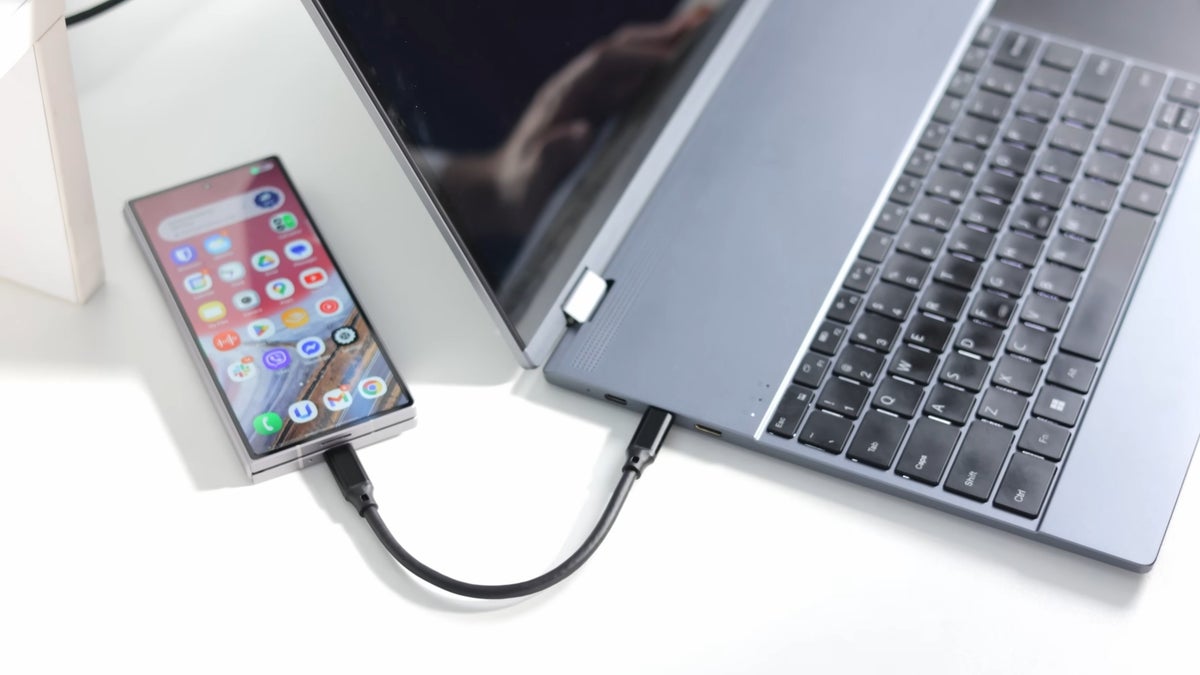
While this promises a smoother, more standardized experience in the long run, the transition has come at a price: the temporary loss of polish and functionality that made the classic DeX so special.
To understand why users are up in arms, you have to appreciate what DeX represented. On devices like the Galaxy Z Fold 6, DeX didn’t just mimic a computer desktop – it felt like one. With floating windows, familiar keyboard shortcuts, and multitasking flexibility, it was often praised as the best mobile desktop experience on the market. Many users, myself included, used it daily for productivity. But after updating to the latest Android 16 and One UI 8, the new DeX feels like a work in progress – powerful at its core but clearly unfinished.
The shift to Google’s standardized framework makes sense from a development standpoint. Instead of maintaining a completely independent DeX codebase, Samsung can now build on the same foundation Google will roll out for all Android devices. That’s huge for future-proofing. It could mean faster updates, better cross-device compatibility, and less fragmentation. But that’s the long game. Right now, users are stuck in an awkward middle ground – missing features, quirky bugs, and a general feeling that the new DeX is a downgrade from what we had before.
The Frustrating Details: What’s Gone Wrong
Among the most noticeable frustrations, the new DeX currently fails to remember window sizes and positions. Every time you reopen an app, it appears as a tiny box in the middle of your display, forcing you to resize it manually. It sounds minor until you experience it repeatedly – a jarring step backward for a system that used to remember your layout perfectly. Another major annoyance lies in the scaling issues at higher resolutions. While apps scale properly on large monitors, essential interface elements like the taskbar, app drawer, and notification panel stay absurdly tiny at 3K and 4K resolutions. For anyone using high-end external displays, this is more than inconvenient; it makes the entire UI look broken.
I’ve been testing the new DeX setup with the UPerfect UColor O2, a gorgeous 16-inch OLED monitor boasting a 3K resolution, 16:10 aspect ratio, and a 120 Hz refresh rate. It’s the kind of screen that shows every pixel in its glory – and every scaling bug in painful detail. Apps themselves look crisp and beautiful, but the DeX interface remains inconsistent. Icons and menus look microscopic, as if Samsung forgot people actually use DeX on real monitors, not just TVs. Thankfully, these are software issues that can be patched, and Samsung is known for rolling out fixes quickly once the feedback pours in.
Some Bright Spots Remain
Not everything is doom and gloom. The new version of DeX comes with better resolution and aspect ratio recognition, which is a long-requested improvement. It now supports a wider range of display configurations, allowing smoother connections with portable monitors, ultrawide setups, and even niche resolutions. This improvement hints at a more adaptable, universal future where any Android device could plug into any screen and instantly offer a desktop environment.
Still, DeX continues to suffer from an odd limitation – a refresh rate cap of 60 Hz. Despite Samsung’s phones and external displays being perfectly capable of higher refresh rates, DeX inexplicably refuses to go beyond 60 Hz. In 2025, this feels like a missed opportunity, especially considering how fluidity and responsiveness are central to a desktop-like experience. Users expect buttery-smooth motion on modern hardware, and Samsung’s silence on the issue hasn’t helped.
DeX in Everyday Use: Still Impressive
Even with its quirks, the essence of DeX remains extraordinary. Over the past month, I’ve used DeX as my primary workstation – writing, editing, browsing, and streaming, all from my Galaxy Fold 6. For tasks based primarily in the browser, it’s shockingly capable. Google Docs, Gmail, YouTube, Slack – everything just works. Plug in a keyboard and mouse, and it’s astonishing how quickly you forget you’re working off a phone. The fact that you can connect something like the UPerfect UDock X 15.6 Pro lapdock and turn your phone into a pseudo-laptop is the kind of flexibility few ecosystems can match.
Sure, professionals using specialized software will still need Windows or macOS, but for students, travelers, or minimalists, DeX is almost liberating. You can run full web apps, stream media, edit documents, and multitask efficiently – all powered by your pocket computer. During my testing, I even streamed a movie from my phone to my TV while continuing to write emails and browse on the lapdock. This simultaneous workflow is what makes DeX so fascinating – it blurs the line between phone and computer more effectively than any other system.
The Road Ahead
Despite the temporary rough edges, there’s little doubt that Samsung and Google are steering toward a shared vision: desktop computing powered by your phone. The potential here is massive. Once Google’s own Desktop Mode becomes part of stock Android, we’ll likely see more apps optimized for large screens, more accessories designed with DeX in mind, and far better interoperability between devices. Samsung’s early commitment to align its ecosystem with this vision might cause short-term pain, but it could also place them ahead of the curve in the long term.
Until then, fans of the classic DeX will have to be patient. Samsung’s engineers clearly have the foundation laid for something greater, but they still need to restore the refined, polished feel that made DeX so beloved in the first place. The new architecture may make updates faster, but that doesn’t excuse the current bugs. Fortunately, history suggests Samsung listens to its community – and if that continues, DeX could soon reclaim its throne as the most complete mobile desktop solution on the planet.
So yes, DeX may be imperfect right now, but it’s still a glorious vision of mobile computing. With a bit of patience and a few more updates, it could redefine what we expect from our phones – again.
3 comments
i actually use dex daily for work, even with bugs it’s awesome
works fine on my Fold 7, dunno why ppl complain so much 🤷♂️
why is it still stuck at 60hz in 2025 lol