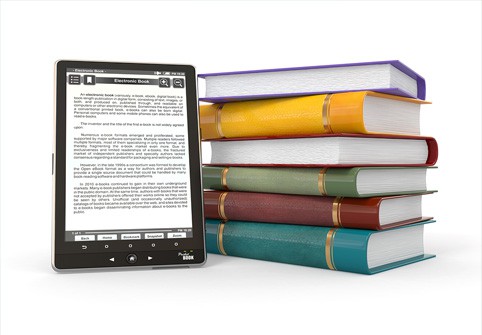
Can Tablets and E-Readers Truly Replace the Weight of Textbooks?
Every generation of parents seems to struggle with the same question: how to balance their child’s education with their well-being. For decades, one of the biggest concerns has been the weight of school backpacks. In fact, debates over whether children should carry stacks of heavy paper textbooks or switch to digital solutions have become even more relevant in an era when technology can provide alternatives. The conversation is not only about convenience, but also about health, accessibility, and the future of learning.
Recently, when my daughter transferred to another school, this debate became more personal than ever. Her commute suddenly stretched from a short five-minute walk to a demanding thirty-minute combination of walking and riding the metro. To make matters worse, her new schedule required more subjects, more books, and consequently, a much heavier backpack. By the end of the first week, we realized something had to change. Could we reduce the strain on her back without compromising her studies? That’s how our family experiment with tablets and e-readers began.
The Backpack Burden
The numbers themselves are telling. In 2020, Russia’s Rospotrebnadzor – the federal body responsible for public health and consumer rights – issued guidelines stating that the backpack of a 7th or 8th grader should not exceed 3.5 kilograms. That weight limit includes textbooks, notebooks, and stationery. Yet when I weighed my daughter’s school bag one morning, it tipped the scale at 4.2 kilograms – and that was without food or water. A simple sandwich and a bottle could push it far beyond the official limit. Clearly, this was not sustainable.
We tried common advice for lightening the load: choosing a lightweight backpack, opting for thinner notebooks, and minimizing non-essential items. Yet the truth was undeniable – the bulk of the weight came from textbooks. The only meaningful way to solve the problem would be to reduce or eliminate those heavy books. This realization set the stage for our experiment: could a tablet or e-reader replace paper textbooks without creating new problems?
Choosing the Devices: E-Reader vs Tablet
We already had two candidates at home – a Digma A8 e-reader and an Apple iPad 2025. Their specifications are worth examining, because they reveal why each type of device might be better or worse for replacing textbooks.
Digma A8 E-Reader:
• Screen: 7.8 inches, slightly smaller than an A5 book.
• RAM: 3 GB.
• Storage: 32 GB (expandable via microSD).
• Battery: 3200 mAh, capable of lasting weeks.
• Weight: 275 grams.
Apple iPad 2025 Tablet:
• Screen: 11 inches, comparable to full-sized textbooks.
• RAM: 6 GB.
• Storage: 128 GB.
• Battery: 8500 mAh, about 10 hours of active use.
• Weight: 481 grams.
The weight comparison alone is striking. Replacing an entire load of textbooks with either device reduces the backpack to around 1.2–1.5 kilograms – comfortably below the Rospotrebnadzor recommendation. From a purely physical perspective, this was already a victory. Yet the challenge was not just about weight, but also about practicality: where to get the textbooks and how to use them effectively.
The Hunt for E-Textbooks
Finding digital versions of textbooks turned out to be a bigger challenge than expected. For novels or non-fiction books, resources like LitRes or other e-book platforms provide convenient and legal access to EPUB and FB2 files. School textbooks, however, were another matter.
For the e-reader, the search was disappointing. Most official publishers do not offer textbooks in formats compatible with e-readers. Instead, I had to rely on questionable websites offering pirated PDF scans. These files were inconsistent: sometimes they were outdated editions, other times the scanned pages were blurry or incomplete. The bigger issue, however, was alignment with what teachers used. My daughter often found that her digital copy did not match the page numbers or exercises in the school’s official print edition. This caused delays during lessons, leaving her scrambling to catch up. It became clear that pirated scans might save money but could undermine classroom performance.
Tablets, on the other hand, had an official route. Two trusted services – the Prosveshchenie publishing house and the Russian Textbook platform – offer licensed digital versions of most school materials. These are accessible through the Lekta app, which is available on both iOS and Android. Purchasing a book was as straightforward as any online store: select, pay, and receive an activation code by email. Within minutes, the textbook appeared in the app’s library. Moreover, the books could be downloaded for offline use, ensuring access even if the school’s Wi-Fi faltered.
The Daily Experience
My daughter tried the e-reader for one week and the iPad for another. Both experiences provided valuable insights.
Using the E-Reader
The biggest strength of the Digma A8 was its incredible battery life. Even with daily use for several hours, the device barely lost 30% of its charge over the course of a week. That made it practically worry-free in terms of charging. But in almost every other aspect, the e-reader fell short. Textbooks are not like novels: they require constant navigation between chapters, glossaries, exercises, and diagrams. On the e-reader, zooming was clumsy, page loading slow, and black-and-white rendering made maps and charts difficult to interpret. For subjects like geography, biology, and chemistry, where color coding is essential, the device was frustrating.
Using the Tablet
The iPad, by contrast, excelled in usability. PDFs opened instantly, scrolling was smooth, and the larger screen size made scaling unnecessary. Fonts and diagrams were clear, and interactive features in some official e-textbooks added an extra layer of engagement. However, battery life was a concern. After six consecutive lessons, the device’s charge dipped to around 20%. Forgetting to charge it overnight could mean showing up at school without textbooks at all. Additionally, while the tablet was heavier than the e-reader, it was still dramatically lighter than a backpack stuffed with paper books.
Advantages and Disadvantages Summarized
E-Reader Pros:
• Lightweight and ultra-portable.
• Weeks-long battery life.
• Eye-friendly e-ink display for long reading sessions.
E-Reader Cons:
• Poor handling of PDFs, especially large A4 textbooks.
• Limited navigation and slow page switching.
• Black-and-white display unsuitable for diagrams and maps.
• Incompatibility with official digital textbook services.
Tablet Pros:
• Large, full-color display suitable for any subject.
• Quick loading and seamless navigation.
• Access to official textbook platforms.
• Multi-purpose: useful for research, note-taking, and apps.
Tablet Cons:
• Daily charging required.
• Heavier than an e-reader.
• Potential distractions from non-educational apps if not managed properly.
The Broader Implications
Our experiment reflected a larger trend in education worldwide. Many schools are transitioning toward digital resources, yet the shift is uneven. Cost is one factor: while pirated versions are free, official digital textbooks require payment, sometimes adding to family expenses. At the same time, digital divides remain – not every family can afford tablets or fast, reliable internet.
There are also pedagogical considerations. While digital books lighten physical loads, some teachers argue that paper books encourage better focus and retention. Annotating margins, flipping through pages, and physically underlining key points are tactile experiences not fully replicated by digital screens. On the other hand, digital tools can enrich learning with search functions, embedded multimedia, and interactive exercises.
Final Verdict
In our case, the conclusion was clear. The e-reader, while excellent for leisurely reading, was inadequate for school use. The iPad, though not perfect, offered a practical balance. By combining the tablet with a few select paper textbooks – particularly for language studies where quick lookups and margin notes were essential – my daughter reduced her backpack weight from nearly 5 kilograms to just over 2 kilograms. That difference alone improved her daily comfort and energy levels.
For families considering this switch, I would recommend a mid-range tablet with at least 10–11 inches of screen size, 4 GB of RAM, and 128 GB of storage. It doesn’t need to be the most expensive model, but it should be reliable enough for both textbooks and additional schoolwork. Just as important, families should weigh the costs of official digital textbooks versus the risks of pirated copies, and test whether their child finds digital studying comfortable before committing fully.
Ultimately, technology can ease the burden of education – quite literally. But rather than replacing paper books entirely, the best solution may be a hybrid approach, blending the lightness of digital with the usability of print.