When it comes to modern televisions, the refresh rate is often touted as a game-changing feature, particularly with 120 Hz panels. Manufacturers claim that these high-refresh-rate displays offer a smoother viewing experience and faster response times, especially for action-packed gaming. 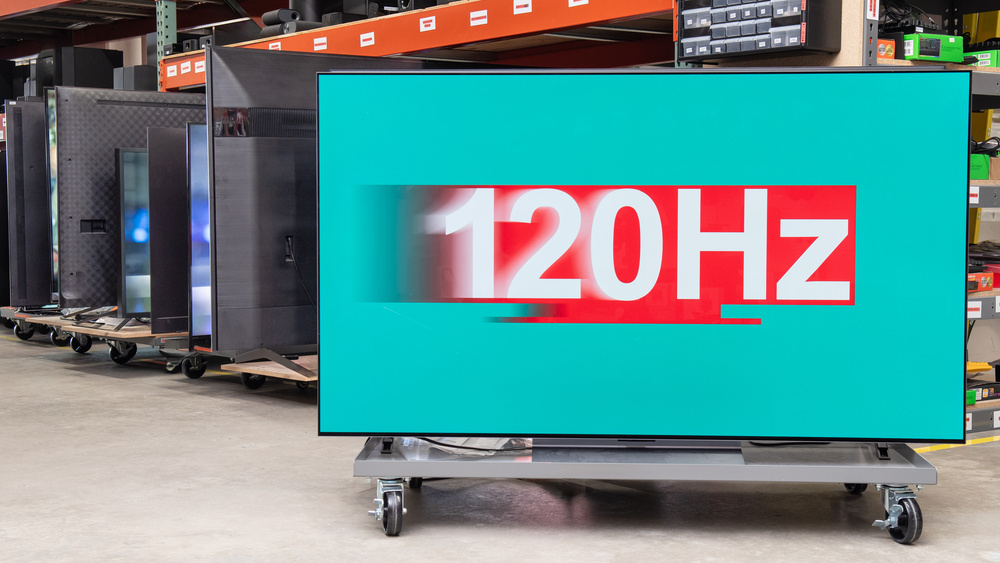
But does this added benefit really justify the extra cost? In this article, we’ll explore the impact of refresh rates on movie-watching and gaming, and help you determine whether upgrading to a 120 Hz TV is worth it.
Understanding Refresh Rates
The refresh rate refers to the number of times per second the TV refreshes the image on screen. A higher refresh rate means smoother motion, particularly noticeable when watching fast-moving objects. While most budget-friendly TVs come with a 60 Hz refresh rate, many mid-range and premium models boast 120 Hz, promising better performance in dynamic scenes. But there’s more to this story than just the numbers.
It’s important to understand that the smoothness of a TV’s picture is influenced by more than just the refresh rate. The content you’re watching also plays a significant role. For example, if a video has a frame rate of 30 frames per second (FPS), even a TV with a 120 Hz refresh rate won’t make the motion appear smoother. Instead, the same frame will simply be repeated over several refresh cycles. To truly benefit from a 120 Hz display, the content – whether a movie, TV show, or video game – must match or exceed the TV’s refresh rate. Otherwise, you’re not going to see much improvement.
How Refresh Rate Affects Movies and TV Shows
Most movies and TV shows are filmed at 24 frames per second. While 24 FPS is a standard for cinema, it doesn’t necessarily align perfectly with the refresh rates of standard TVs, which can sometimes lead to some noticeable motion artifacts. Take, for instance, the experience of watching a panoramic scene with a slow camera pan. If the TV’s refresh rate doesn’t align with the content’s frame rate, you may notice a slight flicker or shake, especially on a 60 Hz screen. This happens because the TV’s refresh cycle isn’t an exact multiple of the movie’s frame rate, causing the image to stutter slightly.
On a 120 Hz display, however, the number of refresh cycles perfectly matches the 24 FPS of the movie, eliminating this issue. This means that films shot at 24 FPS will have a smoother, more cinematic look on a 120 Hz TV. Experts like Rtings have tested various TVs for flicker at 24 FPS, and while the effect is often minor, it’s worth noting that certain TVs can mitigate the problem through frame interpolation or other software fixes. For instance, some brands like Samsung automatically adjust their refresh rate to match the frame rate of the content. LG users may need to enable a special “Cinema” mode to get similar results.
The Impact of Refresh Rates on Gaming
For gamers, the difference between a 60 Hz and 120 Hz TV is more apparent. But the real benefit of a 120 Hz display becomes clear when playing games on high-end systems. If you’re gaming on a powerful PC with a top-tier graphics card, such as the NVIDIA RTX 4080, and a 4K monitor, you may notice a smoother experience with 120 Hz. However, achieving 120 FPS (frames per second) in demanding games can still be challenging, especially in open-world titles with high-resolution textures. Even the powerful RTX 4090 can struggle to maintain a constant 120 FPS in some games like *Starfield*, where performance may fluctuate based on the scene – hitting 60-70 FPS in large open environments and only reaching 110-120 FPS in smaller indoor locations.
Consoles, too, are still catching up to the 120 Hz trend. While the Xbox Series X supports around 80 titles that can run at 120 FPS, many of these are older games from previous console generations. The PlayStation 5, meanwhile, has a smaller selection of 120 FPS games. The catch here is that in order to achieve these higher frame rates, developers often reduce the game’s resolution or image quality, making you choose between smoother gameplay and visually stunning graphics.
Do You Really Need 120 Hz?
As more televisions come equipped with 120 Hz panels, the question of whether it’s worth paying a premium for this feature arises. If you’re in the market for a high-end TV, particularly those priced over 100,000 rubles, chances are your TV will already feature a 120 Hz refresh rate. In this case, the decision is already made for you.
However, if you’re considering a more budget-friendly model, and you’re trying to decide between a 60 Hz and a 120 Hz TV, you should think carefully about how you plan to use the TV. If you primarily watch movies and TV shows, you’re unlikely to notice any significant difference. While a 120 Hz TV does offer smoother motion, it’s not essential for films shot at 24 FPS. Even with a high-refresh-rate display, movies and TV shows will look fine, and you won’t experience noticeable flickering.
When it comes to gaming, it’s important to note that the vast majority of current-gen consoles, like the PlayStation 5 and Xbox Series X, aren’t capable of consistently running games at 120 FPS with high-quality settings. Even on a powerful PC with a premium graphics card, you’ll struggle to get 120 FPS in every game, especially at 4K resolution. For most users, the benefits of a 120 Hz display may be marginal unless you’re playing fast-paced esports titles or using the TV with a top-of-the-line gaming PC.
Conclusion
So, is it worth paying extra for a 120 Hz TV? If you’re a serious gamer with access to high-performance hardware and fast-paced titles, a 120 Hz TV could be a worthwhile upgrade. For movie lovers and casual viewers, however, the benefits are far less pronounced. Ultimately, the decision to go for a 120 Hz model depends on your specific needs and budget. If you’re mostly watching movies or playing games at a lower resolution or frame rate, a 60 Hz TV will likely suffice, saving you money while still providing a solid viewing experience.
3 comments
I bought a 120Hz TV for gaming, but honestly, most of the time, my PS5 doesn’t hit 120 FPS anyway. Kind of a waste
Gaming on a 120Hz screen is dope, but I need to upgrade my GPU to truly see the difference
I’m just here for the 120Hz when playing *Call of Duty* – the smoothness is incredible