Setting the Bar Higher: A Complete Guide to Choosing the Right RAM in 2025
For anyone assembling or upgrading a computer, one of the most common stumbling blocks is memory selection. RAM – or Random Access Memory – is one of the cornerstones of system performance. Pick the wrong kind and your expensive build might be bottlenecked, or worse, the modules may not even fit. With two primary form factors, multiple generations of technology, and a jungle of specifications from capacity to frequency and latency, knowing what to buy has never been more important. This guide dives deep into all aspects of RAM to help you make the right call, whether you are refreshing an aging workhorse PC, putting together a lean office machine, or crafting a bleeding-edge gaming rig.
Understanding Form Factors: DIMM vs SO-DIMM
The first choice you’ll encounter when looking at RAM modules is their physical form factor. The two mainstream types are DIMM (Dual In-Line Memory Module) and SO-DIMM (Small Outline DIMM). DIMMs are full-sized sticks, typically found in desktop PCs and workstations. SO-DIMMs, as the name suggests, are smaller, designed for compact systems like laptops, mini-PCs, and all-in-ones. Though they operate on the same principles, their physical designs are incompatible – you cannot slot a SO-DIMM into a DIMM socket or vice versa. Thankfully, manufacturers make this distinction obvious, so the chances of buying the wrong type are low as long as you pay attention to product listings and motherboard specifications.
Generational Shifts: From DDR2 to DDR5
RAM has evolved through multiple generations, each improving speed, efficiency, and capacity. Today, DDR2 and DDR3 are relics, found only in very old systems. DDR3L, a low-voltage variant optimized for laptops, still pops up in legacy devices but is virtually obsolete for new builds. These generations rarely exceed 8 GB per stick and are limited to frequencies that modern users would find painfully slow. Nevertheless, if you’re refurbishing a vintage machine, even such outdated memory can provide a noticeable performance bump.
The present and future belong to DDR4 and DDR5. DDR4 has been the mainstream workhorse for years, with the sweet spot being 16 GB sticks running at 3200 MHz. These modules strike the balance between affordability, stability, and longevity. DDR5, however, is the rising star – faster, larger, and built for tomorrow’s workloads. Common DDR5 configurations range from 16 GB to 64 GB per module, with frequencies from 4800 MHz to an eye-watering 8200 MHz in enthusiast-class offerings. For high-end gaming PCs and professional workstations, DDR5 is quickly becoming the go-to choice, particularly as motherboards and processors steadily adopt and optimize for it.
Dual-Channel and Multi-Channel Configurations
When buying RAM, more isn’t always better unless it’s installed the right way. Modern motherboards feature paired slots designed for dual-channel (or even quad-channel in some workstation boards) operation. Two 8 GB modules running in dual-channel will outperform a single 16 GB module, despite identical total capacity, because data can be accessed in parallel. The catch: modules must match in capacity, speed, and ideally brand and batch to maximize compatibility. That’s why RAM is often sold in matched kits – pairs or even sets of four or eight. For most home users and gamers, a pair of identical sticks offers the best mix of speed and stability.
How Much Memory Do You Really Need?
The age-old question: how many gigabytes should you buy? While instinct might tell you to load up as much as possible, real-world use varies widely depending on workloads. For everyday productivity – word processing, spreadsheets, browsing with dozens of tabs, or running a video call – 8 GB remains adequate. But that’s where adequacy ends.
At 16 GB, you step into comfort. It’s the sweet spot for budget gamers, creative hobbyists, and typical home setups. With 16 GB, you can run demanding office applications, edit photos, do light video editing, and enjoy most modern games without feeling constrained. Step up to 32 GB, and you’re in professional territory. Developers, 3D designers, and video editors find this level indispensable, as do gamers who push for maximum settings in AAA titles or experiment with mods. Beyond 32 GB, memory targets niche audiences: workstation professionals working with massive datasets, or power users who simply want bragging rights. By 2025, however, the slow creep of software bloat and the growing footprint of AI-enhanced applications means that what feels like overkill today may be essential tomorrow.
AI and the Future of Memory Demands
A subtle but growing factor in RAM requirements is artificial intelligence. From AI-enhanced office suites to generative art tools and predictive text assistants, many applications are integrating machine learning models that require substantial memory overhead. Analysts project that even mainstream productivity apps could demand an extra 16 GB just to enable advanced features. If you plan to keep your build relevant for the next five years, factoring in this trend now may save you from premature upgrades.
Motherboard Compatibility: The Deciding Factor
No matter how tempting it might be to buy the latest, fastest RAM kit, the ultimate limitation comes from your motherboard. Every board specifies the memory type (DDR4 or DDR5), the maximum supported capacity, the number of slots, and the highest frequency it can officially handle. For example, if a motherboard supports up to 64 GB and has four slots, your optimal configuration might be four 16 GB sticks. While some boards allow overclocking beyond their official specifications, stability is never guaranteed. That’s why consulting your motherboard’s manual before buying memory is critical. Skipping this step risks wasting money on modules that can’t operate at their advertised speeds.
Upgrading an Existing PC
If you’re not building from scratch but upgrading, the first step is understanding what you already have. Tools like CPU-Z can instantly show your current modules’ capacity, frequency, manufacturer, and part numbers. Alternatively, opening your case and checking labels directly works too. Matching new modules with your existing ones ensures compatibility, but mixing different speeds or brands may force all sticks to run at the lowest common denominator. Sometimes, replacing all modules with a new matched kit is smarter than trying to blend old and new.
Latency, Delays, and Performance Nuances
Frequency isn’t the only performance metric. Latency – often shown as CL (CAS Latency) – represents the time it takes for the RAM to respond to a command. Lower latency means snappier response times. Interestingly, a lower-frequency module with superior latency can sometimes outperform a higher-frequency one with poor latency figures. Enthusiasts often balance both factors, choosing kits that offer not just high MHz but also tight timings. For most everyday users, this nuance is less critical, but gamers and professionals aiming for maximum performance should pay close attention.
Heat and Cooling: Do You Need Radiators?
RAM typically runs cool at standard voltages: around 1.2 V for DDR4 and 1.1 V for DDR5. Under these conditions, dedicated cooling isn’t necessary. But when modules are factory-overclocked to higher voltages – 1.35 V for DDR4 or 1.25 V for DDR5 – they generate more heat. That’s where heat spreaders, the stylish metal shells covering many sticks, come into play. More than cosmetic, these radiators dissipate heat to prevent thermal throttling and improve longevity. If overclocking is in your plans, or you’re buying premium high-frequency kits, radiators are strongly recommended. Otherwise, basic modules without extra cooling are sufficient.
RGB and the Beauty Factor
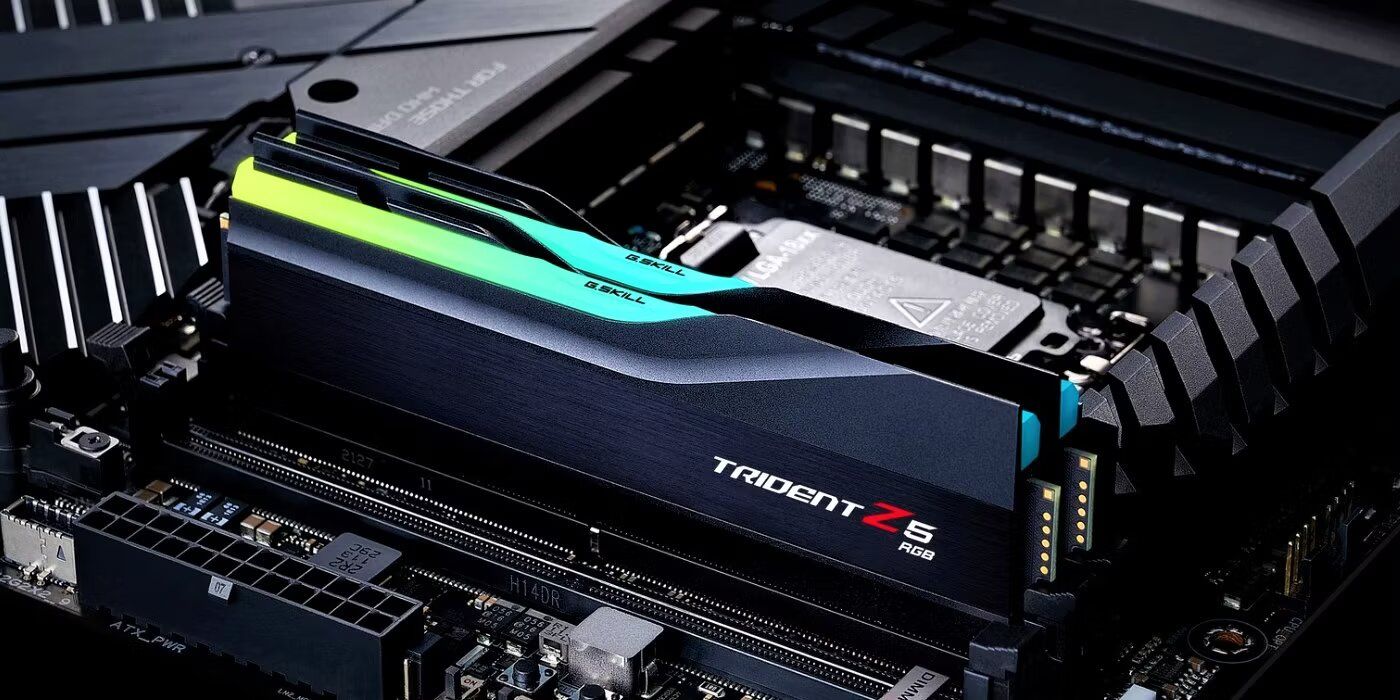
Performance aside, aesthetics have become a selling point in modern PC building. Many RAM kits now feature customizable RGB lighting to match your build’s theme. While it provides no speed benefit, RGB modules can visually complement transparent cases and LED-laden GPUs or cooling systems. Before buying, check that your RAM’s lighting software syncs with your motherboard’s control suite – whether that’s MSI’s Mystic Light, ASUS Aura Sync, or Gigabyte’s RGB Fusion 2.0. Without compatibility, you may end up juggling multiple software utilities or stuck with unsynchronized effects.
Final Recommendations
- Always match the RAM type (DDR4 or DDR5) to your motherboard’s requirements.
- For light use and office machines, 8 GB suffices. For gaming, 16 GB is the entry point. For creative professionals or enthusiasts, 32 GB or more is recommended.
- Dual-channel configurations (two matched sticks) deliver better performance than a single module of equivalent capacity.
- Check latency values as well as frequency for a more accurate picture of real-world performance.
- If your RAM exceeds standard voltages, invest in modules with heat spreaders to avoid overheating.
- RGB lighting is purely aesthetic, but it can elevate the visual appeal of a transparent or themed build.
Choosing the right RAM doesn’t need to be intimidating. By understanding form factors, generations, motherboard limitations, and capacity requirements, you’ll ensure your build strikes the right balance of power, efficiency, and longevity. In the fast-changing landscape of 2025, where AI is rewriting the software demands of everyday computing, a thoughtful memory choice could be the most future-proof decision you make.
2 comments
Finally someone explained latency in plain english, ty!
I added mismatched sticks once and my pc turned into a snail… never again