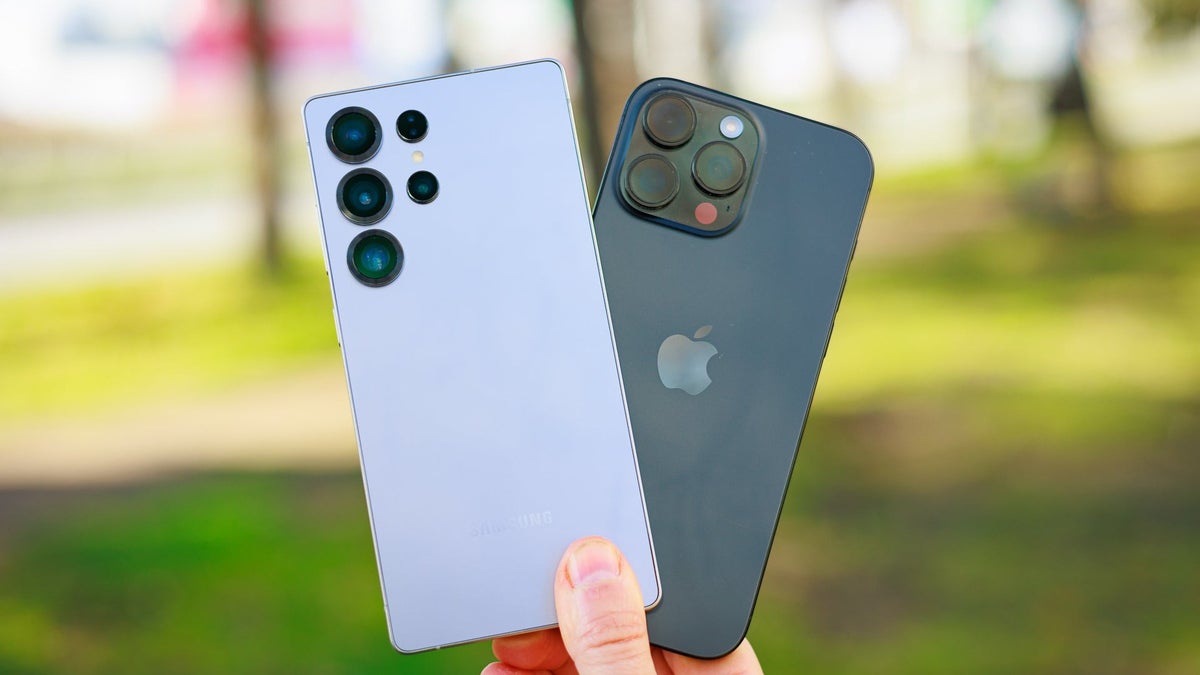
Why Apple iPhones Are Slipping Behind in the Smartphone Race – And It’s Not Just About AI
Smartphones have long promised to replace the need for bulky laptops or desktops, serving as compact digital companions capable of handling nearly all tasks we depend on computers for. From writing emails and browsing the web to streaming endless Netflix series or YouTube playlists, today’s phones can do it all. Yet, when we sit down for serious work, most of us still instinctively turn to larger screens, keyboards, and the multi-window workflows only laptops and desktops provide.
Why? Because despite raw performance, a smartphone is still not an ideal workstation. Large monitors make juggling multiple browser tabs effortless. Full-sized physical keyboards are designed for comfort during long writing sessions. And ergonomically, a forward-facing monitor saves us from the infamous ‘tech neck’ caused by endlessly looking down at a phone screen. Phones have tried to close that gap with power and apps, but workflow efficiency remains their Achilles’ heel.
None of this means smartphones haven’t become astonishingly powerful. The latest processors rival the entry-level chips in laptops, and high-end apps let creators edit videos, craft social content, or run businesses directly from their phones. Some entrepreneurs today skip computers altogether, running their entire online presence from their pocket device. But the missing piece is workflow – and that’s where the next generation of mobile evolution is headed.
The Rise of Foldables and Multitasking Experiments
Foldable smartphones were pitched as the first major step toward solving workflow challenges. By doubling screen real estate, they allow multiple apps to live side by side. Samsung, Huawei, Oppo, OnePlus, and Honor have each experimented with different multitasking methods. Oppo and OnePlus, for example, offer ‘Open Canvas,’ a mode where users can juggle four apps and instantly maximize one with a tap. Honor’s Magic V5 introduces a horizontal three-app view, letting you scroll seamlessly between apps arranged like cards. These features, while still evolving, have made foldables a productivity experiment playground.
But foldables are not for everyone. They remain expensive, often fragile, and not universally embraced. Some users want a simpler, more traditional phone design. Fortunately, multitasking and desktop-like workflows don’t have to be tied to folding screens. In fact, the most promising direction for smartphones is arguably something else entirely: the desktop experience.
Samsung DeX: A Vision Ahead of Its Time
Samsung deserves recognition for spotting this opportunity early. In 2017, with the Galaxy S8, it introduced DeX (short for Desktop Experience). At first, it required a docking station complete with cooling fans, HDMI ports, and USB slots. Plugging your Galaxy phone into it transformed the device into a desktop computer interface on an external monitor. Over time, Samsung cut down the hardware requirement, embedding DeX directly into its phones. Now, with just a USB-C cable or wireless connection, Galaxy S25 or Galaxy Z Fold 7 owners can plug into a monitor, add a Bluetooth mouse and keyboard, and enjoy a desktop-class interface powered entirely by their smartphone.
It’s not perfect – text editing quirks, file management oddities, and clunky mouse integration remind you that Android wasn’t designed for PCs. But DeX has matured to the point where many people genuinely use it. Students, freelancers, and professionals on the move like having all their files and projects stored on one device they can transform into a workstation anywhere. And now, accessory makers are even creating laptop shells – lightweight devices with just a screen, keyboard, and trackpad – designed to run DeX when paired with a Samsung phone. These cost less than full laptops and appeal to anyone who works primarily from their phone but occasionally needs the convenience of a larger display.
Google Joins the Desktop Revolution
It took Google years, but the company has finally embraced the desktop concept. With Android 16, Pixel devices from the Pixel 8 onward now offer a built-in ‘Desktop Mode.’ Functionally similar to DeX, it allows users to connect a monitor and transform their Pixel into a makeshift computer. Right now, this is limited to Pixel phones, but there’s hope Google will eventually roll it out across the Android ecosystem. That would mean higher-end devices from other brands could unlock desktop interfaces without relying on third-party modifications. Such a move could redefine how we view smartphones: not just as phones, but as hybrid computing hubs.
Apple’s Conservative Approach: A Double-Edged Sword
Apple, on the other hand, is far slower to adapt. The company has always favored cautious, tightly controlled product evolution, ensuring features are polished before release but often arriving years behind competitors. Nowhere is this clearer than in the iPad’s evolution. When the iPad Pro launched in 2015, its massive screen promised productivity, but multitasking was restricted to rigid ‘Split View’ and ‘Slide Over’ features. Many apps didn’t support them, and windows could only snap to limited positions. Not until 2022 did Apple introduce Stage Manager, a new floating window interface, which itself felt restrictive at first. It took until 2023 for Stage Manager to finally support true free-floating windows, approaching the flexibility iPad users had long asked for.
Today, iPad Pros can absolutely replace laptops for certain professions. Paired with a dock, monitor, mouse, and keyboard, they function as desktop replacements with relative ease. Apple deserves credit here – but it still lags years behind Samsung in exploring full mobile-to-desktop workflows. And crucially, these features have not yet reached the iPhone.
The iPhone’s Glacial Pace
The iPhone story is one of deliberate minimalism. Larger screens began arriving with the iPhone 6 Plus in 2014, and the iPhone XS Max in 2018 pushed the size further. But Apple refused to add multi-window features even as competitors like Samsung, Sony, and LG made split-screen multitasking standard. It wasn’t until 2020 that iPhones gained Picture-in-Picture, allowing videos to float above other tasks. And even today, iOS still lacks true desktop features or even robust multitasking. For a device so powerful and expensive, it feels oddly constrained in 2025.
Given Apple’s pace, many predict it could take until 2027 or even 2030 before iPhones offer anything resembling Stage Manager or a desktop-like mode. Instead, Apple is currently emphasizing AI development, promising features that were teased but still not delivered as of early 2025. That focus may be justified in terms of market demand, but it leaves iPhones looking less versatile compared to Android rivals embracing hybrid workflows.
What This Means for the Future
The smartphone market is clearly shifting. The future may not be about cramming more raw power or AI tools into phones, but rather about how efficiently these devices integrate into larger workflows. Samsung and Google are pushing toward a world where your phone can double as your primary computer, cutting down on device redundancy. Accessories like laptop shells and wireless monitor connections are already blurring the lines between phone and PC. Apple risks being left behind if it refuses to let the iPhone evolve beyond a single-screen device.
Of course, Apple may surprise us. The company has a history of biding its time and then launching polished features that redefine categories. Just as it entered the smartwatch market late with the Apple Watch but quickly dominated, it may eventually unveil a version of iPhone desktop mode that eclipses DeX or Android’s efforts. But until then, iPhones remain oddly limited compared to what rivals are offering right now.
So the real question isn’t whether smartphones can replace computers – they already can, in certain workflows. The question is whether Apple will allow the iPhone to become part of that future, or whether it will stay stuck as just a phone while the competition races ahead.
3 comments
foldables are neat but fragile af
dex is cool but a bit clunky tbh
bro who needs split screen on phone??