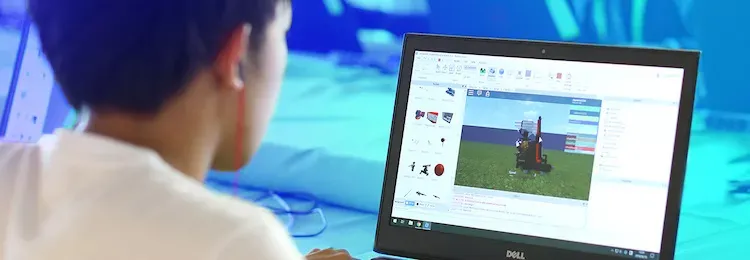
How to Create a Roblox Game: A Complete Beginner’s Guide
Roblox is more than just an online platform for entertainment – it’s a space where millions of players not only enjoy games but also design their own virtual worlds. Built around the Lua programming language, Roblox gives budding developers the opportunity to experiment with game mechanics, storytelling, and creative design without needing years of programming experience.
Every single day, more than 90 million users log into Roblox. While the majority of players are children and teens, about 30% are adults who also dive into the fun. The community-driven ecosystem has generated over 40 million unique games that work seamlessly across PC, smartphones, PlayStation, and Xbox. The sheer scale of creativity here makes Roblox one of the most versatile gaming platforms on the planet.
Examples of Popular Roblox Creations
All of the iconic Roblox games were crafted inside Roblox Studio, a free editor that allows you to build maps, code game logic, insert 3D models, and customize sound effects. A few titles that stand out include:
- DOORS – a spine-chilling horror experience set in endless hotel corridors filled with terrifying jump scares and puzzles.
- Shrimp Game – inspired by the hit series “Squid Game,” where survival depends on outsmarting other players.
- Dress to Impress – a style-based competition where players design outfits and walk the runway to become Roblox fashion icons.
- Fish – a peaceful fishing adventure where players sail across oceans, cast nets, and meet fellow anglers.
- Rivals – a fan-favorite shooter where duels earn players rewards and weapon skins.
- Dead Rails – a zombie survival challenge aboard a moving train.
- Blue Castle – built around the anime Blue Lock.
- Dundee World – a horror escape game full of monsters and tension.
- Natural Disaster Survival – test your survival instincts against earthquakes, tornadoes, and eruptions.
- Arsenal – a competitive team shooter with an arsenal of weapons.
Do You Need Coding Skills?
Although Lua is the backbone of Roblox games, you don’t need deep programming expertise to get started. Roblox Studio comes packed with pre-made scripts, templates, and plugins, letting you build interactive experiences with just a few clicks. For those curious about coding, Lua is simple to grasp and a perfect entry point for learning programming concepts safely.
Step 1: Install Roblox Studio
To begin, sign up on the Roblox website. Don’t use your real name for safety reasons. Once you log into your account, click the Create button at the top of the page. This will allow you to download Roblox Studio for Windows or macOS. After installation, open the editor and sign in with your account details.
Step 2: Learn the Basics
Upon launching Roblox Studio, click Start Tour to explore its features. You’ll be guided through how to add shapes, move objects, resize items, and modify their properties. The editor also provides tutorials in the Discover Studio section. Completing these walkthroughs is a great way to build confidence before diving into your own projects.
Step 3: Build a Game World
To create your first project, try designing a simple coin collection game. Open the Templates page and choose a blank layout or a pre-built one. In the Terrain Editor, you can shape your environment – add hills, lakes, or paint the ground. You can even customize the mood with rain, fog, or lighting effects by downloading assets from the Creator Hub, a massive marketplace of plugins, models, and sounds made by the Roblox community.
Step 4: Add Objects and Gameplay
Now it’s time to make the world interactive. Open the Toolbox panel under the View tab, search for “Coin,” and drag it into the game. The coin already comes with four built-in scripts: one makes it disappear when collected, another tracks your score, a third makes it float, and the last makes it spin. With these scripts, your game instantly has a working mechanic without needing extra code. You can scatter as many coins across the map as you like, turning the game into a scavenger hunt.
Step 5: Test Your Game
Click the Play button at the top to launch test mode. Your character will appear in the world, and you can use W, A, S, D keys to move. Try collecting a coin and check if the scoreboard updates – this confirms the scripts are running properly. If you want to tweak the world or add more challenges, hit Stop to return to the editor and make changes.
Step 6: Publish and Share
Once your project feels ready, publish it by selecting File → Publish to Roblox As. Give your game a catchy title and write a fun description to attract players. Mark it as public, and your creation instantly becomes part of the Roblox universe, playable by millions worldwide. You can even specify supported platforms, making it accessible across PC, mobile, and console.
Final Thoughts
Roblox isn’t just about playing – it’s about creating. With Roblox Studio, anyone can transform their imagination into a fully playable game. Whether you want to design a haunted hotel, a stylish fashion show, or a survival challenge, the tools are all there. The best part? You don’t need advanced coding skills to start, just curiosity and creativity. From small experiments to full-blown multiplayer worlds, your journey as a Roblox game developer begins the moment you open Roblox Studio.
3 comments
the coin thing is cool but how do i make doors that open??
ngl this feels easier than learning unity 😅
i uploaded my game and only my sister played it 💀