Samsung’s upcoming Galaxy S26 Ultra could redefine what it means to have privacy on a smartphone. Okay, picture this: you’re on a packed subway, elbow-to-elbow, trying to check a bank balance without giving Row 3, Seat 12 a free financial seminar. With the Galaxy S26 Ultra, that awkward shuffle might finally be over—not with a cheap matte film that turns a $1,300 flagship into a $200 fog machine, but with a display that protects you… by design.
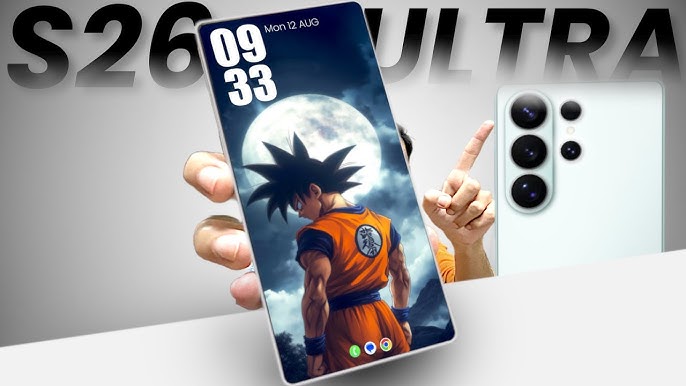
Samsung’s new panel—Flex Magic Pixel—controls visibility at the pixel level. Straight on, your screen stays crisp and bright. Off to the side? It fades to “mind your business.” No stickers, no tint, no compromise. Reports say this isn’t sci-fi; it’s already in production, and the Ultra is the one most likely to ship it first. If Samsung pulls the trigger, privacy shifts from “add-on accessory” to “baked-in expectation.”
Now, I love this move because let’s be real: we live in a nosy world. I want to read private stuff without performing origami with my phone. But here’s my one condition: give us control. Make it per-app, and be transparent about when it kicks in. If the phone quietly recognizes that I’ve opened a banking app—great, toggle the cloak. But tell me, and let me decide where it applies. Helpful AI is cool; sneaky AI is not.
Bonus: this panel isn’t just hush-mode. It uses Samsung’s COE OLED tech, which basically means thinner glass, more brightness, better efficiency—hello, battery gains. The catch? Looks like it’ll be Ultra-only at first. The Edge and even the Pro may sit this one out because: cost. Typical.
Speaking of the S26 Pro, we’ve got numbers. A 6.27-inch screen—still living in that compact lane—and a battery bump to 4,300 mAh over last year’s 4,000. Progress. But is it “Pro”? That depends on cameras. Time will tell.
On the software side, One UI 8 starts rolling to the S25 series in September. One tweak I’m oddly excited about: photo watermarks grew up. Turn it on and you not only get a cleaner, more detailed watermark style, you also unlock a new “vivid” photo look—tasteful pop without neon-sign oversaturation. Smart of Samsung to keep that style tied to the watermark toggle, because if it painted every photo like that, reviewers would have a field day. And for everyone on older devices—S23 Ultra fam, I see you—expect it after the newest models; rollout waves are a thing.
The other headline feature is borrowed brilliance: Google Photos is getting natural-language editing on Samsung phones. No more menu spelunking—just type or say, “remove the cars,” “kill the reflections,” “fix the washed-out colors,” or the universal, “make it better,” and Gemini does the heavy lifting. You can chain edits, undo, refine—like having a polite photo nerd living in your phone. It lives in Google Photos, not Samsung Gallery, but it’s free, so I’m not mad.
So, what’s the big picture here? With the Galaxy S26 Ultra, Samsung isn’t just chasing specs—they’re tackling real-world problems. Privacy when you’re out in public, efficiency without sacrificing brightness, smarter editing tools, and steady improvements across the lineup. Sure, I still want the S Pen’s Bluetooth tricks back, a bigger battery, and those killer zoom lenses. But honestly? A display that protects your content without punishing your eyes—that’s the kind of “craziest screen innovation” I can get behind. Yes, the idea that AI knows when to cloak your screen will spook some people, and that’s fair. The solution is simple: clear instructions, obvious icons, per-app toggles, and an off switch that actually turns it off. If Samsung nails the controls, this goes from “cool demo” to “why doesn’t every phone do this?”
2 comments
bro this gonna kill battery? or nah
sounds cool but i dont trust samsung with sneaky ai lol