Google’s Messages app is undergoing a major visual refresh, shedding its former vibrant design in favor of a sleeker, more polished look. 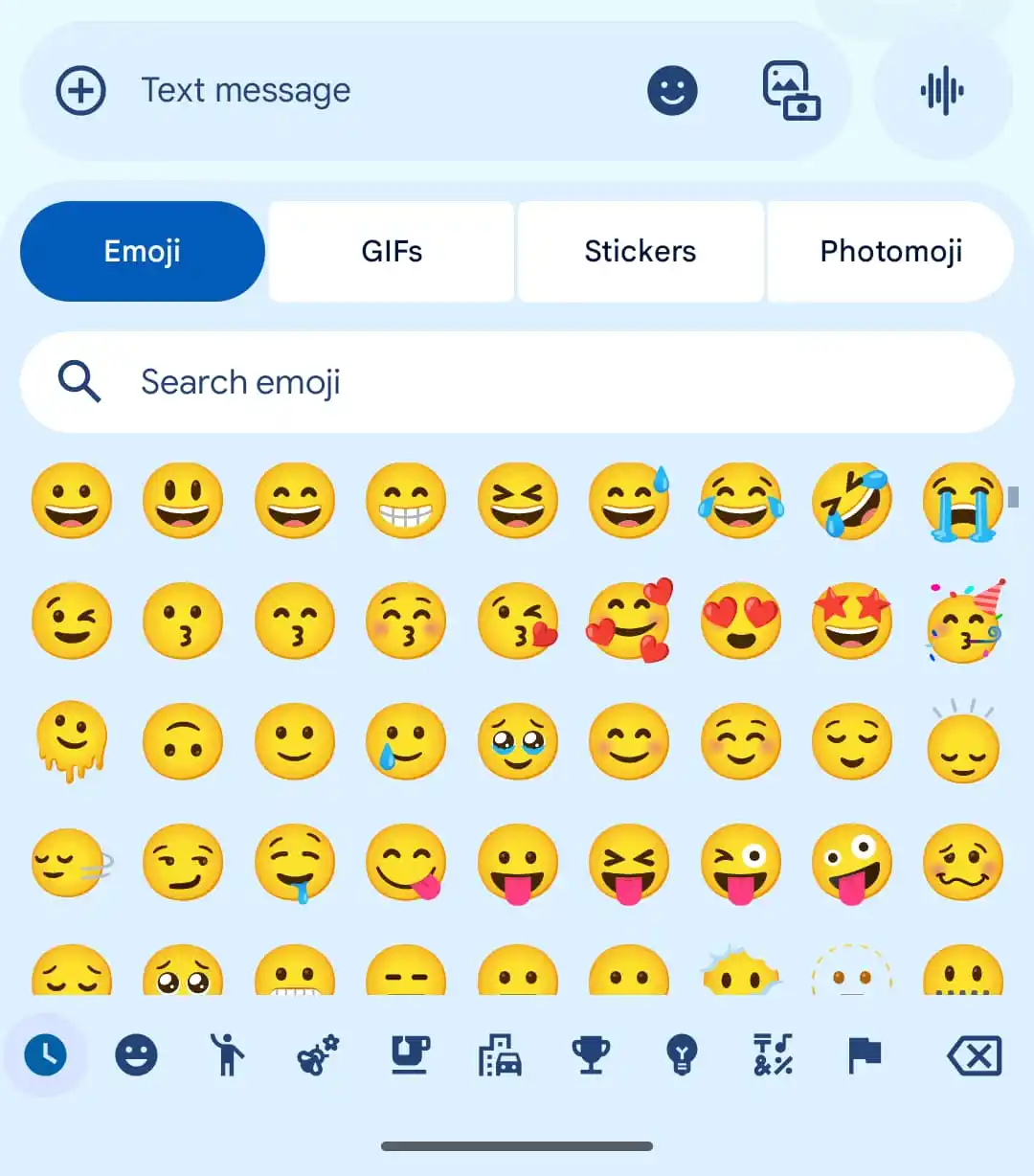
After several smaller tweaks, such as updated startup branding and subtle design adjustments, the app is now embracing the Material 3 Expressive design, bringing a more streamlined experience right to the main chat screen where most users spend their time.
The biggest change you’ll notice is in the message bar. Gone are the colorful, circular icons for features like Gallery, GIFs, Stickers, Magic Compose, and Files. In their place are neatly organized, pill-shaped buttons arranged in a grid layout. This new look blends seamlessly into the background of the bar, offering a less cluttered, unified feel.
Chats themselves also get a visual update. Each thread is now contained within rounded-corner boxes that echo the overall home screen design, while the app’s top bar maintains quick access to call and overflow shortcuts.
The once-playful, varied wallpapers have been replaced by solid backgrounds in both light and dark modes, creating a more polished and consistent experience while scrolling through conversations.
The expressive media picker has also been redesigned. The buttons now shift dynamically depending on the type of media you’re interacting with. The search bar has been moved lower down the screen, eliminating the awkward stacking of text fields. Additionally, Photomoji has been toned down, allowing other media options to take center stage.
Although this visual overhaul marks the final step in Messages’ long redesign, there’s still more under the hood. The latest beta version hints at QR code-based key verification, a small but significant addition to enhance security. This feature will ensure you’re communicating with the person you think you are, addressing growing concerns around messaging security.
With cleaner visuals, smarter media tools, and improved security, Google Messages is now more modern and functional than ever, making it easier – and safer – for users to stay connected without feeling like they’re using an outdated app.
4 comments
The new QR code feature sounds great, but will it really work?? 🤨
Kinda sad to see the wallpapers go, but I get it. It’s cleaner now
This feels like a real upgrade, not just some minor tweaks 🙌
Anyone else miss the colorful icons? I thought they were fun 🤔